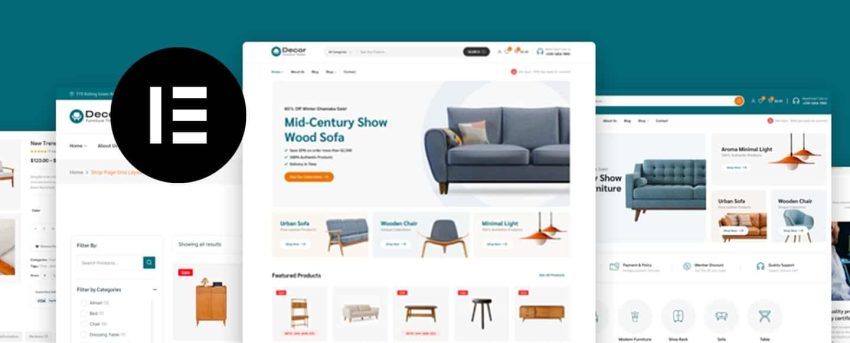
WooCommerce web design with Elementor combines the flexibility of the most popular WordPress page builder with the power of the leading ecommerce platform. The result can be stunning, high-converting stores — or slow, cluttered messes. The difference comes down to design decisions and implementation technique.
At WP Support Lab, we build and maintain WooCommerce stores powered by Elementor Pro. These 7 tips represent the design principles that consistently produce the best results for our ecommerce clients.
Why Design Matters for WooCommerce Conversions
Your store’s design is not just about aesthetics — it directly impacts revenue. Clear product presentation, intuitive navigation, fast load times, and trust-building visual elements all influence whether visitors complete a purchase. A well-designed WooCommerce store converts 2-3x better than a poorly designed one with the same products and traffic.
7 Elementor Design Tips for WooCommerce
1. Design Mobile-First for Product Pages
Over half of ecommerce traffic comes from mobile devices. Design your product pages in Elementor’s mobile view first, then scale up to tablet and desktop. Mobile product pages need large, tappable product images with swipe galleries, a prominent Add to Cart button visible without scrolling, concise product descriptions that do not require excessive reading, and easy access to size guides, reviews, and shipping information.
2. Optimize Product Grid Layouts
Category and shop pages should display products in clean, scannable grids. Use Elementor’s WooCommerce widgets to create 2-column grids on mobile, 3-4 columns on desktop, with consistent image ratios across all products. Add quick-view functionality so shoppers can preview products without leaving the category page. Lazy load product images to keep the page fast as customers scroll through large catalogs.
3. Build Trust Above the Fold
Your homepage and product pages should display trust signals prominently. Use Elementor to place security badges, payment method icons, shipping guarantees, and customer review ratings in the hero section where they are seen immediately. Trust elements visible above the fold increase conversion rates measurably — shoppers who feel secure spend more.
4. Streamline the Checkout Experience
Elementor Pro allows you to customize the WooCommerce checkout page. Design a single-page checkout with minimal fields, clear progress indicators if using multiple steps, a visible order summary, and prominent security indicators near the payment form. Remove distractions like navigation menus and sidebar widgets on the checkout page.
5. Use Elementor’s Dynamic Tags for Personalization
Elementor’s dynamic content features let you create personalized product recommendations, recently viewed products sections, and location-aware shipping estimates. Dynamic elements make your store feel responsive and intelligent, encouraging deeper browsing and higher order values.
6. Optimize Visual Performance
Elementor adds its own CSS and JavaScript to every page. For WooCommerce stores where speed directly affects revenue, optimize by disabling Elementor features on pages that do not use them, using Elementor’s built-in performance settings to reduce file sizes, minimizing the number of sections and columns to reduce DOM complexity, and loading Elementor-generated CSS inline for above-the-fold content.
7. Design Consistent Brand Experiences
Use Elementor’s Global Settings and Theme Style features to maintain visual consistency across your entire store. Define your color palette, typography, button styles, and spacing once, then apply them globally. Consistency builds brand recognition and professional credibility — stores that look polished and cohesive convert better than those with inconsistent styling.
Maintaining Your Elementor WooCommerce Store
Elementor and WooCommerce both receive frequent updates, and compatibility between them requires ongoing attention. Our WooCommerce maintenance plans include compatibility testing for Elementor updates, performance monitoring for store pages, and ongoing optimization to ensure your store stays fast and functional.
For stores needing a complete design overhaul or custom Elementor development, our WordPress development team specializes in building conversion-optimized WooCommerce stores with Elementor Pro.
Frequently Asked Questions
Is Elementor good for WooCommerce stores?
Yes. Elementor Pro includes dedicated WooCommerce widgets for product pages, cart, checkout, and account pages. It gives you full design control over every aspect of your store without writing code.
Does Elementor slow down WooCommerce?
Elementor adds overhead, but with proper optimization it does not noticeably impact store performance. The key is using Elementor’s performance settings, minimizing unnecessary elements, and implementing server-level caching.
Can I customize the WooCommerce checkout with Elementor?
Yes. Elementor Pro includes a checkout page builder that lets you redesign the entire checkout experience — fields, layout, styling, and order summary — without touching code.
Get Professional WooCommerce Design →
Professional WooCommerce Support
WooCommerce stores need specialized maintenance beyond standard WordPress. Payment gateway testing, checkout optimization, product database tuning, and store-specific security all require expert attention.
Our WooCommerce maintenance plans start at $99/month and include everything your store needs to stay fast, secure, and converting. For stores needing a complete performance overhaul or custom development, our WordPress customization service can redesign and optimize any aspect of your WooCommerce installation.