
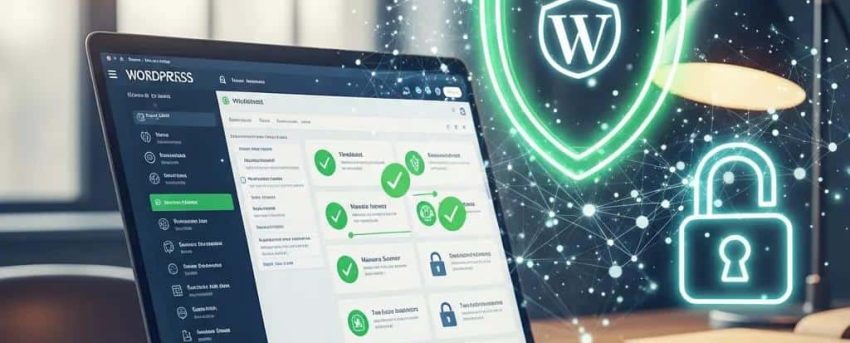
A managed WordPress security service is fundamentally different from installing a security plugin. A plugin runs automated scans — a managed service means a team of experts actively monitors, responds to threats, and applies fixes before they impact your business. This guide explains what a professional managed security service covers and why it outperforms DIY security tools.
Comprehensive WordPress Website Security Services: How to Protect, Audit, and Secure Your Site
[HERO IMAGE: Flat SaaS illustration — a large glowing digital shield in electric blue protecting a WordPress website from incoming threat arrows (malware, hackers, bots). Brand palette: deep navy #1A2B4A, electric blue #3B82F6, white. Clean lines, no text overlays, 16:9 widescreen, modern tech aesthetic.]
In the digital age, securing your WordPress website is paramount to safeguarding your data and maintaining user trust. With cyber threats evolving, understanding the essential security measures, plugins, and audit processes is crucial for any website owner. This article delves into comprehensive strategies for protecting, auditing, and securing your WordPress site, ensuring you are well-equipped to handle potential vulnerabilities. Readers will learn about essential security measures, recommended plugins, and how to conduct thorough security audits. By addressing these key areas, the risk of cyberattacks can be significantly reduced and the site‘s overall security posture enhanced.
Given WordPress‘s widespread use, it faces a constant barrage of attacks, underscoring the urgent need for robust security measures.
Automated WordPress Vulnerability Scanning & Threat Assessment
The purpose of this work is to increase the threat assessment coverage against the most common Content Management System (CMS) in use, WordPress. WordPress represents 63.8% of all CMS in use on the Internet. The product’s ubiquity has made it a target for exploitation, with around 90,000 WordPress sites attacked every minute. This threat vector is not included in risk reports to customers and, as a result, is a critical gap in identifying and remediating risks. Using a combination of open-source tools, data format conversion and process workflow. a WordPress vulnerability service was created that abstracts the complexity of the underlying API calls and pr
Abstraction and automation of WordPress vulnerability scanning, 2023
[MID IMAGE: Isometric SaaS illustration — a secure server vault with a combination lock, SSL certificate badge, firewall icon, and a security expert monitoring a real-time threat dashboard. Threat indicators shown as red dots being neutralized by blue shields. Professional dark navy and electric blue palette.]
Key Benefits of Implementing Essential Security Measures
How Foundational Security Steps Protect Your WordPress Site
To effectively secure a WordPress site, several critical measures must be implemented. These foundational steps not only protect against common threats but also establish a robust security framework.
- Keep Everything Updated: Regularly updating WordPress core, themes, and plugins is essential to patch vulnerabilities and enhance security.
- Use Strong Authentication: Implementing strong passwords and two-factor authentication (2FA) can significantly reduce unauthorized access.
- Deploy a Web Application Firewall: A firewall acts as a barrier between your website and potential threats, filtering out malicious traffic before it reaches your site.
These measures form the backbone of a secure WordPress environment, setting the stage for more advanced security strategies.
Advantages of Recommended Security Plugins for WordPress
How Security Plugins Enhance Your Site’s Defenses

Utilizing effective security plugins can greatly enhance your WordPress site‘s defenses. Here are some of the most recommended options:
- Wordfence Security: This comprehensive plugin offers firewall protection, malware scanning, and login security features to keep your site safe.
- Sucuri Security: Known for its robust malware detection and removal capabilities, Sucuri also provides security hardening and monitoring services.
- iThemes Security Pro: This plugin focuses on strengthening user credentials and preventing brute force attacks, making it a valuable addition to your security toolkit.
By integrating these plugins, the site‘s defenses against a variety of threats can be bolstered.
Benefits of Conducting a Thorough Security Audit
How to Identify Security Risks and Vulnerabilities Effectively

A security audit is a systematic evaluation of a WordPress site‘s security posture. It helps identify vulnerabilities and assess the effectiveness of current security measures.
Identifying security risks involves several key steps:
- Identify Vulnerabilities: Use vulnerability scanners to detect weaknesses in the site.
- Assess Potential Impacts: Evaluate the potential consequences of identified vulnerabilities on the site‘s integrity and user data.
- Review User Roles and Permissions: Ensure that user roles are appropriately assigned and that permissions are not overly permissive.
These steps are crucial for understanding the site‘s security landscape and prioritizing remediation efforts.
Regular vulnerability assessments are critical for proactively identifying and addressing weaknesses before they can be exploited by malicious actors.
WordPress Vulnerability Assessment for Enhanced Website Security
The digital world has seen a significant increase in security threats in recent years, with hacker attacks on websites being a major concern in cybersecurity. One platform that is particularly vulnerable is WordPress, which is widely used and therefore a popular target for hackers. About 95.62% hacked website in 2021 is WordPress based site. Therefore, to improve website security a vulnerability assessment was conducted on a WordPress based website, in order to identify vulnerabilities that may be exploited by hackers. To do the vulnerability assessment, a network-based scanner was used to detect vulnerabilities on the WordPress website. The results showed that the website had several vulnerabilities that needed to be addressed and fixed immediately. The conclusion of this research highlights the importance of conducting regular vulnerability assessments on WordPress-based websites to reduce the risk of vulnerabilities being exploited. By taking proactive measures to ident
Vulnerability assessment with network-based scanner method for improving website security, D Laksmiati, 2023
How to Use Audit Checklists and Tools for Effective Site Assessment
Utilizing audit checklists and tools can streamline the security assessment process. Here are some effective tools:
- WPScan: A popular WordPress vulnerability scanner that identifies known vulnerabilities in the site.
- Sucuri SiteCheck: This tool scans the site for malware, blacklisting status, and other security issues.
- Security Audit Log: This plugin tracks user activity and changes, helping monitor for suspicious behavior.
By employing these tools, a thorough assessment of the site‘s security can be conducted.
While various tools are available for scanning, it is important to note that the effectiveness of security scanner plugins in detecting all known vulnerabilities can vary.
WordPress Security Scanner Plugins for Vulnerability Detection
of 11 WordPress security scanner plugins in the detection of known vulnerabilities in another set of 51 insecure plugins. The results are mixed, with some security scanner plugins failing
Plugins to detect vulnerable plugins: An empirical assessment of the security scanner plugins for wordpress, MF Zibran, 2021
[BOTTOM IMAGE: Flat illustration — a before/after split: left side shows a vulnerable website (cracked shield, warning icons, red alerts); right side shows the same site after WP Support Lab security services (solid blue shield, green checkmarks, clean dashboard). No text labels, visual metaphor only, navy and blue brand palette.]
Maximizing Security with Ongoing Measures and Professional Services
How Continuous Security Efforts Protect Your WordPress Site
Ongoing security measures are essential for maintaining a secure WordPress site. Regular audits, updates, and the use of security plugins can significantly reduce the risk of cyber threats. Additionally, considering professional security services such as those offered by WP Support Lab can provide an extra layer of protection and peace of mind. By prioritizing security, not only is data protected but also the trust of users is enhanced.
How Can You Strengthen WordPress Login Security with Two Factor Authentication?
Two-factor authentication (2FA) adds an extra layer of security to the WordPress login process. By requiring a second form of verification, such as a code sent to a mobile device, 2FA significantly reduces the risk of unauthorized access. Implementing 2FA is straightforward and can be done through various security plugins, ensuring that even if passwords are compromised, the site remains protected.
What Are Effective WordPress Malware Removal Techniques and Incident Response?
In the event of a malware infection, swift action is crucial. Effective removal techniques include:
- Identify Malware Infections: Use security plugins to scan and identify infected files.
- Clean Compromised Sites: Remove malicious code and restore clean backups to ensure complete recovery.
- Implement Future Protection: After cleaning, enhance security measures to prevent future infections.
These steps are vital for maintaining the integrity of the site and protecting user data.
How to Implement Backup and Recovery Strategies for WordPress Security?
Implementing robust backup and recovery strategies is essential for WordPress security. Here are some effective solutions:
- Automated Backups: Use plugins like UpdraftPlus or BackupBuddy to schedule regular backups of the site.
- Offsite Storage: Store backups in secure offsite locations, such as cloud storage, to protect against data loss.
- Quick Restoration: Ensure that the backup solution allows for quick restoration in case of a security incident.
By prioritizing backup strategies, the site can be safeguarded against data loss and ensure a swift recovery.
What Are the Best Practices for WordPress Firewall Setup and Configuration?
Setting up a firewall is a critical step in securing a WordPress site. Here are best practices for effective firewall configuration:
- Configure Firewalls to Block Malicious Traffic: Set rules to filter out known malicious IP addresses and block suspicious requests.
- Regularly Update Firewall Rules: Keep firewall rules updated to adapt to new threats and vulnerabilities.
- Monitor Firewall Logs: Regularly review logs to identify and respond to potential security incidents.
These practices help ensure that the firewall effectively protects the site from various cyber threats.
How Do Security Plugins Enhance Firewall and Login Protection?
Security plugins enhance firewall and login protection by providing features such as:
- Brute Force Protection: Limiting login attempts to prevent unauthorized access.
- IP Whitelisting/Blacklisting: Allowing or blocking specific IP addresses based on their behavior.
- Real-time Monitoring: Alerting to suspicious login attempts and potential breaches.
By leveraging these features, the site‘s security posture can be significantly improved.
How to Restore Your Site Quickly After a Security Incident?
Restoring a site quickly after a security incident involves several key steps:
- Assess the Damage: Determine the extent of the breach and identify affected areas.
- Restore from Backup: Use the most recent backup to restore the site to a secure state.
- Reinforce Security Measures: After restoration, implement additional security measures to prevent future incidents.
These steps are crucial for minimizing downtime and ensuring the continued security of the site.
How to Conduct a Thorough WordPress Security Audit and Vulnerability Scan?
Conducting a thorough security audit involves:
- Performing a Comprehensive Site Audit: Evaluate all aspects of the site, including plugins, themes, and user roles.
- Using Tools for Analysis: Employ security tools to scan for vulnerabilities and assess the site‘s security posture.
- Documenting Findings: Keep a record of identified vulnerabilities and remediation steps taken.
This structured approach ensures that the site‘s security is comprehensively assessed and any weaknesses are addressed effectively.
For additional expert assistance, consider WordPress security support from WP Support Lab.
This table summarizes essential security measures and their importance in maintaining a secure WordPress environment.
This comparison highlights the features and benefits of recommended security plugins for WordPress.
Conclusion
Implementing robust security measures for your WordPress site is essential for protecting sensitive data and maintaining user trust. By regularly updating your platform, utilizing effective security plugins, and conducting thorough audits, you can significantly reduce the risk of cyber threats. These strategies not only enhance your site’s defenses but also ensure a proactive approach to security management. Take the next step in safeguarding your website by exploring our comprehensive security services today.







