

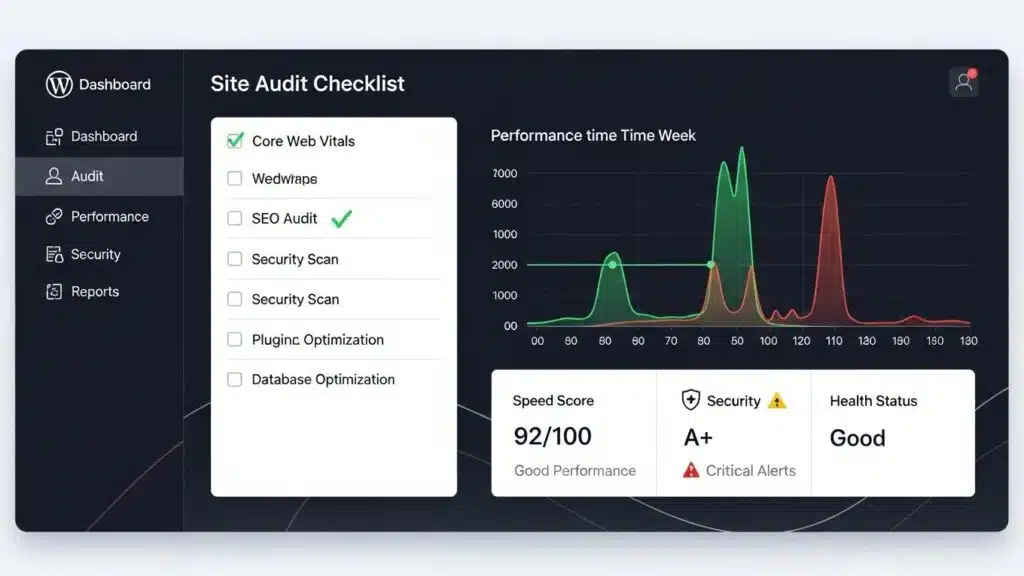
Conducting a WordPress site audit is essential for maintaining optimal performance, security, and SEO effectiveness. This comprehensive guide will walk site owners through seven powerful steps that can significantly enhance a website’s functionality. By understanding the critical components of a WordPress audit, teams can identify areas for improvement and implement strategies that lead to better user experiences and higher search engine rankings. Many website owners struggle with slow loading times, security vulnerabilities, and poor SEO practices, which can hinder their online success. This article provides actionable insights into how to conduct a thorough audit, covering essential steps, recommended tools, and best practices. It explores the importance of technical performance, security assessments, and SEO evaluations, ensuring WordPress sites operate at their best.
What Are the Essential Steps in a WordPress Site Audit?
A WordPress site audit involves several essential steps that collectively enhance the website’s performance, security, and SEO. The primary steps include:
- Technical Performance & Speed: Assessing the website’s loading speed and overall performance metrics.
- Security Assessment: Evaluating the site’s security measures to protect against vulnerabilities.
- SEO Evaluation: Analyzing the site’s “SEO practices” to improve visibility and ranking.
These steps form the foundation of a comprehensive audit, ensuring that all critical aspects of the website are addressed.
How Does Each Audit Step Improve Site Performance and Security?
Each step in the WordPress site audit process plays a vital role in enhancing site performance and security.
- Technical Performance & Speed: By identifying and addressing performance bottlenecks, such as large images or inefficient plugins, teams can significantly improve loading times. Faster websites lead to better user experiences and lower bounce rates.
- Security Assessment: Regular security checks help identify vulnerabilities that could be exploited by malicious actors. Implementing strong security measures protects sensitive data and builds user trust.
- SEO Evaluation: A thorough SEO audit uncovers issues that may hinder search engine visibility. By optimizing content and technical elements, businesses can improve their site’s ranking and attract more organic traffic.
Understanding how these steps contribute to overall site health is crucial for maintaining a successful online presence.
Which Tools Are Recommended for Each Audit Phase?
Utilizing the right tools can streamline the audit process and provide valuable insights. Here are some recommended tools for each phase of the audit:
- Google PageSpeed Insights: This tool analyzes a website’s performance and provides suggestions for improvement.
- GTmetrix: Offers detailed reports on loading times and performance metrics, helping identify areas for optimization.
- Lighthouse: A comprehensive tool that audits performance, accessibility, and SEO, providing actionable recommendations.
These tools are essential for conducting a thorough audit and ensuring WordPress sites meet performance and security standards.
How to Conduct a WordPress Performance Audit for Speed Optimization?

To conduct a performance audit focused on speed optimization, follow these guidelines:
- Identify Key Metrics: Focus on metrics such as Time to First Byte (TTFB), fully loaded time, and page size.
- Use Recommended Tools: Leverage tools like Google PageSpeed Insights and GTmetrix to gather data on site performance.
- Implement Best Practices: Optimize images, minimize HTTP requests, and leverage browser caching to enhance loading speeds.
By systematically addressing these areas, site owners can significantly improve site performance and user experience.
Indeed, the direct correlation between site speed and search engine rankings is well-documented, as highlighted by experts.
Core Web Vitals: Impact on WordPress SEO & Rankings
Google made page experience a ranking factor in 2021. Core Web Vitals specifically. If a site fails these metrics, it is at a disadvantage in search results. Extensive testing across client sites shows that pages with green Core Web Vitals scores rank an average of 8 positions higher than pages with red scores in the same niche. That is not a small difference. For competitive keywords, it is often the difference between page one and page three.
Why Website Speed Matters and How Does It Affect Traffic?, G Tiwari, 2020
What Are the Common Causes of Slow Loading Times?
Several factors can contribute to slow loading times on a WordPress site. Common causes include:
- Large Images: Unoptimized images can significantly increase page load times.
- Excessive HTTP Requests: Too many requests for scripts and styles can slow down the site.
- Inefficient Plugins: Poorly coded or unnecessary plugins can hinder performance.
Identifying and addressing these issues is crucial for enhancing site speed and overall performance.
Which WordPress Audit Tools Help Improve Loading Speed?
To improve loading speed, consider using the following WordPress audit tools:
- Google PageSpeed Insights: Provides insights into loading speed and optimization suggestions.
- GTmetrix: Offers detailed performance reports and recommendations for improvement.
- Lighthouse: An all-in-one tool that evaluates performance, accessibility, and SEO.
These tools are instrumental in identifying speed-related issues and implementing effective solutions.
What Are the Best Practices for a WordPress SEO Audit?
Conducting a WordPress SEO audit involves several best practices to ensure optimal search engine visibility:
- Performance and Speed Metrics: Regularly monitor site speed and performance metrics to identify areas for improvement.
- SEO Optimization Strategies: Implement on-page SEO techniques, such as optimizing meta tags and using relevant keywords.
- Content Quality Review: Ensure that content is high-quality, relevant, and engaging to improve user experience and search rankings.
By following these best practices, businesses can enhance their site’s SEO performance and visibility.
Before diving into specific SEO tactics, it is crucial to establish a clear understanding of a website’s current standing and target audience, as emphasized by SEO strategists.
WordPress SEO Audit: Content & Keyword Strategy
Keep in mind that although this chapter introduces the brilliance of WordPress technologies and the tools to make it work best with SEO, it is not advisable to begin executing any SEO techniques without a clear understanding of the website’s current performance and target audience. A thorough audit of existing content and keyword strategy is crucial before implementing new SEO tactics.
WordPress SEO Success: Search Engine Optimization for Your WordPress Website Or Blog, 2014
How to Identify and Fix SEO Issues in WordPress?
Identifying and fixing SEO issues in WordPress requires a systematic approach:
- Conduct Technical Performance Checks: Use tools to analyze site speed and performance.
- Evaluate Mobile Responsiveness: Ensure that the site is mobile-friendly and responsive across devices.
- Review Content and Conversion: Analyze content for relevance and effectiveness in driving conversions.
By addressing these areas, teams can resolve common SEO issues and improve overall site performance.
Which SEO Audit Tools Provide Actionable Insights?

Several SEO audit tools can provide actionable insights for improving WordPress sites:
- Google PageSpeed Insights: Offers performance analysis and optimization suggestions.
- GTmetrix: Provides detailed reports on site performance and areas for improvement.
- Yoast SEO: A popular plugin that helps optimize content for search engines.
These tools are essential for conducting a thorough SEO audit and implementing effective strategies.
How to Ensure WordPress Site Security During an Audit?
Ensuring security during a WordPress audit involves several best practices:
- Keep Software Updated: Regularly update WordPress core, themes, and plugins to protect against vulnerabilities.
- Use Strong Authentication: Implement strong passwords and two-factor authentication for user accounts.
- Deploy a Web Application Firewall: A firewall can help protect the site from malicious attacks.
By following these practices, site owners can enhance security during the audit process.
What Security Checks Are Vital in a WordPress Audit?
Essential security checks during a WordPress audit include:
- Outdated Software Check: Ensure that all software is up to date to prevent vulnerabilities.
- User Credentials Review: Regularly review user accounts and permissions to ensure security.
- File Permissions Assessment: Check file permissions to prevent unauthorized access.
These checks are crucial for maintaining a secure WordPress site.
How to Address Common WordPress Security Vulnerabilities?
Addressing common WordPress security vulnerabilities involves several key steps:
- Regular Updates: Keep all software updated to protect against known vulnerabilities.
- Strong Authentication: Use strong passwords and two-factor authentication to secure user accounts.
- Web Application Firewall: Implementing a firewall can help protect against attacks.
By following these steps, businesses can effectively mitigate security risks and enhance overall security posture.
Implementing a robust, layered defense strategy is paramount to effectively counter common WordPress security vulnerabilities and protect against sophisticated attacks.
WordPress Security: Vulnerability Analysis & Layered Defense
There are two main risks that containerised WordPress on AWS has; vulnerable container images and application-layer attacks. Such implementation is organised as the layered defence, which incorporates continuous scanning of the Amazon ECR/Inspector images with additional AWS WAF and EventBridge/Lambda automation. SQLinjection (SQLi) and cross-site-scripting (XSS) tests resulted in 100% blocking of SQLi payloads, and 90.95 percent mitigation of XSS with its managed and internal WordPress-specific rules (/wp-login.php, xmlrpc.php). CVEs scanned on image scan prior to deployment; activated automated alerts, optional responses.
Enhancing Security of WordPress Containers on AWS: A Multitool Vulnerability Analysis, 2026
To ensure WordPress sites are running smoothly, consider a “WordPress audit”. This will help identify any potential issues and ensure sites are optimized for performance.
If assistance is needed with WordPress sites, “WordPress support” is available to assist with any issues encountered.
For those looking to build a website quickly, an “AI website builder” can be a great option. It simplifies the process and helps get online faster.