
New Customer Welcome Offer: WordPress Support Packages & Discounts
By David G., WP Support Lab
Maintaining WordPress plugins is crucial for ensuring a website’s functionality, security, and performance. This comprehensive guide delves into the essential practices for effective WordPress plugin maintenance, focusing on automation, security measures, and performance optimization. Many website owners face challenges in keeping their plugins updated and secure, which can lead to vulnerabilities and performance issues. By implementing systematic maintenance strategies, site owners can safeguard their sites against potential threats and enhance overall performance. This article covers automating updates, ensuring security, optimizing performance, and the importance of regular maintenance practices.
Comprehensive Guide on WordPress Plugin Maintenance
Effective WordPress plugin maintenance involves a series of practices aimed at keeping plugins updated, secure, and performing optimally. Regular maintenance is essential for preventing security vulnerabilities, ensuring compatibility with the latest WordPress versions, and enhancing website performance. Key practices include automating updates, conducting regular security scans, and optimizing plugin performance. By adhering to these practices, businesses can significantly reduce the risk of downtime and improve user experience.
Automating Updates
Automating plugin updates is a vital aspect of WordPress maintenance that helps ensure plugins are always up-to-date without manual intervention. This process not only saves time but also minimizes the risk of security vulnerabilities that arise from outdated plugins. Various tools and methods can facilitate this automation, allowing site owners to focus on other critical aspects of their sites. For more in-depth assistance, WP Support Lab recommends WordPress support services to streamline this process.
How Can Site Owners Automate WordPress Plugin Updates Safely?
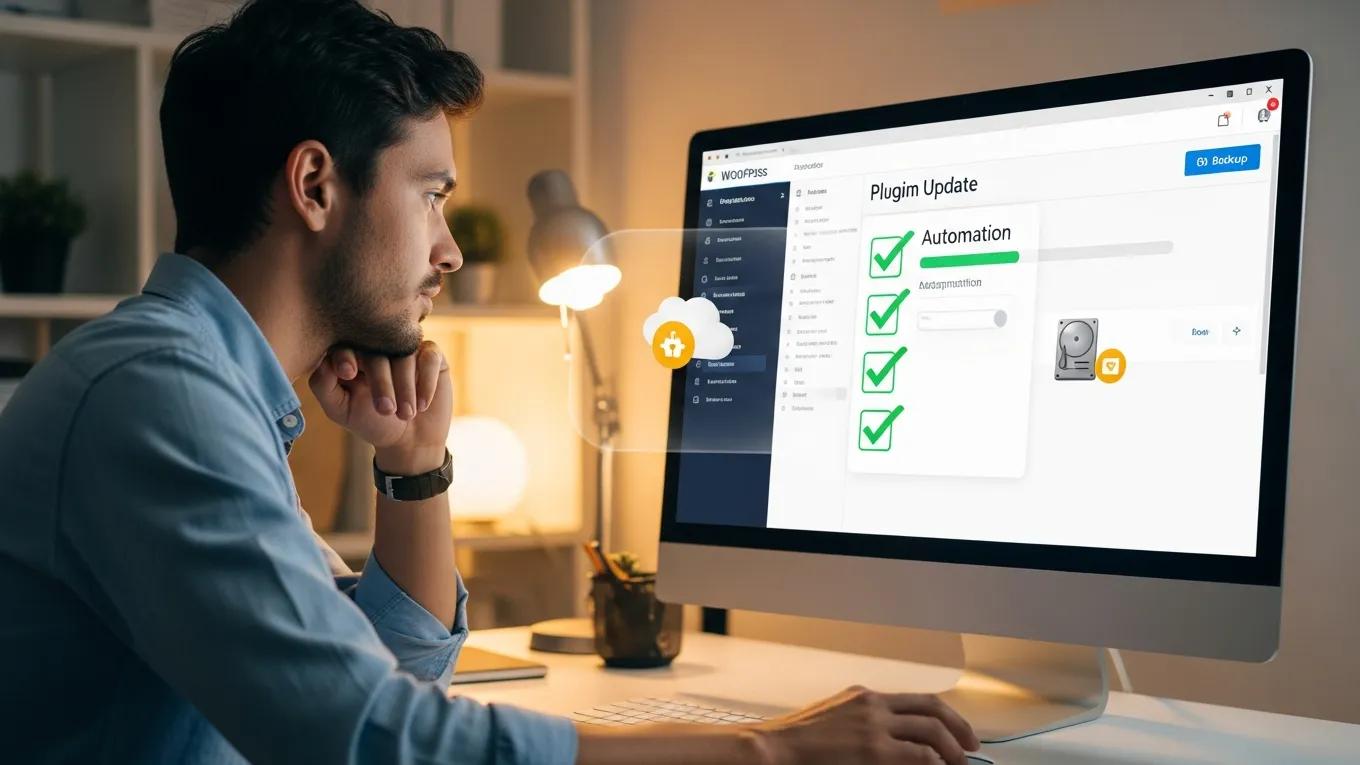
To automate WordPress plugin updates safely, it is essential to follow best practices that minimize risks. First, site owners should always create a backup of the website before enabling automatic updates. This ensures that the site can be restored in case an update causes issues. Additionally, using a staging environment to test updates before applying them to the live site is recommended. This approach allows identification of potential conflicts or problems without affecting users.
What Are the Best Tools for Plugin Update Automation?
Several tools can assist in automating WordPress plugin updates effectively. Popular options include:
- ManageWP: This tool offers a comprehensive dashboard for managing multiple WordPress sites, including automated updates.
- WP Remote: A user-friendly solution that allows monitoring and updating plugins across various sites from a single interface.
- MainWP: This self-hosted solution provides extensive features for managing updates, backups, and security across multiple WordPress installations.
These tools simplify the update process and enhance overall site management.
How to Schedule and Monitor Automated Plugin Updates?
Scheduling and monitoring automated plugin updates is crucial for maintaining control over a website’s functionality. To do this effectively:
- Set a Regular Schedule: Determine how often updates should occur, such as weekly or bi-weekly.
- Use Monitoring Tools: Implement tools that notify site owners of successful updates or any issues that arise during the process.
- Review Update Reports: Regularly check the reports generated by automation tools to ensure that updates are applied correctly and to identify any potential conflicts.
By following these steps, site owners can maintain a well-functioning website with minimal manual effort.
Ensuring Security
Security is a paramount concern for any WordPress site, and maintaining plugins is a critical component of a robust security strategy. Regularly updating plugins helps protect against vulnerabilities that could be exploited by malicious actors. Additionally, implementing security best practices can further enhance a site’s defenses.
Indeed, proactive monitoring and timely alerts from plugins are considered best practices for maintaining a secure and high-performing WordPress website.
WordPress Website Maintenance: Performance & Security Alerts
Cost-effective and having WordPress websites perform with plugins alerting of any new security vulnerabilities is good practice.
How small and medium-sized enterprises work on WordPress website maintenance and resource-efficient strategies and tools for automation, 2025
- Conduct Regular Security Scans: Use security plugins to perform routine scans of the site for vulnerabilities and malware.
- Remove Unused Plugins: Deactivate and delete any plugins that are no longer in use, as they can pose security risks.
- Backup Before Updates: Always back up the site before applying updates to ensure restoration if something goes wrong.
By prioritizing these security practices, businesses can significantly reduce the risk of breaches and maintain a secure WordPress environment.
Optimizing Performance
Optimizing the performance of WordPress plugins is essential for providing a seamless user experience. Slow-loading plugins can lead to higher bounce rates and lower user satisfaction. Implementing performance optimization techniques can help enhance a site’s speed and efficiency.
Given WordPress’s dominant market share, a dedicated focus on optimization techniques, plugins, and best practices is crucial for any website owner.
WordPress Optimization: Techniques, Plugins & Best Practices
Since WordPress is the largest WCMS by market share, this thesis focuses on its optimization techniques, plugins, and best practices.
Evaluating WordPress optimization plugins and techniques, O Kuosmanen, 2025
- Monitor Plugin Performance: Regularly assess the performance of plugins using tools like GTmetrix or Pingdom to identify any that may be slowing down the site.
- Conduct Compatibility Checks: Ensure that all plugins are compatible with the latest version of WordPress and with each other to prevent conflicts.
- Consolidate Plugins: Where possible, reduce the number of plugins by consolidating functionalities into fewer, more efficient plugins.
By focusing on these optimization strategies, site owners can improve their site’s loading times and overall performance.
Regular Maintenance Practices
Regular maintenance practices are essential for ensuring the long-term health of a WordPress site. These practices help prevent issues before they arise and keep the site running smoothly.
- Conduct Compatibility Checks: Regularly check that all plugins are compatible with the latest WordPress version to avoid conflicts.
- Perform Regular Backups: Schedule backups to ensure quick restoration in case of an issue.
- Monitor Uptime: Use uptime monitoring tools to ensure the site is always accessible to users.
Implementing these regular maintenance practices will help maintain a reliable and efficient WordPress site.
Professional Support
Hiring professional maintenance services can provide significant benefits for website owners who may not have the time or expertise to manage their plugins effectively. Professional support offers comprehensive solutions tailored to specific needs.
- Comprehensive Support: Professionals can handle all aspects of plugin maintenance, from updates to security checks.
- Expertise in Plugin Management: With their experience, professionals can quickly identify and resolve issues that may arise.
- Tailored Services: Many maintenance services offer customized plans to fit the unique requirements of a website.
By investing in professional support, businesses can ensure that their WordPress site remains secure, up-to-date, and performing at its best.
How Do Plugin Updates Improve WordPress Plugin Security?
Regular plugin updates are crucial for enhancing WordPress security. Each update often includes patches for known vulnerabilities, reducing the risk of exploitation. By keeping plugins updated, site owners can protect their sites from potential threats and ensure a safer browsing experience for users.
What Are Common Plugin Vulnerabilities and How to Manage Them?
Common plugin vulnerabilities include outdated code, lack of support, and poor coding practices. To manage these vulnerabilities, site owners should:
Research further emphasizes the critical nature of these vulnerabilities, highlighting their potential to compromise web application integrity.
Critical WordPress Plugin Vulnerabilities & Web Integrity
Security vulnerabilities caused by plugins and found that most of them are critical and might tamper with the integrity of web applications.
Understanding vulnerabilities in plugin-based web systems: an exploratory study of wordpress, M Viana, 2018
- Regularly Update Plugins: Ensure all plugins are updated to the latest versions.
- Choose Reputable Plugins: Select plugins from trusted developers with good reviews and regular updates.
- Monitor for Vulnerabilities: Use security tools to scan for known vulnerabilities in installed plugins.
By proactively managing these vulnerabilities, businesses can significantly enhance their site’s security posture.
How to Perform Effective Compatibility Checks for WordPress Plugins?
Performing effective compatibility checks involves testing plugins after updates to ensure they work seamlessly with the WordPress installation. This can be done by:
- Using a Staging Environment: Test updates in a staging environment before applying them to the live site.
- Reviewing Change Logs: Check the change logs of plugins for any potential compatibility issues with the latest WordPress version.
- Conducting User Testing: After updates, conduct user testing to identify any issues that may affect site functionality.
These steps will help ensure that plugins remain compatible and functional after updates.
What Causes Plugin Conflicts and How to Detect Them?
Plugin conflicts can arise from various factors, including incompatible plugins, outdated code, or conflicts with the WordPress core. To detect these conflicts, site owners should:
- Disable All Plugins: Temporarily disable all plugins and reactivate them one by one to identify the conflicting plugin.
- Check Error Logs: Review server error logs for any messages related to plugin conflicts.
- Use Debugging Tools: Enable WordPress debugging to identify issues during plugin activation.
By following these steps, conflicts can be effectively detected and resolved.
How to Use AI-Driven Tools for Compatibility Testing?
AI-driven tools can streamline the compatibility testing process by automating checks and identifying potential issues. These tools analyze plugin interactions and provide insights into compatibility, helping site owners make informed decisions about updates. By leveraging AI technology, plugin management strategies can be enhanced and the risk of conflicts reduced.
Why Is Regular Backup and Rollback Crucial for Plugin Maintenance?
Regular backups and the ability to roll back updates are essential for maintaining a stable WordPress site. Backups ensure that the site can be restored to a previous state if an update causes issues. Rollback features allow reverting to earlier plugin versions if necessary, minimizing downtime and disruption.
How to Backup WordPress Plugins Before Updates?
To back up WordPress plugins before updates, site owners can:
- Use Backup Plugins: Install backup plugins that automate the backup process for the entire site, including plugins.
- Manual Backup: Manually copy plugin files from the wp-content/plugins directory to a secure location.
- Database Backup: Ensure that the database is backed up, as plugin settings are often stored there.
By implementing these backup strategies, sites are safeguarded against potential issues arising from plugin updates.
What Are the Best Practices for Plugin Rollback After Failed Updates?
If a plugin update fails, follow these best practices for rollback:
- Use a Rollback Plugin: Some plugins offer built-in rollback features that allow easy reversion to previous versions.
- Restore from Backup: If a rollback plugin is not available, restore the site from the most recent backup.
- Test After Rollback: After rolling back, test the site thoroughly to ensure that all functionalities are restored.
These practices help manage failed updates effectively and maintain a stable website.
How to Optimize WordPress Plugin Performance for a Faster Website?

Optimizing plugin performance involves several strategies to enhance loading times and overall site efficiency. Key techniques include:
- Minimize Plugin Usage: Limit the number of active plugins to only those necessary for the site’s functionality.
- Use Caching Solutions: Implement caching plugins to reduce server load and improve loading times.
- Optimize Database: Regularly clean and optimize the database to enhance performance.
By focusing on these optimization techniques, website speed and user experience can be significantly improved.
Which Techniques Improve Plugin Load Times and Efficiency?
Several techniques can improve plugin load times and efficiency, including:
- Asynchronous Loading: Load non-essential plugins asynchronously to prevent them from blocking the rendering of the main content.
- Code Optimization: Ensure that plugins are well-coded and free of unnecessary scripts that can slow down performance.
- Content Delivery Network (CDN): Utilize a CDN to distribute content and reduce latency for users across different geographical locations.
Implementing these techniques will help enhance site performance and user satisfaction.
How to Audit Plugin Performance and Identify Bottlenecks?
Auditing plugin performance involves assessing how each plugin impacts site speed and functionality. To identify bottlenecks:
- Use Performance Testing Tools: Tools like GTmetrix or Google PageSpeed Insights can help analyze loading times and pinpoint slow plugins.
- Review Resource Usage: Monitor server resource usage to identify plugins that consume excessive CPU or memory.
- Conduct User Experience Testing: Gather feedback from users regarding site speed and functionality to identify areas for improvement.
By conducting regular audits, optimal plugin performance can be maintained and user experience enhanced.
To further enhance a website’s visibility, implementing a robust search engine optimization strategy is recommended. This will help ensure that the site ranks higher in search results, driving more traffic and engagement.
For those looking to build a new website or revamp an existing one, an AI website builder can provide a streamlined and efficient solution. These tools leverage artificial intelligence to automate the design and development process, making it easier than ever to create a professional-looking website.
If custom solutions are needed for a WordPress site, consider WordPress development services. These services provide tailored solutions to meet specific needs, ensuring that the website functions exactly as required.
To ensure a WordPress site is running smoothly and efficiently, performing a WordPress audit is advisable. This process involves a thorough review of the site’s performance, security, and overall health, helping identify and address any potential issues.







