WordPress maintenance pricing varies from $29/month for basic automated tools to $500+/month for fully managed enterprise plans. Understanding what drives those costs — and what you actually get at each price point — is essential before choosing a provider. This guide breaks down real 2026 pricing across the market and explains what separates a $59/month plan from a $359/month plan.
WordPress Maintenance Guide 2026: Essential Checklist for Site Backup, Security, Updates, and Performance
By David G., WP Support Lab
Maintaining a WordPress site in 2026 requires a structured and technically informed approach to ensure optimal performance, security, and reliability. This guide provides a comprehensive overview of essential maintenance tasks, including site backups, security measures, update processes, and performance optimization strategies. As website owners face increasing threats and technical challenges, understanding these maintenance practices is crucial for preventing issues and ensuring a seamless user experience. This article will delve into the importance of regular maintenance, offering a detailed checklist to help WordPress administrators manage their sites effectively. Key sections include an overview of maintenance, an essential checklist, and specific strategies for backups, security, updates, performance optimization, automation, and managed maintenance plans.
Overview:
WordPress maintenance is vital for keeping websites secure, functional, and up-to-date. Regular maintenance helps prevent potential issues that could disrupt site performance or compromise security. By implementing a structured maintenance plan, site owners can ensure that their websites remain healthy and continue to meet user needs. This proactive approach not only enhances user experience but also contributes to better search engine rankings and overall site credibility. Technically, maintenance involves monitoring server health, database integrity, plugin compatibility, and security threat vectors, all of which require systematic attention.
Essential Checklist:
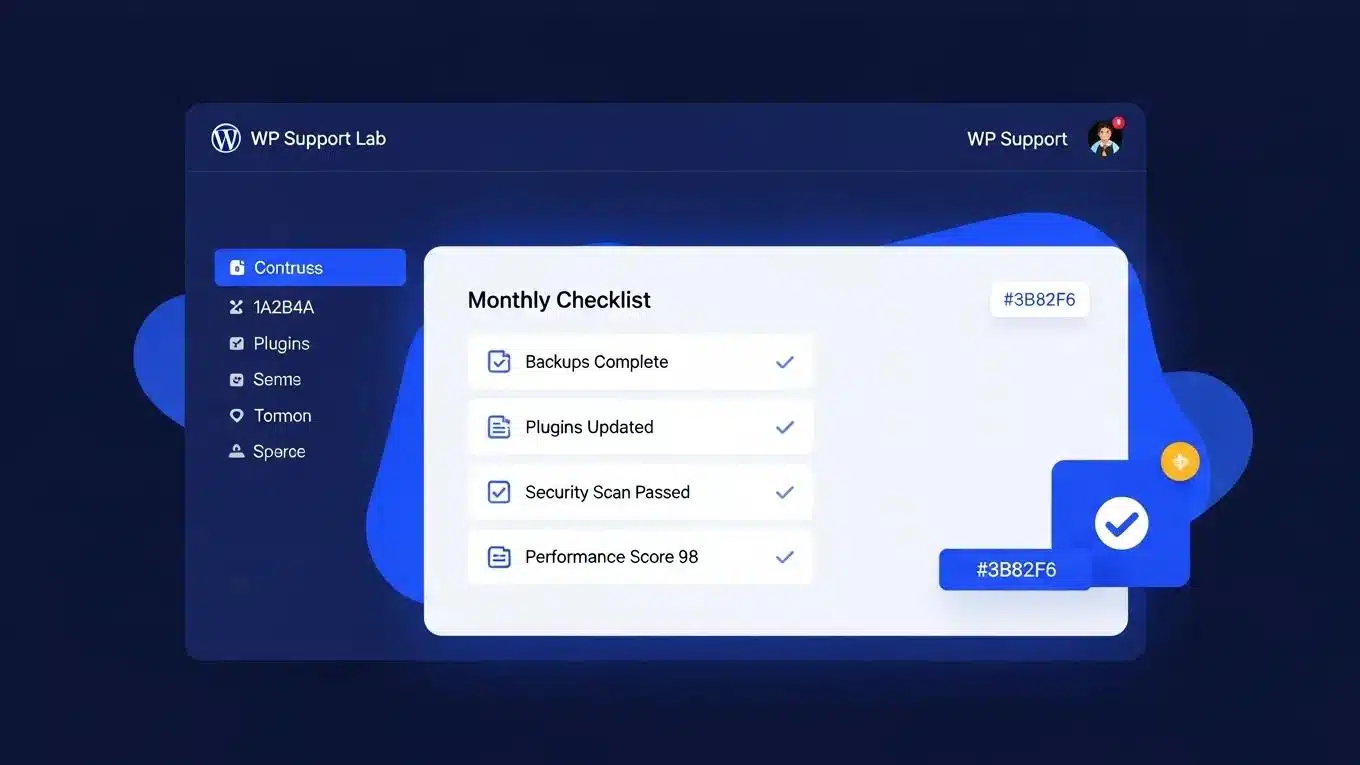
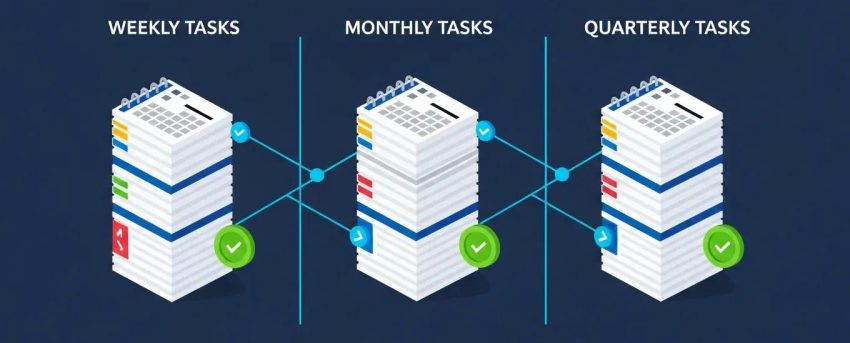
A well-rounded maintenance checklist includes several key tasks that should be performed regularly. These tasks encompass site backups, security measures, update processes, and performance optimization strategies. By adhering to this checklist, WordPress administrators can effectively manage their sites and mitigate risks associated with neglecting maintenance. Each task requires technical understanding of WordPress architecture, server environments, and security protocols to be executed correctly and efficiently.
Site Backup:
Regular backups are essential for safeguarding website data. A reliable backup strategy ensures that sites can be quickly restored in case of data loss or corruption. Key technical considerations include:
- Backup Frequency: It is recommended to perform backups at least once a week. For high-traffic sites or eCommerce platforms, daily backups may be necessary to capture all changes. Incremental backups can optimize storage and reduce server load by only saving changes since the last backup.
- Storage Options: Utilize cloud storage solutions such as Amazon S3, Google Drive, or Dropbox, or external hard drives to store backups securely. Offsite storage prevents data loss in case of server failures or local disasters. Encryption of backup files is advised to protect sensitive data.
- Testing Backups: Regularly test backups by restoring them in a staging environment to ensure they can be restored successfully. This step is crucial to avoid surprises during a recovery process and to verify backup integrity and completeness.
Security Measures:
Implementing robust security measures is critical to protect WordPress sites from potential threats. Best practices include:
- Continuous Monitoring: Use security plugins that offer real-time monitoring and alerts for suspicious activities such as unauthorized login attempts, file changes, and malware detection. Integration with security information and event management (SIEM) systems can enhance threat detection.
- Brute Force Protection: Implement measures such as limiting login attempts, using CAPTCHA, and enforcing IP blacklisting to prevent unauthorized access. Employing two-factor authentication (2FA) adds an additional security layer.
- SSL Certificate Monitoring: Ensure SSL certificates are up-to-date and properly configured to protect user data in transit and enhance site trustworthiness. Automated renewal services like Let’s Encrypt can simplify certificate management.
Update Processes:
Keeping WordPress core, themes, and plugins updated is essential for maintaining site security and functionality. Efficient update management involves:
- Establishing a Weekly Update Cycle: Schedule regular updates to ensure all components are current and secure. This includes minor and major releases, which often contain critical security patches.
- Testing Updates in Staging: Before applying updates to live sites, test them in a staging environment to identify potential conflicts or compatibility issues with existing plugins or custom code.
- Immediate Application of Security Patches: Prioritize applying security updates as soon as they are released to protect against vulnerabilities. Delays can expose sites to exploitation.
Performance Optimization Strategies:
Optimizing WordPress site performance is crucial for user experience and SEO. Strategies include:
- Uptime Monitoring: Use monitoring tools to track site uptime and receive alerts for downtime incidents. Tools like Pingdom, UptimeRobot, or New Relic provide detailed analytics and response time metrics.
- Speed Monitoring: Regularly test site loading speed using tools such as Google PageSpeed Insights, GTmetrix, or WebPageTest. Analyze results to identify bottlenecks like unoptimized images, excessive scripts, or slow server response times.
- Caching Configuration: Implement caching solutions such as server-side caching (e.g., Varnish), object caching (e.g., Redis or Memcached), and browser caching to reduce server load and improve page load times. Proper cache invalidation strategies are necessary to ensure content freshness.
What are the best WordPress site backup solutions in 2026?
In 2026, several backup solutions stand out for their reliability and advanced features. These include:
- UpdraftPlus: A popular choice offering scheduled backups, incremental backup options, and seamless cloud storage integration with providers like Google Drive, Dropbox, and Amazon S3.
- BackupBuddy: Known for comprehensive backup and restore capabilities, including site migration features and database serialization handling.
- VaultPress: A subscription-based service providing real-time backups, automated security scanning, and one-click restores, integrated with Jetpack for enhanced security.
How often should you perform WordPress backups?
For most WordPress sites, weekly backups are sufficient. However, high-traffic sites or eCommerce platforms require daily backups to ensure all data, including orders and user activity, is captured and can be restored quickly in emergencies. Incremental backups can reduce resource consumption while maintaining data integrity.
Which tools and plugins offer reliable WordPress backup management?
Several tools and plugins provide effective backup management, including:
- UpdraftPlus: Offers automated backups, encrypted storage options, and easy restoration processes.
- BackupBuddy: Provides scheduled backups, migration tools, and database optimization features.
- VaultPress: Delivers real-time backups, malware scanning, and security monitoring integrated with WordPress.com infrastructure.
What are the top WordPress security best practices for 2026?
To ensure WordPress sites remain secure, the following best practices are recommended:
- Keep Everything Updated: Regularly update WordPress core, themes, and plugins to protect against known vulnerabilities and exploits.
- Implement Strong Authentication: Use strong, unique passwords and enable two-factor authentication (2FA) to enhance login security and reduce the risk of credential compromise.
- Deploy a Web Application Firewall: Utilize firewalls such as Cloudflare, Sucuri, or Wordfence to block malicious traffic, filter out attacks, and protect against common threats like SQL injection and cross-site scripting (XSS).
How to implement effective malware detection and removal?
Effective malware detection and removal involve several key strategies:
- Regular Scans: Schedule frequent scans using security plugins like Wordfence, Sucuri, or MalCare to identify potential threats, suspicious files, and unauthorized changes.
- Removal Tools: Utilize malware removal tools and services to clean infected files, remove backdoors, and restore site integrity. Automated cleanup features can expedite recovery.
- Prevention Strategies: Implement security best practices such as keeping software updated, enforcing strong passwords, limiting user permissions, and using secure hosting environments to prevent future infections.
Understanding sophisticated attack methods, including zero-day exploits and zero-click malware delivery, is crucial for developing robust prevention strategies that anticipate emerging threats.
Identifying WordPress Zero-Day Exploits and Vulnerabilities
Additionally, testing a zero-click download strategy demonstrated how malware can be delivered without any user interaction, further highlighting the risks posed by these vulnerabilities.
Behind the code: identifying zero-day exploits in WordPress, MS Nadeem, 2024
What security protocols protect WordPress sites from vulnerabilities?
Several security protocols help protect WordPress sites from vulnerabilities:
- Firewall Settings: Configure firewalls to block malicious traffic, unauthorized access attempts, and known attack vectors. Layered firewall configurations combining network and application-level firewalls provide comprehensive protection.
- User Access Controls: Limit user permissions based on roles and responsibilities to reduce the risk of unauthorized changes. Implement the principle of least privilege and regularly audit user accounts.
- Regular Audits: Conduct security audits and vulnerability assessments to identify and address potential weaknesses. Automated tools and manual reviews complement each other for thorough coverage.
How to manage WordPress core, theme, and plugin updates efficiently?
Efficient update management involves a systematic approach:
- Regular Update Schedule: Establish a routine for checking and applying updates to WordPress components, ideally on a weekly basis, to maintain security and compatibility.
- Backup Before Updates: Always create a full backup before applying updates to ensure the ability to restore the site if issues arise.
- Testing Updates: Test updates in a staging environment to identify compatibility issues or conflicts before deploying to the live site, minimizing downtime and errors.
What is the recommended update frequency for WordPress components?
The recommended update frequency for WordPress components is as follows:
- Weekly Reviews for Core Updates: Check for core updates weekly to ensure the site remains secure and stable.
- Immediate Application of Security Updates: Apply security patches as soon as they are released to mitigate vulnerabilities promptly.
- Monthly Performance Checks: Conduct monthly assessments of site performance and make necessary adjustments to optimize speed and resource usage.
How to automate update processes using AI tools?
Automating update processes can save time and reduce the risk of human error. Recommended steps include:
- Choosing Automation Plugins: Select plugins that offer automated update features for WordPress core, themes, and plugins, such as ManageWP, MainWP, or Jetpack’s auto-update module.
- Setting Up Staging Environments: Use staging environments to automatically test updates before applying them to live sites, ensuring compatibility and stability.
- Scheduling Regular Updates: Configure automation tools to schedule updates during low-traffic periods to minimize disruption and maintain site availability.
How can you optimize WordPress performance and SEO maintenance in 2026?
Optimizing performance and SEO maintenance involves several strategies:
- Image Optimization: Compress images using tools like Imagify or ShortPixel to reduce loading times without sacrificing quality, and implement lazy loading to defer offscreen images.
- Caching Solutions: Implement caching plugins such as WP Rocket or W3 Total Cache to improve site speed and reduce server load through page, object, and database caching.
- On-Page SEO Strategies: Regularly update content, optimize meta tags, use schema markup, and ensure mobile responsiveness to maintain search engine rankings and enhance user engagement.
Which strategies improve site speed and database optimization?
Improving site speed and database optimization can be achieved through the following strategies:
- Minimizing HTTP Requests: Reduce the number of elements on pages by combining CSS and JavaScript files, using sprites for images, and eliminating unnecessary plugins.
- Using a CDN: Implement a Content Delivery Network (CDN) such as Cloudflare or StackPath to distribute content efficiently across various geographic locations, reducing latency.
- Database Cleanup: Regularly clean up the database by removing post revisions, spam comments, transient options, and unused tables using plugins like WP-Optimize or Advanced Database Cleaner.
How to conduct SEO audits and maintain search engine rankings?
Conducting SEO audits involves several key steps:
- On-Page SEO Checks: Review site content, meta tags, headings, URL structures, and internal linking to ensure alignment with SEO best practices.
- Monitoring Site Performance: Use analytics and webmaster tools to track site traffic, bounce rates, and keyword rankings, identifying areas for improvement.
- Regular Content Updates: Keep content fresh, relevant, and authoritative to maintain search engine rankings and engage users effectively.
To further enhance WordPress sites, consider a WordPress audit. This comprehensive review identifies areas for improvement in security, performance, and overall site health.
For those looking to build new websites, an AI website builder can streamline the process. These tools offer intuitive interfaces and intelligent design suggestions to create professional-looking sites quickly.
If assistance is needed with managing WordPress sites, professional WordPress support services provide ongoing maintenance, troubleshooting, and expert advice to keep sites running smoothly.
Automating WordPress Maintenance Tasks
Automation of WordPress maintenance tasks is increasingly essential for efficient site management. Automating update scheduling, backups, and uptime monitoring reduces manual workload and minimizes human error. Key automation strategies include:
- Automated Update Scheduling: Utilizing tools such as ManageWP, MainWP, or Jetpack’s auto-update features allows WordPress administrators to schedule and automate updates for core, themes, and plugins. These tools can be configured to perform updates during off-peak hours and notify administrators of any issues.
- Automated Backups: Backup plugins like UpdraftPlus and BackupBuddy support scheduled automatic backups to cloud storage or remote servers. Automation ensures backups occur consistently without manual intervention, and administrators can configure retention policies to manage storage efficiently.
- Uptime Monitoring Tools: Services such as UptimeRobot, Pingdom, and New Relic provide automated monitoring of site availability and performance. These tools send real-time alerts via email, SMS, or integrations with communication platforms when downtime or performance degradation is detected, enabling rapid response.
By integrating these automation tools, WordPress administrators can maintain high site availability, security, and performance with minimal manual effort, allowing focus on strategic site improvements.
WP Support Lab’s Managed Maintenance Plans
WP Support Lab offers managed maintenance plans designed to cover all essential checklist items with proactive monitoring and expert intervention. These plans provide comprehensive services including:
- Proactive Monitoring: Continuous surveillance of site uptime, security threats, and performance metrics to detect and resolve issues before they impact users.
- Automated and Manual Backups: Scheduled automated backups combined with manual verification and restoration testing to ensure data integrity and rapid recovery capabilities.
- Security Management: Implementation of advanced security protocols, regular malware scanning, firewall configuration, and immediate application of security patches to safeguard sites.
- Update Management: Systematic scheduling and testing of WordPress core, theme, and plugin updates in staging environments before deployment to live sites, minimizing downtime and compatibility issues.
- Performance Optimization: Regular audits and tuning of caching, database optimization, image compression, and CDN integration to maintain optimal site speed and SEO rankings.
- Expert Support: Access to WordPress specialists for troubleshooting, custom development, and strategic advice tailored to site-specific needs.
WP Support Lab recommends these managed plans for site owners seeking reliable, hands-off maintenance solutions that ensure continuous site health, security, and performance in the evolving digital landscape of 2026.