

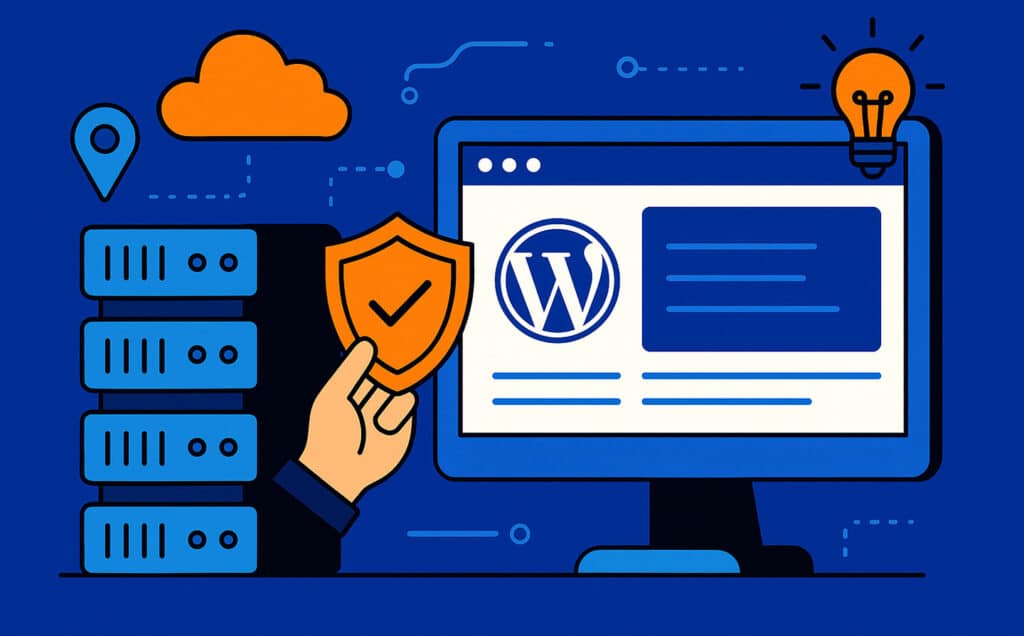
WordPress hosting is the foundation your entire website sits on. The best WordPress installation, the most optimized plugins, and the most polished design cannot overcome a slow, unreliable hosting environment. Choosing the right host — and configuring it properly — is one of the highest-impact decisions you will make for your site’s performance.
At WP Support Lab, we work with sites on every type of hosting and see firsthand how hosting choices affect real-world performance. This guide helps you make informed hosting decisions based on your site’s actual needs.
Why Hosting Choice Matters
Your hosting environment determines server response time — how quickly your server begins sending data when a visitor requests a page. This is the first number in your load time and sets the floor for everything else. A server that responds in 100ms gives you a 3-second head start over one that takes 3 seconds just to begin responding.
Hosting also determines uptime reliability, available server resources during traffic spikes, security at the infrastructure level, and your ability to implement performance optimizations like Redis caching and PHP version management.
4 Hosting Choices That Boost Performance
1. Move Beyond Shared Hosting
Shared hosting places hundreds of websites on a single server, sharing CPU, RAM, and disk I/O. When another site on your server gets a traffic spike or runs a resource-intensive process, your site slows down. For any business site that depends on consistent performance, shared hosting is a ceiling you need to break through.
VPS (Virtual Private Server) hosting provides dedicated resources at a modest price increase. Managed WordPress hosting goes further with WordPress-optimized server configurations. Either option gives you isolated resources, faster response times, and the ability to scale as your traffic grows.
2. Ensure PHP 8.2+ and Modern Server Stack
PHP version directly affects WordPress execution speed. PHP 8.2 processes WordPress requests 15-25% faster than PHP 7.4. Ensure your host supports the latest PHP version and that your site is running on it. Beyond PHP, a modern server stack includes Nginx or LiteSpeed web server, MariaDB or MySQL 8.0+, NVMe SSD storage, and HTTP/2 or HTTP/3 support.
3. Enable Server-Level Caching
The most effective caching happens at the server level, before WordPress even processes the request. Redis for object caching, Varnish or FastCGI cache for full-page caching, and OPcache for PHP bytecode caching all operate at the server level for maximum speed. Not all hosts support these — verify before committing.
At WP Support Lab, our dedicated server infrastructure includes Redis, WP Rocket integration, and optimized server-level caching that delivers sub-second response times for client sites.
4. Choose a Host with Strong Security Infrastructure
Hosting-level security includes DDoS protection, network-level firewalls, automatic security patching of the operating system, isolated account environments, and SSL certificate management. These protections complement your WordPress-level security (which we handle through our maintenance plans) to create complete defense-in-depth protection.
What About Managed WordPress Hosting?
Managed WordPress hosts like Kinsta, WP Engine, and Flywheel provide WordPress-optimized environments with automatic updates, staging environments, and expert WordPress support. They are a good choice for sites that want hands-off server management.
However, managed hosting handles the server layer — it does not replace WordPress application maintenance. You still need plugin updates, security monitoring, performance optimization, and ongoing support for your WordPress installation. That is where WP Support Lab maintenance plans complement your hosting — we handle the WordPress layer while your host handles the server layer.
Hosting Recommendations by Site Type
Simple business sites with moderate traffic perform well on quality shared hosting or entry-level managed hosting ($20-50/month).
Growing business sites with increasing traffic need VPS or managed WordPress hosting ($50-150/month) for dedicated resources and better performance.
WooCommerce stores need hosting with object caching support, adequate database resources, and the ability to handle concurrent checkout sessions. Our WooCommerce plans are designed to optimize store performance regardless of hosting provider.
High-traffic and enterprise sites need dedicated or cloud hosting ($200+/month) with auto-scaling capabilities and premium support.
Frequently Asked Questions
Can WP Support Lab work with any hosting provider?
Yes. We work with sites on any hosting provider. For sites on AWS, Pantheon, Azure, or Google Cloud, an additional $25/month applies due to the more complex hosting environments.
Do you offer hosting services?
We host client sites on our dedicated Leaseweb server infrastructure, which includes Redis, optimized caching, and full server-level security. This is available as part of our development and maintenance packages.
Will changing hosts improve my site speed?
If your current hosting is the bottleneck — slow server response times, shared resource contention, outdated PHP — then yes, migrating to better hosting can dramatically improve speed. Our site audit identifies whether hosting is limiting your performance.
Discuss Your Hosting Needs With Our Team →
Professional WordPress Maintenance
Managing all of these tasks yourself requires significant time and technical expertise. For business owners who need their site to perform reliably without spending hours on technical upkeep, professional maintenance is the practical solution.
At WP Support Lab, we handle every aspect of WordPress maintenance through our structured maintenance plans starting at $59/month. Our team uses centralized management tools to monitor, update, secure, and optimize client sites systematically — ensuring nothing falls through the cracks.
For WooCommerce stores that need specialized attention, our WooCommerce plans start at $99/month with store-specific monitoring and optimization. And if your site is already experiencing issues, our Team to the Rescue provides immediate expert response.