

Comprehensive WooCommerce Maintenance 2026: Essential Support, Security, and Optimization Strategies
By David G., WP Support Lab
In the rapidly evolving landscape of eCommerce, maintaining a WooCommerce store in 2026 requires a strategic approach to support, security, and optimization. As online shopping continues to grow, store owners face increasing challenges in ensuring their platforms are reliable, secure, and efficient. This article will delve into essential maintenance strategies that can help WooCommerce users navigate these challenges effectively. Readers will learn about the critical support services, security measures, and optimization strategies necessary for a successful WooCommerce operation. Additionally, we will explore best practices for plugin maintenance, the latest security updates, and performance tuning techniques that can enhance the overall user experience. By understanding these components, store owners can proactively address potential issues and improve their store’s performance.
Indeed, the ongoing effort of maintenance and optimization is crucial for long-term success in the competitive e-commerce landscape.
WooCommerce Maintenance & Optimization Strategies
This chapter presents strategies for addressing challenges and leveraging opportunities in e-commerce. After launch, regular maintenance and continuous optimization are necessary to keep the online store competitive and functional.
Developing Modern E-commerce: WooCommerce for Digital Products, AH Sutopo, 2024
Essential Support Services
Effective WooCommerce maintenance begins with robust support services tailored to the unique needs of online stores. These services encompass a range of activities designed to ensure that the store operates smoothly and efficiently. Store-specific maintenance services are crucial, as they address the individual requirements of each WooCommerce site. Professional maintenance plans offer structured support, allowing store owners to focus on their business while experts handle technical aspects. Immediate expert response services are also vital, providing quick resolutions to any issues that may arise, thus minimizing downtime and potential revenue loss.
Technically, support services include monitoring server health, managing backups, troubleshooting plugin conflicts, and ensuring compatibility with third-party integrations. Proactive monitoring tools can detect anomalies such as unusual traffic spikes or error logs, enabling preemptive action before issues escalate. Additionally, support teams often provide detailed reporting and analytics to help WooCommerce administrators understand site performance trends and user behavior, facilitating informed decision-making.
Security Measures
Security is paramount for any online store, and WooCommerce is no exception. Key security measures include continuous security monitoring, which helps detect and respond to threats in real-time. Payment data protection is another critical aspect, ensuring that customer information remains secure during transactions. Proven strategies against threats, such as regular security audits and updates, are essential to safeguard the store from vulnerabilities. By implementing these security measures, WooCommerce store owners can build trust with their customers and protect their business from potential breaches.
From a technical perspective, security maintenance involves configuring firewalls, implementing SSL certificates, and enforcing strong password policies. Regular vulnerability scanning and penetration testing help identify weaknesses in the system. Security plugins that offer features like two-factor authentication, brute force attack prevention, and malware scanning are integral components of a comprehensive security strategy. Furthermore, compliance with data protection regulations such as GDPR and PCI DSS is critical for maintaining legal and ethical standards in eCommerce operations.
Optimization Strategies
Optimizing a WooCommerce site is essential for enhancing user experience and improving conversion rates. Various strategies can be employed to achieve this, including checkout optimization techniques that streamline the purchasing process. Database performance management is also crucial, as a well-optimized database can significantly improve site speed and responsiveness. Performance monitoring strategies help identify bottlenecks and areas for improvement, ensuring that the store operates at peak efficiency. By focusing on these optimization strategies, store owners can create a seamless shopping experience for their customers.
Deeper technical optimization includes implementing query caching, optimizing database indexes, and cleaning up redundant data to reduce load times. Utilizing Content Delivery Networks (CDNs) can distribute static assets globally, reducing latency. Minification and concatenation of CSS and JavaScript files decrease the number of HTTP requests. Lazy loading images and asynchronous loading of scripts further enhance page load speed. Regular audits using tools like Google Lighthouse or GTmetrix provide actionable insights to maintain optimal performance.
What Are the Best WooCommerce Plugin Maintenance Practices in 2026?
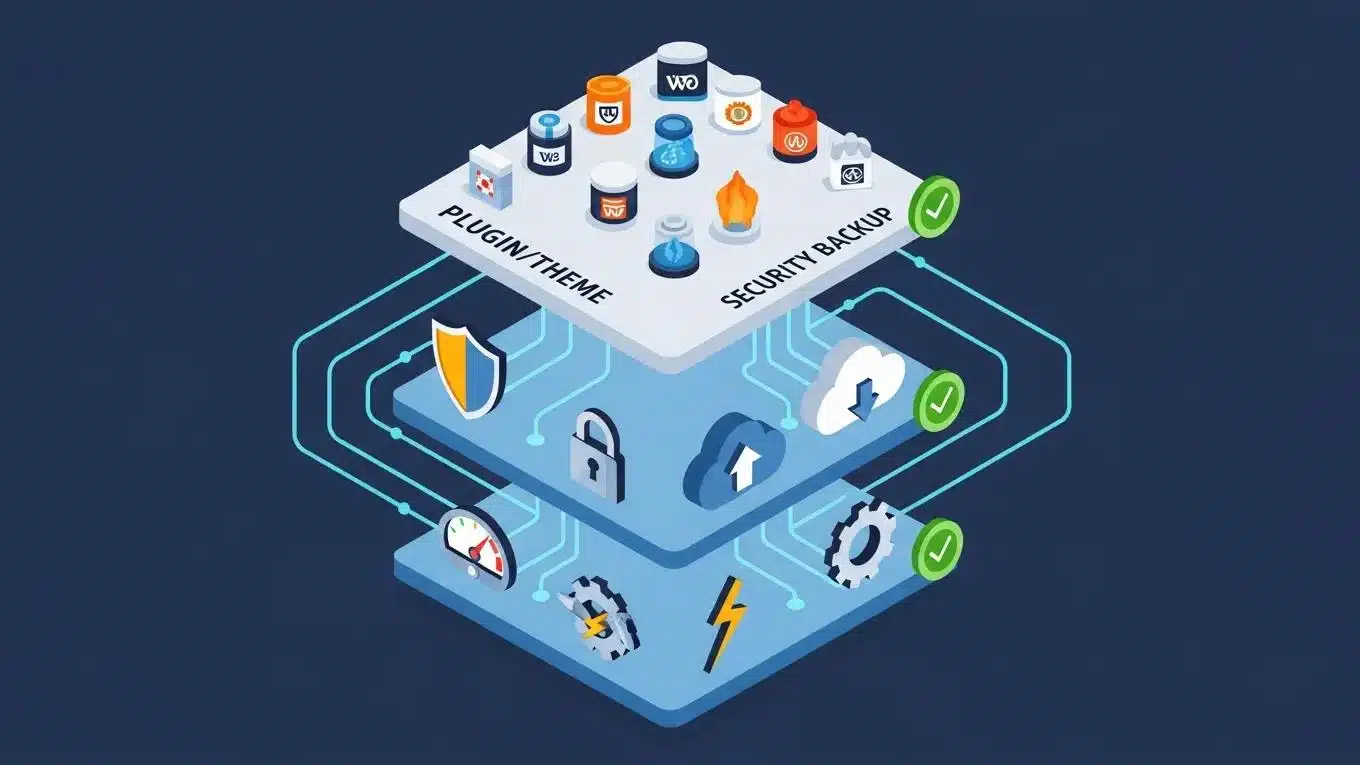
Maintaining WooCommerce plugins is vital for ensuring the functionality and security of an online store. Best practices for plugin maintenance include performing regular updates to keep plugins compatible with the latest WooCommerce and WordPress versions. Compatibility checks are essential to prevent conflicts that could disrupt the store’s operation. Additionally, security updates should be prioritized to protect against vulnerabilities that could be exploited by malicious actors.
Technically, plugin maintenance involves reviewing changelogs and update notes to understand the impact of new versions. Store owners should disable and remove unused plugins to reduce attack surfaces and improve performance. Dependency management is also important, ensuring that plugins do not conflict with each other or with the WordPress core. Automated testing frameworks can be employed in staging environments to validate plugin updates before deployment.
How to Perform Regular WooCommerce Plugin Updates Safely
To safely update WooCommerce plugins, store owners should first back up their site to prevent data loss in case of issues during the update process. Testing updates in a staging environment allows for identifying potential conflicts without affecting the live site. This approach minimizes risks and ensures a smooth transition to the updated version.
Additionally, version control systems can be used to track changes and roll back updates if necessary. Monitoring error logs post-update helps detect any issues early. Scheduling updates during low-traffic periods reduces the impact on customers. Communication with plugin developers or support forums can provide insights into known issues or best practices for specific plugins.
Ensuring Plugin Compatibility with WordPress Core Updates
Regular compatibility checks are crucial for maintaining a stable WooCommerce environment. Store owners should monitor plugin performance after each WordPress core update to ensure that all components function correctly. Utilizing staging environments for testing updates can help identify compatibility issues before they impact the live site.
Automated compatibility testing tools can simulate user interactions and detect failures. Maintaining a changelog of updates and compatibility notes assists in tracking the store’s software ecosystem. Engaging with the WooCommerce and WordPress communities provides early warnings about upcoming changes that may affect plugin compatibility.
How Can You Secure Your WooCommerce Store with 2026 Security Updates?
Staying updated with the latest security protocols is essential for protecting a WooCommerce store. Security updates for WooCommerce in 2026 include enhancements that address newly discovered vulnerabilities and improve overall system resilience. Implementing these updates ensures that the store remains secure against evolving threats.
What Are the Latest WooCommerce Security Protocols and Patches?
Recent patches have introduced advanced security protocols that enhance the protection of WooCommerce stores. These updates focus on improving data encryption, enhancing user authentication processes, and providing better tools for monitoring suspicious activities. Timely updates are crucial to maintaining a secure online shopping environment.
Specifically, updates may include stronger TLS encryption standards, integration of biometric authentication options, and enhanced logging mechanisms for audit trails. Security patches often address zero-day vulnerabilities and improve compatibility with security plugins. Store owners should subscribe to official WooCommerce security advisories to stay informed.
How to Implement Automated Security Monitoring for WooCommerce
Setting up automated security monitoring involves using tools that continuously scan the site for vulnerabilities and potential threats. Store owners can configure alerts to notify them of any suspicious activities, allowing for prompt action. This proactive approach significantly reduces the risk of security breaches.
Such monitoring systems typically include real-time file integrity checks, malware detection, and anomaly detection based on traffic patterns. Integration with Security Information and Event Management (SIEM) systems can centralize alerts and facilitate incident response. Regular automated reports provide insights into security posture and compliance status.
The importance of such systems is underscored by academic efforts focused on developing robust automated security auditing and monitoring solutions for WordPress and WooCommerce platforms.
Automated Security Monitoring for WordPress & WooCommerce
The main objective of this thesis was to design and implement an automated security auditing and monitoring system for WordPress websites. This system aims to enhance the security of WordPress websites by focusing on automation and real-time monitoring.
Automated security auditing and monitoring system for WordPress sites, 2025
Which Performance Tuning Techniques Optimize WooCommerce Sites in 2026?
Performance tuning is essential for ensuring that WooCommerce sites operate efficiently. Techniques suchs as server and infrastructure optimization can lead to significant improvements in site speed. Additionally, script and style optimization helps reduce load times, enhancing the overall user experience.
How to Enhance WooCommerce Site Speed and Mobile Performance
To improve site speed, store owners should implement image optimization techniques that reduce file sizes without sacrificing quality. Caching strategies can also be employed to store frequently accessed data, allowing for quicker load times. These enhancements are particularly important for mobile performance, as users increasingly shop on their devices.
Advanced techniques include using WebP image formats, implementing HTTP/2 or HTTP/3 protocols, and leveraging browser caching with appropriate cache-control headers. Critical CSS loading and deferred JavaScript execution further improve perceived load times. Mobile-first design principles and responsive images ensure optimal display and performance across devices.
What Are Effective WooCommerce Site Optimization Strategies?
Effective optimization strategies include monitoring core web vitals to ensure that the site meets performance benchmarks. Regular performance assessments help identify areas for improvement, allowing store owners to make informed decisions about necessary adjustments. By focusing on these strategies, WooCommerce sites can achieve optimal performance.
Key metrics to monitor include Largest Contentful Paint (LCP), First Input Delay (FID), and Cumulative Layout Shift (CLS). Tools such as Google PageSpeed Insights and WebPageTest provide detailed diagnostics. Implementing a continuous performance monitoring system enables early detection of regressions and supports ongoing optimization efforts.
WooCommerce-Specific Maintenance Tasks for 2026
Beyond general maintenance, WooCommerce stores require specific tasks to ensure smooth operation and optimal performance. These tasks include order database pruning, product image optimization, payment gateway testing, and inventory synchronization verification.
Order Database Pruning: Over time, the order database can grow significantly, impacting site speed and database performance. Regular pruning of completed, refunded, or canceled orders helps reduce database size. This process involves archiving or deleting old order records while ensuring compliance with legal and accounting requirements.
Product Image Optimization: Product images are critical for user experience but can also slow down the site if not optimized. Techniques such as resizing images to appropriate dimensions, compressing files without quality loss, and converting to modern formats like WebP are essential. Automated image optimization plugins can streamline this process.
Payment Gateway Testing: Regular testing of payment gateways ensures that transactions are processed correctly and securely. This includes verifying API connections, testing different payment methods, and simulating transaction failures to confirm proper error handling. Such testing prevents revenue loss due to payment processing issues.
Inventory Sync Verification: For stores using external inventory management systems, verifying synchronization accuracy is vital. Regular audits confirm that stock levels in WooCommerce match those in external systems, preventing overselling or stockouts. Automated sync logs and alerts assist in maintaining inventory integrity.
WooCommerce Performance Benchmarks and the Role of Regular Maintenance
Performance benchmarks provide measurable standards for WooCommerce site speed, responsiveness, and reliability. Common benchmarks include page load times under 3 seconds, server response times below 200 milliseconds, and uptime exceeding 99.9%. Meeting these benchmarks is critical to prevent revenue-impacting slowdowns and ensure customer satisfaction.
Regular maintenance plays a pivotal role in sustaining these benchmarks by addressing issues such as database bloat, plugin conflicts, and outdated software. Proactive performance tuning prevents gradual degradation that can lead to cart abandonment and lost sales. Monitoring tools track benchmark adherence and alert administrators to deviations, enabling timely interventions.
How WP Support Lab’s WooCommerce Maintenance Plans Proactively Manage Store Care
WP Support Lab offers comprehensive WooCommerce maintenance plans designed to handle all aspects of store care proactively. These plans include scheduled updates, security monitoring, performance optimization, and WooCommerce-specific tasks such as order database pruning and payment gateway testing.
By leveraging automation and expert oversight, WP Support Lab ensures that WooCommerce stores remain secure, fast, and fully functional. The plans provide detailed reporting and personalized recommendations, empowering store owners with insights into their store’s health. Emergency support and rapid issue resolution are integral components, minimizing downtime and protecting revenue streams.
WP Support Lab recommends a holistic approach to WooCommerce maintenance that combines technical expertise with continuous monitoring and optimization, enabling store owners to focus on growth and customer engagement.
What Are the Key WooCommerce Support Services and Maintenance Plans Available?
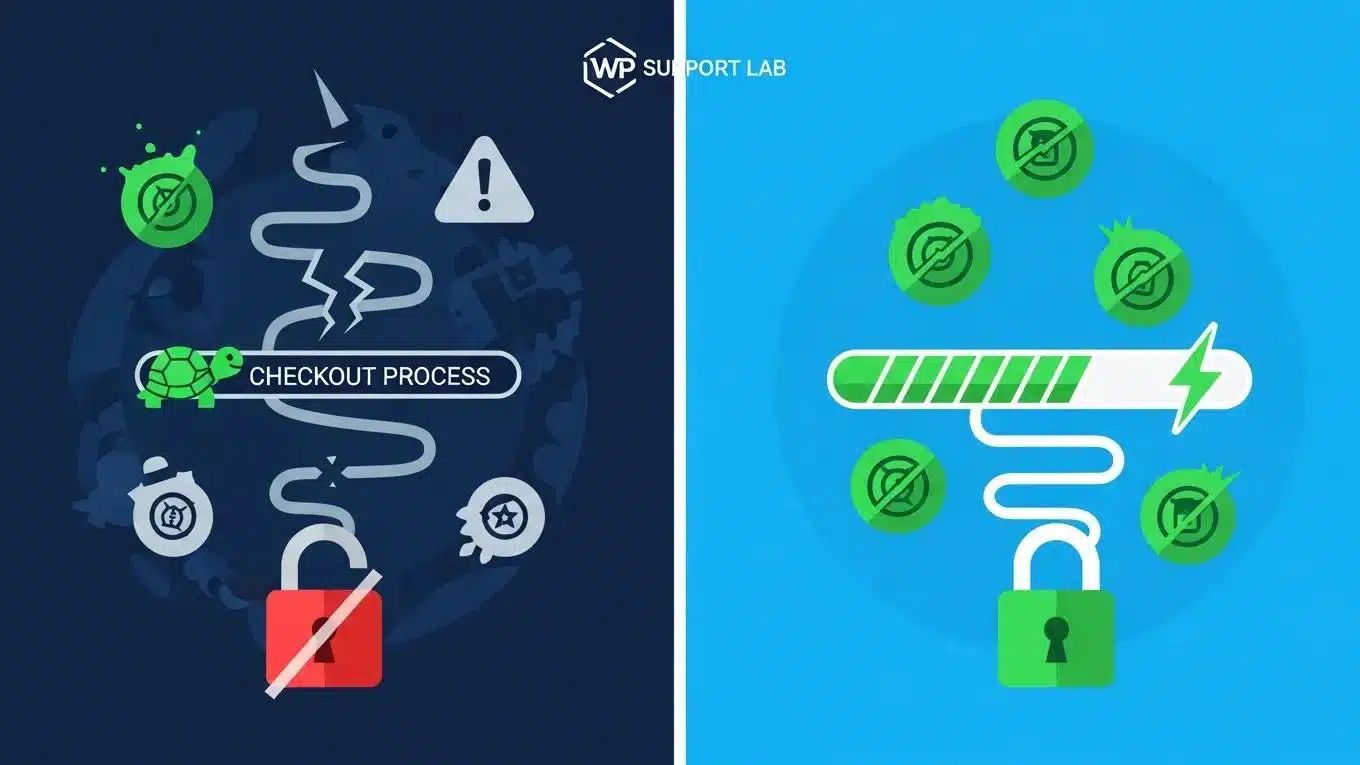
Various support services and maintenance plans are available to WooCommerce store owners, each designed to meet different needs. These plans typically include routine maintenance, security monitoring, and performance optimization services. Understanding the types of maintenance plans available can help store owners choose the right option for their business.
How Do AI Tools Improve WooCommerce Maintenance Efficiency?
AI tools play a significant role in enhancing WooCommerce maintenance efficiency. Automation of routine tasks reduces the workload on store owners, allowing them to focus on strategic initiatives. Enhanced monitoring capabilities provided by AI tools enable quicker identification of issues, leading to faster resolutions.
This perspective is further supported by research highlighting the role of AI in streamlining maintenance through continuous code optimization and automation.
WooCommerce Maintenance: AI & Code Optimization
Part of this maintenance involves continuous code optimization to ensure more efficient long-term operation. While this study focuses on AI-powered tools for automating CSS maintenance and other resource-efficient strategies, the principles apply broadly to WordPress website maintenance.
How small and medium-sized enterprises work on WordPress website maintenance and resource-efficient strategies and tools for automation, 2025
What Are Typical WooCommerce Maintenance Costs and Service Options?
The costs associated with WooCommerce maintenance can vary based on the level of service required. Basic maintenance plans typically cover essential updates and monitoring, while comprehensive plans may include advanced security measures and performance optimization. Emergency support services are also available for urgent issues, providing peace of mind for store owners.
This table illustrates the various maintenance plans available, helping store owners make informed decisions based on their needs and budget.
Ready to Get Expert WordPress Support?
WP Support Lab provides professional WordPress maintenance plans that keep your site fast, secure, and always online. Whether you need WooCommerce support, an AI-powered website, or emergency site rescue, our team is ready.
Schedule a free consultation → or request a free WordPress audit →







