WooCommerce BFCM Optimization: 10 Essential Tips to Maximize Holiday Sales Performance
By David G., WP Support Lab
As the holiday season approaches, optimizing WooCommerce stores for Black Friday and Cyber Monday (BFCM) is crucial for maximizing sales. This article provides actionable insights into preparing stores, implementing effective discount strategies, leveraging marketing automation, and reducing cart abandonment. By focusing on these areas, merchants can enhance store performance and ensure a successful holiday shopping experience for customers. Essential tips cover technical preparations, pricing strategies, and marketing techniques, all aimed at boosting WooCommerce holiday sales.
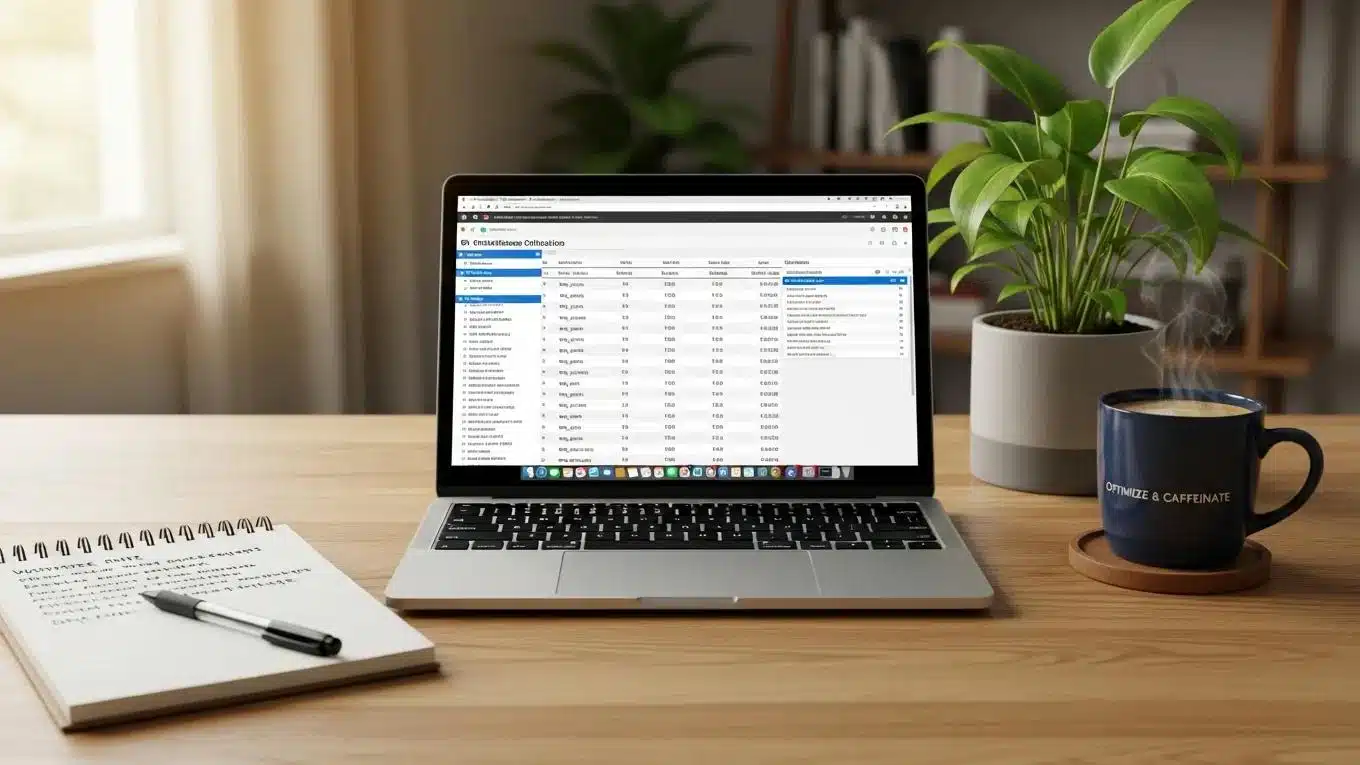
[Image: WooCommerce BFCM store performance and traffic dashboard]
How Can WooCommerce Stores Prepare for BFCM Success?
Preparing WooCommerce stores for BFCM success involves several critical steps to ensure stability and performance during high traffic periods. A well-optimized store can handle increased visitor numbers while providing a seamless shopping experience. Key preparation strategies include ensuring site speed, selecting scalable hosting solutions, and creating high-converting offer pages that attract customers.
What Technical Checks Ensure WooCommerce Store Stability During BFCM?
To maintain stability during BFCM, it is essential to conduct thorough technical checks. Store owners should start by testing site speed, as slow-loading pages can deter potential customers. Preparation for traffic spikes requires ensuring hosting plans can accommodate increased visitors. This includes verifying server resources such as CPU, RAM, and bandwidth limits, and considering cloud-based or scalable hosting solutions that allow dynamic resource allocation during peak periods.
Additionally, auditing plugins and themes to identify any that may cause conflicts or slowdowns is necessary to ensure a smooth user experience. Merchants should disable or replace any poorly optimized plugins and ensure themes are updated and compatible with the latest WooCommerce and WordPress versions. Database optimization is also critical; cleaning up unnecessary data and optimizing queries can reduce server load and improve response times.
How to Optimize WooCommerce Performance for High Holiday Traffic?
Optimizing WooCommerce performance for high holiday traffic requires focus on several key areas. Implementing caching solutions reduces load times by serving static versions of pages to visitors, thereby decreasing server processing demands. Recommended caching strategies include page caching, object caching, and browser caching. Utilizing tools like Redis or Memcached for object caching can significantly improve database query performance.
Optimizing images is another vital step; compressing images without quality loss and using modern formats like WebP ensures quick rendering. Employing a Content Delivery Network (CDN) distributes content geographically, reducing latency for users worldwide. Ensuring mobile-friendliness caters to the growing number of mobile shoppers, with responsive design and accelerated mobile pages (AMP) improving load times on mobile devices.
Furthermore, server-level optimizations such as enabling HTTP/2, configuring PHP-FPM, and using the latest PHP versions can enhance performance. Merchants should also monitor server load and response times continuously during BFCM to identify and address bottlenecks promptly.
Which Discount and Pricing Strategies Boost WooCommerce BFCM Sales?
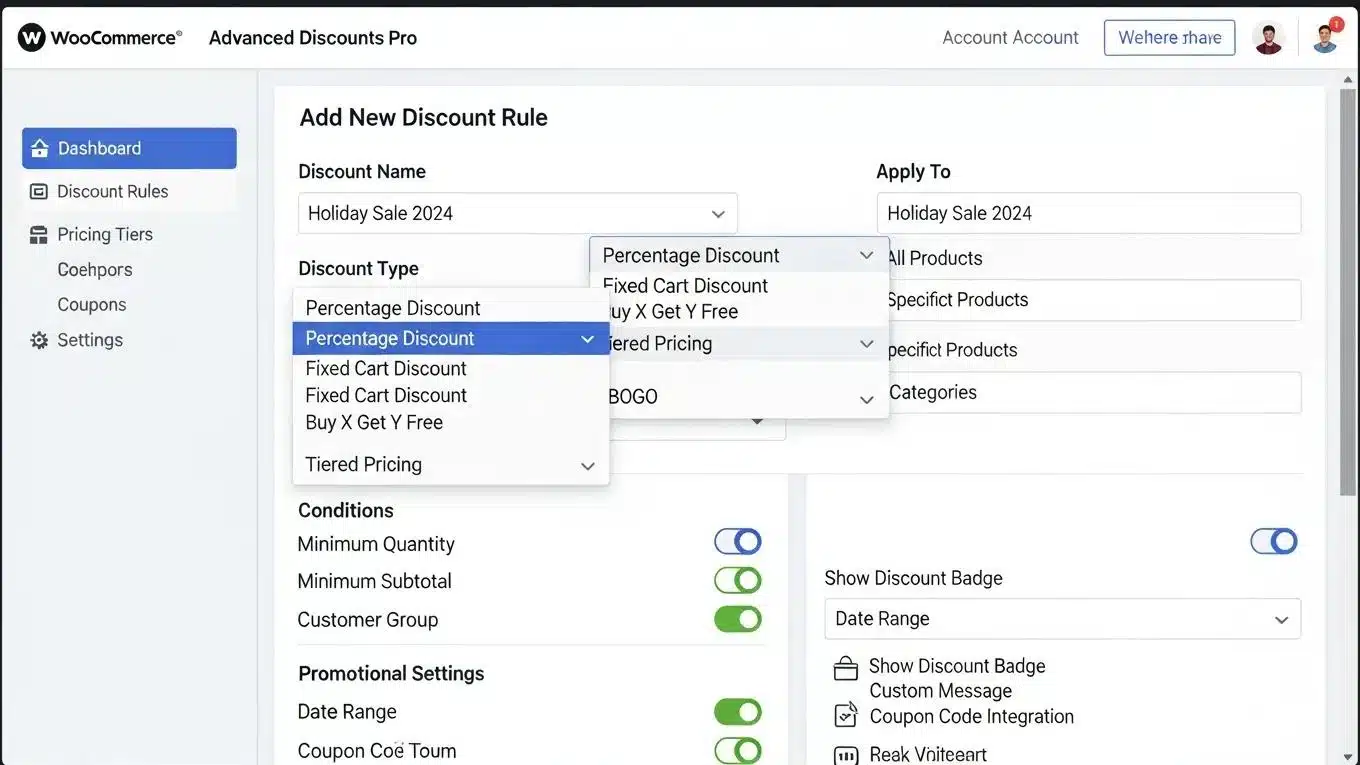
Effective discount and pricing strategies are vital for driving sales during BFCM. By leveraging the right tools and techniques, merchants can create compelling offers that encourage customers to make purchases. Using discount plugins that allow easy implementation of various promotions and developing pricing strategies that create urgency and excitement around offers are recommended.
WooCommerce, built on WordPress, offers unparalleled flexibility for implementing these sophisticated pricing and discount strategies.
WooCommerce: Custom Pricing & Discount Strategies
WordPress with WooCommerce is the most efficient and effective e-commerce platform among the three, as it allows creation of custom pricing and discounts, setting minimum order quantities, and managing product variations. Since WooCommerce is self-hosted using plugins in WordPress, it offers more flexibility and control over store functionalities.
Top E-Commerce CMS platforms (Shopify/WordPress/BigCommerce), 2023
What Are the Best WooCommerce Discount Plugins for BFCM?
Several WooCommerce discount plugins can enhance BFCM sales efforts. Popular options include:
- WooCommerce Dynamic Pricing: This plugin allows setting up complex pricing rules based on various conditions, making it easy to create tailored discounts. It supports tiered pricing, role-based discounts, and time-sensitive promotions, enabling merchants to target specific customer groups effectively.
- Discount Rules for WooCommerce: This plugin offers a user-friendly interface for creating bulk discounts, percentage discounts, and more. It supports cart-based discounts, product-specific deals, and coupon combinations, providing flexibility in promotional campaigns.
- WooCommerce Smart Coupons: This tool enables generation of coupons and store credits, providing flexibility in promotional strategies. It supports gift certificates, store credits, and automatic coupon generation, which can be integrated into marketing automation workflows.
How to Create Effective Pricing Strategies for Black Friday and Cyber Monday?
Creating effective pricing strategies for BFCM involves understanding psychological pricing techniques. Implementing bundle offers provides value to customers while increasing average order value. Limited-time discounts create a sense of urgency, encouraging shoppers to complete purchases quickly. Strategic pricing planning maximizes sales during this competitive shopping period.
Merchants should also consider dynamic pricing models that adjust prices based on inventory levels and demand, ensuring optimal stock turnover. Integrating inventory management with pricing strategies helps prevent overselling and stockouts during peak sales.
[Image: WooCommerce Black Friday discount and pricing strategy interface]
How Can Marketing Automation Enhance WooCommerce Holiday Campaigns?
Marketing automation plays a crucial role in enhancing WooCommerce holiday campaigns. Automating marketing efforts enables reaching customers more effectively and efficiently. This includes setting up targeted email campaigns, utilizing segmentation strategies, and employing automation tools to streamline marketing processes.
What Email Campaign Techniques Increase Conversion Rates During BFCM?
To increase conversion rates during BFCM, focus on personalization in email campaigns. Tailoring messages to specific customer segments based on shopping behavior and preferences is essential. Timing is critical; sending emails at strategic points leading up to BFCM builds anticipation. Additionally, including clear call-to-action strategies guides customers toward making purchases.
Automation platforms integrated with WooCommerce can trigger emails based on cart abandonment, purchase history, and browsing behavior, enhancing engagement. A/B testing subject lines and content further refines campaign effectiveness.
How Does AI-Driven Marketing Improve WooCommerce Holiday Sales?
AI-driven marketing can significantly enhance WooCommerce holiday sales by providing insights into customer behavior and preferences. Utilizing AI tools for data analysis allows targeting marketing efforts more effectively, improving customer experience and engagement. Leveraging AI optimizes campaigns for better results during the holiday season.
Further emphasizing the transformative power of technology, AI is increasingly recognized for its role in revolutionizing retail and enhancing holiday sales through targeted marketing.
AI in Retail: Revolutionizing Holiday Sales & Targeted Marketing
As another holiday shopping season approaches, AI is revolutionizing Malaysian retail, offering innovative solutions for businesses to enhance customer experiences and boost sales. This includes AI-driven shopping assistants and targeted marketing. Nonetheless, as the industry moves toward an AI-driven future, ethical considerations and data privacy concerns must be addressed to ensure responsible implementation.
THE EMERGENCE OF AI IN RETAIL: HOW IT’S CHANGING HOLIDAY SALES, MF Jamaludin
What Are the Top Tips to Reduce Cart Abandonment on WooCommerce During BFCM?
Reducing cart abandonment is essential for maximizing sales during BFCM. Implementing effective strategies helps recover lost sales and improve overall conversion rates. Focus on enhancing the checkout user experience and employing cart recovery strategies to engage customers who leave without completing purchases.
Which Checkout UX Improvements Lower Cart Abandonment Rates?
Improving the checkout user experience (UX) can significantly lower cart abandonment rates. Simplifying checkout forms reduces friction, offering guest checkout options streamlines the process, and providing multiple payment options caters to different customer preferences. These enhancements lead to a smoother checkout experience, encouraging customers to complete purchases.
These checkout enhancements are critical, as studies consistently highlight the importance of optimizing the user experience to combat cart abandonment effectively.
Reducing Cart Abandonment: Checkout Optimization & Pricing
Data analytics can assess the scale of cart abandonment and identify key points of friction in the user experience. By implementing strategies like optimizing the checkout process, ensuring pricing transparency, and offering personalized incentives, e-commerce platforms can significantly reduce abandonment rates and improve conversion.
Interactive E-Commerce: Addressing Cart Abandonment through Gamified User Engagement, 2024
How to Implement Cart Recovery Strategies for Holiday Shoppers?
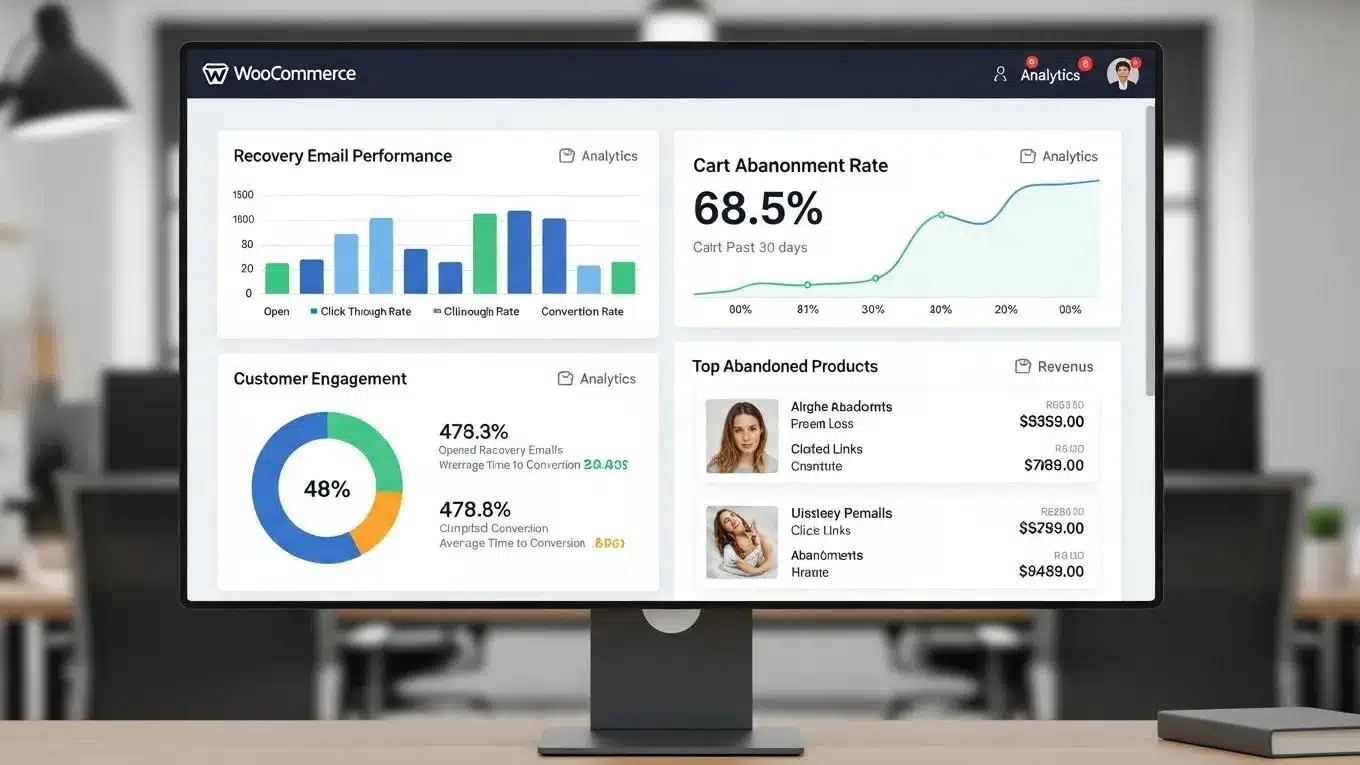
To effectively implement cart recovery strategies, merchants should utilize recovery plugins that send automated emails to customers who abandon their carts. Timing is crucial; recovery emails should be sent shortly after abandonment to remind customers of their items. Additionally, offering incentives, such as discounts or free shipping, encourages customers to return and complete purchases.
Integrating cart recovery with marketing automation platforms allows for multi-channel follow-ups, including SMS and push notifications, increasing the chances of conversion. Monitoring recovery campaign performance and adjusting messaging based on customer response data further improves effectiveness.
To further enhance websites, leveraging AI website builder tools is recommended for streamlined development.
For those seeking assistance with WordPress sites, WordPress support services provide valuable expertise and guidance.
Improving online visibility is crucial, and search engine optimization techniques can significantly boost website rankings.
[Image: WooCommerce cart abandonment recovery analytics panel]
What Are the Best WooCommerce-Specific Stress Testing Tools?
Stress testing is vital for WooCommerce stores to ensure they can handle the surge in traffic during BFCM without performance degradation or downtime. Several WooCommerce-specific tools and general load testing platforms can simulate high user loads and transactions to identify bottlenecks.
Recommended tools include:
- Load Impact (k6): An open-source load testing tool that can simulate thousands of users interacting with WooCommerce stores, measuring response times and server behavior under stress.
- BlazeMeter: A cloud-based performance testing platform compatible with WooCommerce, allowing merchants to create complex test scenarios and analyze results in real-time.
- WP Performance Tester: A WordPress plugin designed to benchmark WooCommerce store performance, focusing on database queries and page load times.
WP Support Lab recommends running stress tests well in advance of BFCM to identify server capacity limits, plugin conflicts, and database inefficiencies. Results from these tests guide optimization efforts such as scaling hosting resources, refining caching strategies, and optimizing database queries.
How Can Inventory Management Be Optimized for BFCM?
Effective inventory management is critical during BFCM to prevent overselling and stockouts, which can damage customer trust and reduce sales. WooCommerce store owners should implement real-time inventory tracking systems that synchronize stock levels across all sales channels.
Automated alerts for low stock levels enable timely restocking or promotional adjustments. Integrating inventory management with order processing workflows ensures accurate stock deductions upon purchase. Additionally, merchants should consider setting buffer stock levels to accommodate unexpected demand spikes.
Using inventory management plugins that support batch processing and bulk updates can streamline stock management during the hectic holiday period. Proper inventory forecasting based on historical BFCM data also helps in preparing adequate stock levels.
How to Optimize Payment Gateways for Seamless Checkout?
Payment gateway optimization is essential to reduce friction during checkout and prevent lost sales. Merchants should ensure that payment gateways are fully compatible with WooCommerce and support multiple payment methods, including credit cards, digital wallets, and local payment options.
Optimizing payment gateways involves:
- Testing gateway response times and error handling under load to prevent transaction failures during peak traffic.
- Enabling secure and fast payment processing with SSL certificates and PCI compliance.
- Offering one-click payment options and saved payment methods to speed up checkout.
- Monitoring payment gateway uptime and having fallback options in case of outages.
WP Support Lab recommends working closely with payment providers to ensure smooth integration and timely support during BFCM.
What Are the Best Server Load Handling Practices for BFCM?
Handling server load effectively during BFCM is crucial to prevent crashes and slowdowns. Merchants should employ scalable hosting solutions such as cloud hosting or managed WooCommerce hosting that can dynamically allocate resources based on traffic demands.
Load balancing across multiple servers distributes traffic evenly, reducing the risk of overload. Implementing database replication and read-write splitting can improve database performance under heavy load. Additionally, using asynchronous processing for non-critical tasks, such as sending emails or updating analytics, reduces server strain during peak times.
Regular monitoring of server metrics like CPU usage, memory consumption, and response times allows proactive management of server health. Setting up alerts for unusual spikes helps in quick mitigation.
How to Conduct Post-BFCM Performance Analysis and Recovery?
After the BFCM period, conducting a thorough performance analysis is essential for continuous improvement. Merchants should review server logs, sales data, and customer feedback to identify any issues encountered during the sales event.
Key areas of focus include:
- Analyzing traffic patterns and server load to assess whether hosting resources were adequate.
- Reviewing cart abandonment rates and checkout funnel performance to identify UX bottlenecks.
- Evaluating the effectiveness of discount and marketing campaigns through conversion metrics.
- Checking inventory depletion and restocking needs to prepare for post-BFCM sales.
Based on these insights, merchants can implement recovery actions such as optimizing server configurations, refining marketing strategies, and improving customer support. Documenting lessons learned and updating contingency plans ensures better preparedness for future sales events.