
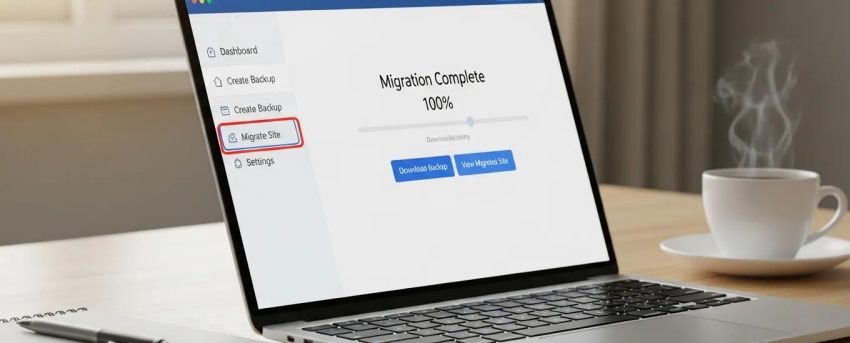
Migrating Your Site to WordPress: 6 Effortless Steps
By David G., WP Support Lab
Migrating a website to WordPress can seem daunting, but with the right approach, it becomes a smooth and efficient process. This guide outlines six effortless steps to ensure a successful migration, enabling site owners to leverage WordPress’s powerful features and flexibility. Many website owners face challenges when transitioning their sites, often concerned about data loss, downtime, or design inconsistencies. However, following these steps mitigates such concerns and facilitates a seamless transition. The guide covers assessing the current site, choosing a reliable hosting provider, backing up the existing site, exporting and importing content, rebuilding and customizing the design, and finally testing and launching the new site.
Ensuring continuous availability and minimizing disruption is a primary concern for any website migration, especially for larger operations.
Zero-Downtime Database Migration Strategies
Zero-downtime database migration is critical for enterprises transitioning from on-premises systems to cloud platforms without disrupting business operations. This article proposes architectural patterns and implementation frameworks designed to support the seamless transfer of large-scale databases—ranging from terabytes to petabytes—while maintaining continuous availability.
Zero-Downtime Cloud Migration Strategies for Enterprise-Scale Databases: Architectural Patterns and Implementation Frameworks, R Pittu, 2025
Assess Your Current Site
Before migrating to WordPress, it is essential to assess the current site thoroughly. Understanding the existing site structure and content helps identify what needs to be migrated and what can be left behind. Evaluating design elements, such as layout and functionality, determines how they can be replicated or improved in WordPress. This assessment also helps identify any outdated content that may not need to be transferred, streamlining the migration process.
Choose a Reliable Hosting Provider

Selecting a suitable hosting provider is crucial for a successful WordPress migration. It is recommended to look for WordPress-optimized hosting services that offer features tailored to WordPress sites. Factors such as uptime guarantees, customer support, and performance features should be considered. A reliable hosting provider ensures that the site runs smoothly and efficiently after the migration, minimizing potential downtime and technical issues.
Back Up Your Existing Site
Backing up the existing site is a critical step in the migration process. It ensures a complete copy of data is available in case anything goes wrong during the transition. Several methods exist for backing up a site, including using plugins, manual backups, or hosting provider tools. Each method has its advantages, so selecting one that best fits the needs is advisable. It is also recommended to store backups in multiple locations, such as cloud storage or external drives, to enhance security.
This comparison highlights the different backup methods available, allowing selection of the one that best suits specific needs.
Export and Import Content
Once the site is backed up, the next step is to export and import content into WordPress. Various plugins designed for content transfer simplify the process and help maintain data integrity. It is important to ensure that all posts, pages, images, and other media are correctly imported. After importing, conducting post-import checks verifies that everything has transferred correctly and is functioning as expected.
For a successful content transfer, understanding the intricacies of exporting and importing site data is paramount.
WordPress Content Export & Import Guide
Once the download file is saved, the Import function in another WordPress installation can be used to import the content from this se Choose what to export All content Users Tools
WordPress SEO Success: Search Engine Optimization for Your WordPress Website Or Blog, 2014
What Is the Best Way to Migrate Your Website to WordPress?
The best way to migrate a website to WordPress is by using a combination of reliable plugins and manual checks. Starting by exporting content from the current platform, then using a WordPress migration plugin to import it, ensures data is transferred accurately while minimizing the risk of data loss.
How Do WordPress Migration Plugins Simplify the Process?
WordPress migration plugins simplify the process by automating many of the steps involved in transferring a site. These plugins can handle everything from exporting content to importing it into the new WordPress installation, making the process much more manageable for users without technical expertise.
Rebuild and Customize the Design
After successfully importing content, it is time to rebuild and customize the site’s design. Choosing a WordPress theme that aligns with the brand and desired functionality is recommended. Customizing the layout, colors, and design elements creates a cohesive look that reflects brand identity. Ensuring the site is responsive and looks great on all devices is crucial for user experience and SEO.
How to Choose the Right Hosting Provider for Migration?
When choosing a hosting provider for WordPress migration, factors such as performance, support, and scalability should be considered. Providers specializing in WordPress hosting and offering features like automatic updates, security measures, and easy backups are preferable. This ensures the site remains secure and performs well after the migration.
Test and Launch the Site
Before launching the new WordPress site, thorough testing should be conducted to ensure everything functions correctly. Checking for broken links, missing images, and any design inconsistencies is essential. Testing the site’s performance and loading speed is also important. Once the results are satisfactory, preparation for launch includes informing the audience and updating any necessary links or redirects.
How to Preserve SEO and Optimize Performance After Migration?
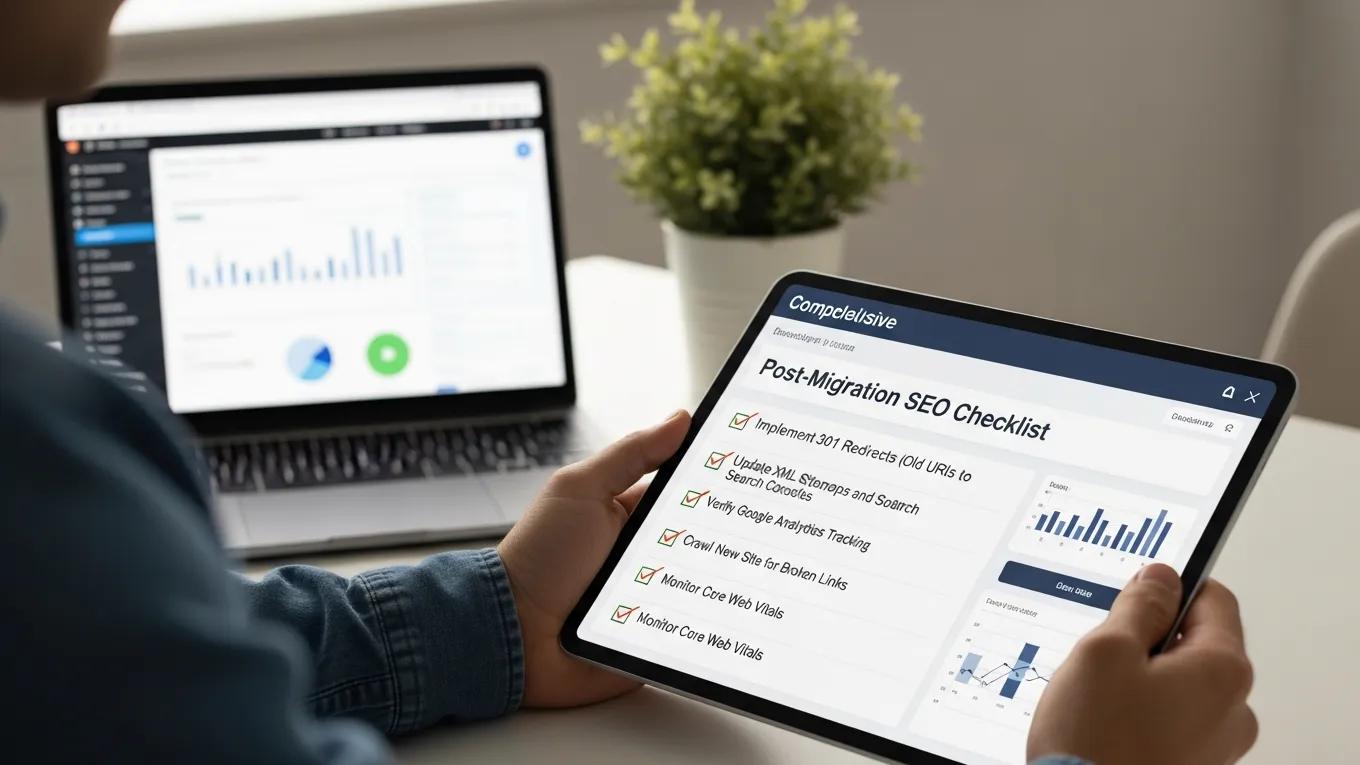
To preserve SEO during migration, it is important to ensure that all URLs remain consistent and that proper redirects are set up for any changed URLs. Additionally, optimizing the site’s performance by using caching plugins, optimizing images, and minimizing the use of heavy scripts helps maintain search engine rankings and improves user experience.
What SEO Preservation Techniques Should Be Applied?
This table summarizes essential SEO techniques to apply during migration, ensuring the site maintains its search engine visibility.
If assistance is needed with WordPress support, many resources are available to guide through the process.
Using an AI website builder can streamline the design and development of a new WordPress site.
Pre-Migration Audit: What to Check Before Moving to WordPress
A comprehensive pre-migration audit is fundamental to a successful WordPress migration. This audit begins with a detailed content inventory, cataloging all pages, posts, media files, and existing redirects. Understanding the full scope of content ensures nothing critical is overlooked during the transfer.
Database export formats must be carefully considered. Common formats include MySQL dumps and CSV exports, each serving different purposes depending on the source platform and the target WordPress environment. Selecting the appropriate format facilitates smoother data import and reduces compatibility issues.
Equally important is plugin and feature parity mapping. This process involves analyzing the functionalities of the current platform—such as contact forms, SEO tools, eCommerce capabilities—and identifying equivalent or superior WordPress plugins or native features to replicate or enhance these capabilities.
WP Support Lab provides a rigorous pre-migration checklist designed to prevent data loss and downtime. This checklist includes verifying backup integrity, confirming hosting environment readiness, and ensuring all necessary credentials and access permissions are in place. Adhering to this checklist minimizes risks and lays the groundwork for a seamless migration.
Handling URL Structure and 301 Redirects
Preserving URL structure is critical for maintaining SEO equity during migration. WordPress offers flexible permalink configuration, allowing site owners to replicate existing URL slugs to avoid broken links and loss of search engine rankings.
Building a comprehensive redirect map is a best practice. Tools such as Screaming Frog or export features from site crawlers can generate exhaustive lists of current URLs. This map serves as the blueprint for implementing 301 redirects, which permanently redirect old URLs to their new WordPress counterparts.
Redirects can be implemented using the popular Redirection plugin, which offers a user-friendly interface and logging capabilities, or directly via the .htaccess file for Apache servers, providing high-performance redirect handling. WP Support Lab validates redirect coverage post-migration by running automated tests to ensure all legacy URLs correctly point to their new destinations, thereby preserving traffic and SEO rankings.
Database and Media Migration: Technical Deep Dive
Database migration is a technically sensitive phase requiring precision. Tools such as All-in-One WP Migration and WP Migrate DB Pro automate much of the process, handling serialized data and ensuring database integrity. For advanced users, manual migration using commands provides granular control over the export and import process.
Media library migration demands careful attention to preserve attachment IDs and file paths, which are essential for maintaining links within posts and pages. WP Support Lab employs methods to transfer media files while retaining these references, preventing broken images and media errors.
Handling serialized data—data stored in a format that includes PHP serialization—is critical because improper search-replace operations can corrupt this data. WP-CLI’s command is used to safely update domain names and URLs across all tables, ensuring serialized strings remain intact. For example, the command systematically updates all instances without data corruption.
Post-Migration Validation Checklist
After migration, a thorough validation process is essential to confirm the new WordPress site functions flawlessly. This includes scanning for broken links using tools like Broken Link Checker or Screaming Frog, ensuring all internal and external links are operational.
Form submission testing verifies that contact forms, newsletter signups, and other interactive elements work correctly. For eCommerce sites, payment gateway verification is critical to confirm transactions process without errors.
Google Search Console re-verification ensures the new site is properly indexed and monitored. Resubmitting the XML sitemap accelerates search engine crawling and indexing of the updated site structure.
Measuring Core Web Vitals establishes a performance baseline, focusing on metrics such as loading speed, interactivity, and visual stability. WP Support Lab incorporates these steps into every migration engagement to guarantee optimal site health and user experience post-launch.
WP Support Lab WordPress Migration Services
WP Support Lab specializes in end-to-end WordPress migration services, delivering zero data loss and full SEO preservation. Their expert team manages every phase of the migration process—from pre-migration audits and database transfers to URL redirect implementation and post-launch validation. With a dedicated post-migration monitoring period, WP Support Lab proactively identifies and resolves any issues before they impact traffic or conversions, ensuring a seamless transition and sustained online success for clients.







