

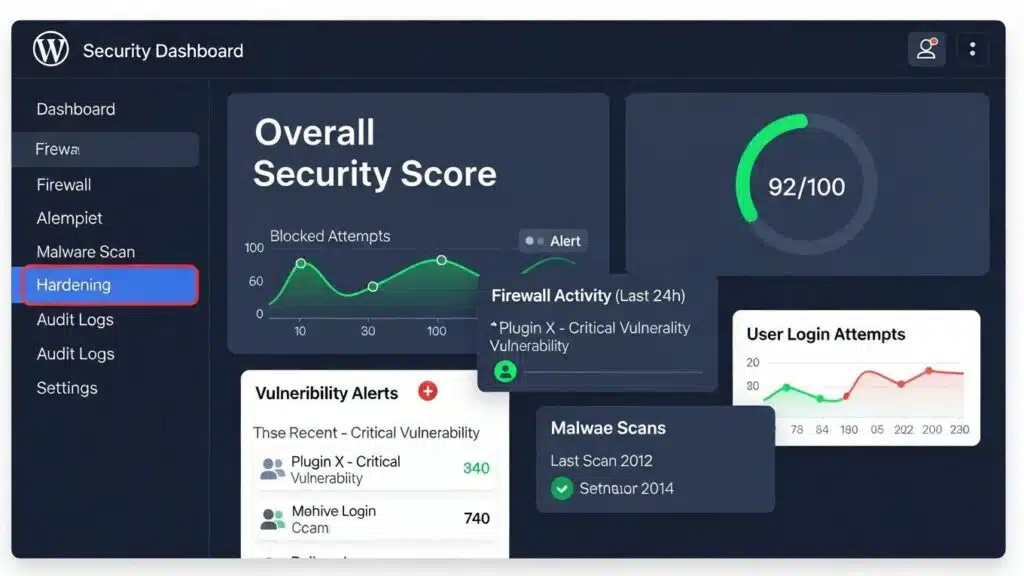
In the digital age, securing a WordPress website is paramount to safeguarding data and maintaining user trust. This article delves into five expert solutions that can significantly enhance WordPress security. Site owners will learn about the importance of regular updates, robust authentication methods, comprehensive security plugins, web application firewalls, and the necessity of regular backups. As cyber threats evolve, so must the strategies to combat them. By implementing these expert solutions, administrators can protect sites from vulnerabilities and ensure a secure online presence. Each solution is explored in detail, providing actionable insights and best practices to fortify WordPress sites against potential attacks.
Maintain Regular Updates
Keeping the WordPress core, themes, and plugins updated is crucial for maintaining security. Regular updates minimize exposure to vulnerabilities that hackers can exploit. By scheduling weekly checks and enabling auto-updates for minor patches, site administrators can ensure that their sites are always running the latest and most secure versions. This proactive approach not only protects sites but also enhances performance and functionality.
Enforce Robust Authentication

Implementing strong passwords and two-factor authentication (2FA) is essential for securing user accounts on WordPress sites. Strong passwords should be complex and unique, making them difficult for attackers to guess. Additionally, using 2FA adds an extra layer of security by requiring a second form of verification, such as a text message or authentication app. Limiting login attempts can further protect against unauthorized access, making it harder for attackers to succeed.
Research consistently highlights the importance of these combined strategies for a robust security posture.
WordPress Security: 2FA, Updates, and Brute Force Protection
construct a two-factor authentication (2FA) system (4) keep themes and plugins updated (5) limit login attempts to cover Local Brute Force Protection
Enhancing Security of WordPress Websites built on Virtual Machine Using Cloud Computing Technology, 2024
Install a Comprehensive Security Plugin
Utilizing a comprehensive security plugin can provide all-in-one protection for WordPress sites. These plugins often include features such as firewalls, malware scanning, and real-time threat monitoring. By integrating a security plugin, many security tasks can be automated, allowing administrators to focus on content creation and site management. Popular options include Wordfence and Sucuri, which offer robust security features tailored to WordPress.
This integrated approach is crucial, as various analyses confirm the dual role of these plugins in both detecting and preventing threats.
WordPress Security Plugins with Firewall Capabilities
Some of the plugins use the antivirus software approach of comparing hashes of known threats, while others offer a firewall with a set of rules for filtering malicious traffic.
Analysis of modern security plugins for wordpress, A Aleksieva-Petrova, 2024
Deploy a Web Application Firewall (WAF)
A Web Application Firewall (WAF) plays a critical role in protecting sites from malicious traffic. By filtering out harmful requests before they reach the server, a WAF provides an additional layer of defense against common threats such as SQL injection and cross-site scripting (XSS). Implementing a WAF can significantly reduce the risk of attacks, ensuring that sites remain secure and operational.
Regularly Back Up Your Site
Regular backups are essential for any WordPress site, as they ensure that data can be quickly recovered in case of a security incident. Automating daily backups and storing them offsite can provide peace of mind, knowing that data is safe. In the event of a hack or data loss, having a reliable backup solution allows for swift recovery, minimizing downtime and potential losses.
Indeed, the practice of regularly backing up sites is a fundamental aspect of a comprehensive security strategy, as further emphasized by recent studies.
Automated WordPress Backups for Website Security
A WordPress backup means making a copy of a website and then storing that. Automatic backups can be set up daily or weekly.
Building a secure WordPress website with plugins, 2019
Which WordPress Security Plugins Offer the Best Protection?
When it comes to WordPress security plugins, several options stand out for their effectiveness and user-friendly features. Here are some of the top-rated plugins that can help secure sites:
- Wordfence: Offers comprehensive security features, including a firewall, malware scanner, and login security.
- Sucuri: Known for its robust malware scanning and removal capabilities, Sucuri also provides a firewall to block malicious traffic.
- iThemes Security: Focuses on strengthening user credentials and preventing unauthorized access through various security measures.
What Features Should Be Looked for in WordPress Security Plugins?
When selecting a security plugin, the following essential features should be considered:
- Web Application Firewall (WAF): Protects against common web threats.
- Malware Scanning and Removal: Identifies and eliminates malicious code.
- Real-Time Threat Monitoring: Alerts to potential security breaches as they occur.
How Do Top Plugins Like Wordfence and Sucuri Safeguard Sites?
Wordfence and Sucuri are two of the most popular security plugins for WordPress, each offering unique features to enhance site security. Wordfence provides a comprehensive security suite, including a firewall and malware scanner, while Sucuri excels in malware detection and removal. Both plugins enhance site security by regularly monitoring for vulnerabilities and providing actionable insights to improve defenses.
How Can WordPress Login Security Be Strengthened Effectively?
Strengthening login security is a critical step in protecting WordPress sites. Implementing strong passwords, enabling two-factor authentication, and limiting login attempts are effective strategies to enhance security. Additionally, using a plugin that offers features like login notifications and IP blocking can further secure the login process.
Best Practices
To ensure robust login security, the following best practices are recommended:
- Use Strong Passwords: Create complex passwords that are difficult to guess.
- Enable Two-Factor Authentication: Add an extra layer of security to user accounts.
- Limit Login Attempts: Prevent brute force attacks by restricting the number of login attempts.
Recommended Plugins
Several plugins can help enhance login security:
- Limit Login Attempts Reloaded: Helps prevent brute force attacks by limiting login attempts.
- Two Factor Authentication: Adds an extra layer of security by requiring a second form of verification.
Common Vulnerabilities to Address
Addressing common vulnerabilities is essential for maintaining a secure WordPress site. Focus should be placed on the following areas:
- Weak Passwords: Ensure all users have strong, unique passwords.
- Outdated Software: Regularly update WordPress core, themes, and plugins.
- Unsecured Login Pages: Implement measures to secure login pages from unauthorized access.
What Are the Best Practices for Implementing Two Factor Authentication?
Implementing two-factor authentication (2FA) is a vital step in enhancing WordPress security. The following best practices should be followed:
- Choose a Reliable Security Plugin: Select a plugin that supports 2FA and is well-reviewed.
- Configure 2FA Settings: Set up 2FA for all user accounts, especially administrators.
- Educate Users on 2FA Importance: Ensure all users understand the benefits of 2FA and how to use it effectively.
How to Prevent Brute Force Attacks on WordPress Login?
Preventing brute force attacks is crucial for maintaining the security of WordPress login. Effective strategies include:
- Use Strong Passwords: Ensure all users create complex passwords.
- Enable Two-Factor Authentication: Add an extra layer of security to user accounts.
- Limit Login Attempts: Restrict the number of login attempts to prevent unauthorized access.
What Are the Expert Methods for WordPress Malware Detection and Removal?
Detecting and removing malware from WordPress sites requires a systematic approach. Expert methods include:
- Utilize Comprehensive Malware Scans: Regularly scan sites for malware using security plugins.
- Monitor File Modifications: Keep an eye on changes to files that could indicate a breach.
- Inspect the Database for Injected Content: Regularly check databases for any unauthorized changes.
How Do Security Audits Identify Vulnerabilities and Malware?
Security audits are essential for identifying vulnerabilities and malware on WordPress sites. They typically involve:
- Using Vulnerability Scanners: Automated tools can help identify potential security issues.
- Assessing Potential Impacts: Evaluate the risks associated with identified vulnerabilities.
- Reviewing User Roles and Permissions: Ensure that user roles are appropriately assigned to minimize risks.
Which Tools and Steps Are Essential for Effective Malware Removal?
When it comes to malware removal, several tools and steps are essential for effective remediation:
- Identify Symptoms of Infection: Look for signs of malware, such as unusual site behavior.
- Run a Comprehensive Malware Scan: Use security plugins to scan for and identify malware.
- Remove Malicious Code: Follow the plugin’s instructions to clean sites of malware.
How to Implement Backup and Recovery Best Practices for WordPress?

Implementing effective backup and recovery practices is crucial for WordPress security. Key strategies include:
- Automate Daily Backups: Set up automated backups to ensure data is regularly saved.
- Store Backups Offsite: Keep backups in a secure location separate from the main site.
- Ensure Quick Recovery: Test backup restoration processes to ensure they work smoothly.
To further enhance WordPress sites, WP Support Lab recommends leveraging expert support for ongoing maintenance and assistance available at WordPress support.
For those aiming to improve online visibility, search engine optimization offers significant benefits by driving more organic traffic through higher search rankings.
When considering new website development, exploring options with an AI website builder is advisable, as these tools simplify the creation of professional sites efficiently.
WordPress Security Auditing and Compliance
Conducting a comprehensive WordPress security audit is a foundational step in establishing and maintaining a secure website environment. This process involves multiple critical components designed to identify vulnerabilities, assess risks, and ensure compliance with relevant regulations.
Key Components of a WordPress Security Audit
- File Integrity Checks: This involves verifying that core WordPress files, themes, and plugins have not been altered or corrupted. Automated tools compare current file hashes against known good versions to detect unauthorized changes that may indicate malware or tampering.
- User Access Review: Auditing user accounts and permissions is essential to ensure that only authorized personnel have access to sensitive areas of the site. This includes reviewing administrator roles, removing inactive or suspicious accounts, and enforcing the principle of least privilege.
- Plugin Vulnerability Assessment: Plugins are a common attack vector. A thorough audit evaluates all installed plugins for known vulnerabilities, outdated versions, and compatibility issues. This step helps prioritize updates or replacements to mitigate risk.
- Database Security Review: The database stores critical site data and must be secured against injection attacks and unauthorized access. Auditing includes checking for weak credentials, ensuring proper user privileges, and scanning for suspicious content or anomalies.
Documenting Security Posture for Compliance
Many organizations must comply with regulations such as the General Data Protection Regulation (GDPR) or Payment Card Industry Data Security Standard (PCI-DSS), especially when operating WooCommerce stores or handling sensitive user data. Proper documentation of security audits is vital for demonstrating compliance. This includes detailed reports outlining identified vulnerabilities, remediation actions taken, and ongoing monitoring plans.
WP Support Lab’s Security Audit Service
WP Support Lab offers a specialized WordPress security audit service that delivers a prioritized remediation roadmap tailored to each client’s unique environment. Every identified vulnerability is assigned a clear risk rating, enabling site owners to focus resources effectively. This service combines automated scanning with expert manual review to ensure comprehensive coverage and actionable insights, empowering businesses to maintain a strong security posture and meet compliance requirements confidently.
WP Support Lab WordPress Security Mastery Services
WP Support Lab stands at the forefront of WordPress security expertise, providing businesses with advanced solutions designed to protect data, reputation, and revenue. From configuring sophisticated firewall rules and implementing two-factor authentication to conducting exhaustive security audits and offering 24/7 incident response, WP Support Lab delivers end-to-end security mastery. Their tailored services ensure that WordPress sites not only withstand evolving cyber threats but also maintain optimal performance and compliance. Partnering with WP Support Lab equips organizations with the confidence and technical assurance necessary to excel in today’s digital landscape.