

Crafting Custom WordPress Themes for Your Unique Needs: Comprehensive Development and Optimization Guide
[HERO IMAGE: Flat SaaS illustration — a WordPress website being custom-built on a large design canvas, with a WP Support Lab designer selecting brand colors, typography, and layout components from a floating palette. The finished site glows in electric blue on the right side of the canvas. Brand palette: deep navy #1A2B4A, electric blue #3B82F6, white. Clean lines, no text overlays, 16:9 widescreen, modern tech aesthetic.]
Creating custom WordPress themes is an essential step for businesses looking to establish a unique website and online presence. This guide delves into the intricacies of custom design and theme development, covering everything from initial planning to performance optimization. Site owners will learn how to design themes that not only reflect their brand identity but also enhance user experience. Many businesses struggle with generic themes that fail to meet their specific needs, leading to a lack of engagement. By following this comprehensive guide, businesses will discover how to create a tailored WordPress theme that aligns with their business goals and improves user interaction. The article explores key areas such as planning design, setting up a development environment, and incorporating SEO best practices.
Further elaborating on the foundational aspects, one academic work provides a comprehensive guide to understanding the core principles of custom theme creation and adaptation.
WordPress Custom Theme Development & Customization Guide
The main purpose of the thesis is to create a custom theme. The thesis covers the basic concepts of theme development, customization process and how a theme can be developed and later how to customize a theme.
WordPress Theme Development and Customization, 2018
[MID IMAGE: Isometric SaaS illustration — a custom WordPress theme build pipeline: Stage 1 (brand discovery — color swatches and logo icon), Stage 2 (wireframe design — layout grid), Stage 3 (development — code brackets and component blocks), Stage 4 (launch — rocket icon with shield). Electric blue connecting arrows, navy background, clean flat design.]
Plan Your Design and Features for Maximum Impact
Define Goals and Blueprint Your Theme
The first step in crafting custom WordPress themes involves careful planning of design and features. This process begins with defining the website‘s goals, which guide the overall design and functionality. A well-planned theme not only enhances aesthetics but also improves usability, ensuring that visitors can navigate the site effortlessly. Sketching the layout and identifying necessary functionalities are crucial steps in this phase. By outlining these elements, businesses can create a blueprint that aligns with their objectives and user expectations.
Set Up a Professional Development Environment
Tools and Version Control for Efficient Workflow
Establishing a local development environment is vital for safe and efficient theme development. Tools like XAMPP or Local by Flywheel help create a controlled setting where themes can be tested without affecting a live site. Additionally, considering version control with Git is essential for tracking changes and collaborating with other developers. This setup allows for experimentation and troubleshooting, ensuring that the final product is polished and functional.
Create Essential Theme Files with Clear Structure
Organize Templates, Scripts, and Styles
To start developing custom WordPress themes, essential theme files must be created. The foundational files include , , and . Organizing the theme structure with subfolders for templates, scripts, and styles helps maintain clarity and efficiency as the theme grows. Each file plays a specific role in the theme’s functionality, and understanding their purpose is crucial for effective development.
Develop a Responsive Template Structure
Utilize WordPress Template Hierarchy for Flexibility
Creating templates for different content types is a key aspect of custom WordPress theme development. WordPress uses a template hierarchy that allows specific layouts for pages, posts, and custom post types. Ensuring that templates are responsive enhances the user experience across various devices. By developing a robust template structure, businesses can provide a seamless browsing experience for visitors.
Add Custom Styles and Scripts Correctly
Enqueue Assets and Ensure Cross-Browser Compatibility
Enhancing a theme’s functionality often requires adding custom styles and scripts. Utilizing functions like and ensures that styles and scripts load correctly without conflicts. Testing for cross-browser compatibility is also crucial, guaranteeing that the theme performs well across different web browsers. This attention to detail significantly improves user satisfaction and engagement.
Test and Debug for Optimal Functionality
Use Tools and Gather User Feedback
Testing and debugging are critical steps in the theme development process. Utilizing tools like Query Monitor helps identify performance issues and errors within the theme. Gathering user feedback is invaluable, highlighting usability issues that may not be apparent during development. Prioritizing testing ensures that the theme is both functional and user-friendly.
Optimize Performance for Speed and Responsiveness
Implement Best Practices for Fast Loading
Optimizing a theme for performance is essential for providing a fast and responsive user experience. Strategies such as minimizing unnecessary features and implementing caching plugins significantly enhance loading times. Additionally, optimizing images and scripts reduces the overall size of the theme, leading to improved performance. A well-optimized theme not only enhances user experience but also positively impacts SEO.
This comprehensive approach to theme development extends to critical areas like speed, security, and SEO, as highlighted by research focusing on optimizing WordPress themes.
Optimize WordPress Themes: Speed, Security, SEO & Core Web Vitals
o Optimize page loading speed, security, SEO, Core Web Vitals standards o Build a demo page and landing page to introduce the Theme o Actual implementation on Alidigi website
Design and Build WordPress Theme & Plugin, 2025
This table illustrates how different optimization techniques can enhance a theme’s performance, ultimately leading to a better user experience.
Implement Security Best Practices to Protect Your Site
Keep Core Updated and Use Strong Passwords
Securing WordPress themes is paramount to protect sites from vulnerabilities. Keeping the WordPress core updated is one of the simplest yet most effective security measures. Additionally, using strong passwords and security plugins helps safeguard sites against unauthorized access. Implementing these best practices ensures that themes remain secure and reliable.
Follow Accessibility Guidelines for Inclusive Design
Ensure WCAG Compliance and Keyboard Navigation
Accessibility is a crucial aspect of theme design that should not be overlooked. Following WCAG compliance guidelines ensures that themes are usable for individuals with disabilities. This includes providing keyboard navigation and ensuring that all content is accessible via screen readers. Prioritizing accessibility helps reach a wider audience and enhances the overall user experience.
Launch and Maintain Your Custom WordPress Themes Effectively
Backup, Update, and Monitor Post-Launch
Once a theme is developed and tested, the next step is launching it. Before going live, it is essential to back up the site to prevent data loss. Regularly updating the theme and monitoring its performance post-launch helps maintain functionality and security. Ongoing maintenance is crucial for ensuring that themes continue to meet user needs and remain compatible with the latest WordPress updates.
Incorporate SEO to Boost Visibility and Traffic
Structure Content and Optimize Loading Times
Optimizing themes for SEO is vital for improving visibility and attracting organic traffic. This involves structuring the site effectively and incorporating relevant keywords throughout content. Ensuring fast loading times and mobile responsiveness are also critical factors influencing SEO rankings. Integrating these practices into theme development enhances a site‘s search engine performance. For more information, explore custom WordPress theme development services.
Commit to Continuous Improvement for Long-Term Success
Collect Feedback and Stay Updated with Trends
The digital landscape is constantly evolving, making continuous improvement essential for custom WordPress themes. Collecting user feedback regularly provides insights into areas needing enhancement. Staying updated with design trends and technological advancements helps keep themes relevant and engaging. Committing to ongoing improvements ensures themes continue to meet the needs of users.
Understand the Importance of Custom WordPress Theme Development
Align Online Presence with Brand Identity
Custom WordPress theme development involves creating tailored designs that meet specific business needs. This process is essential as it allows businesses to align their online presence with their brand identity. A custom WordPress theme enhances user experience by providing unique functionalities and aesthetics that generic themes cannot offer. Investing in custom design creates a more engaging and effective online platform.
Enhance User Experience with Custom Theme Development
Personalize Navigation and Functionality
Custom theme development significantly enhances user experience by providing personalized designs catering to specific audience needs. A well-designed theme improves navigation and functionality, making it easier for users to find the information they seek. This tailored approach fosters greater engagement and satisfaction, ultimately leading to higher conversion rates.
Key Components of Effective Custom WordPress Themes
Planning, Environment Setup, and Template Structure
The key components of custom WordPress themes include planning and design, development environment setup, and template structure. Each element plays a crucial role in the overall functionality and aesthetics of the theme. Understanding these components is essential for creating a cohesive and effective custom design.
Design and Customize WordPress Themes for Unique Business Needs
Define Purpose and Utilize Development Tools
Designing and customizing WordPress themes for unique business needs involves defining the purpose and audience of the site. Utilizing effective development tools streamlines the customization process, allowing for greater flexibility and creativity. Focusing on specific business requirements creates a theme that truly reflects the brand identity.
Best Practices for WordPress Theme Customization Services
Use Child Themes and Regular Testing
Best practices for WordPress theme customization services include using child themes for modifications and regularly testing functionality. Child themes allow safe customizations without affecting the parent theme, ensuring updates do not overwrite changes. Regular testing maintains the integrity and performance of the theme.
Integrate Responsive and Accessible Design in Custom Themes
Flexible Layouts and WCAG Compliance
Integrating responsive and accessible design in custom WordPress themes requires the use of flexible grid layouts and adherence to WCAG guidelines. Responsive design ensures themes adapt to various screen sizes, while accessibility features make sites usable for all individuals. Prioritizing these aspects creates themes that are both functional and inclusive.
Step-by-Step Process for Developing Custom WordPress Themes
Structured Approach to Theme Development
The step-by-step process for developing custom WordPress themes includes planning design and features, setting up a development environment, and creating basic theme files. Each step builds upon the previous one, ensuring a structured approach to theme development. Following this process leads to a well-crafted and effective custom design.
Plan and Architect a Custom WordPress Theme for Success
Define Purpose and Sketch Layout
Planning and architecting a custom WordPress theme involves defining the website‘s purpose and sketching layout and features. This foundational work sets the stage for the entire development process, ensuring the final product aligns with business goals. A well-thought-out plan is crucial for successful theme development.
Tools and Technologies Supporting Efficient Theme Development
Local Development and Version Control
Several tools and technologies support efficient theme development, including local development tools and version control systems. These resources streamline the development process, allowing for better collaboration and organization. Utilizing the right tools significantly enhances productivity and the quality of the final product.
Regional Focus Impact on Custom WordPress Theme Development
Tailor Themes to Local Markets and Preferences
Regional focus greatly influences custom WordPress theme development by tailoring themes to local markets and considering regional design preferences. Understanding the cultural context and user expectations in a specific area leads to more effective and engaging themes. This localized approach enhances user satisfaction and brand identity loyalty.
Benefits of Custom Themes Tailored for Florida Businesses
Custom WordPress themes tailored for Florida businesses offer several benefits, including enhanced local branding and improved user engagement. By reflecting local culture and preferences, these themes resonate more with the target audience. This connection leads to increased traffic and conversions, making custom design a valuable investment.
Implement Location-Based Features in WordPress Themes
Use Geolocation APIs and Content Customization
Implementing location-based features in WordPress themes involves using geolocation APIs and customizing content based on user location. These features enhance user experience by providing relevant information and services tailored to the user‘s geographical context. Integrating location-based functionalities creates a more personalized and engaging experience.
Optimize Custom WordPress Themes for SEO and Performance
Best Practices for Structure and Speed
Optimizing custom WordPress themes for SEO and performance requires implementing best practices such as optimizing site structure and ensuring fast loading times. These strategies improve search engine visibility and enhance user experience. A well-optimized theme is crucial for attracting and retaining visitors.
SEO Best Practices to Improve Theme Visibility and Ranking
On-Page Optimization and Backlink Building
SEO best practices that improve theme visibility and ranking include optimizing on-page elements and building quality backlinks. These techniques enhance the overall authority of a site, making it more likely to rank higher in search engine results. Focusing on SEO significantly increases a site‘s reach and effectiveness.
Enhance Theme Performance and Loading Speed
Use Lightweight Themes and Compression
Enhancing theme performance and loading speed involves using lightweight themes and enabling GZIP compression. These strategies reduce the amount of data transferred, leading to faster loading times. A quick-loading theme is essential for retaining users and improving overall satisfaction.
Delving deeper into the technicalities of performance, another study explores various optimization strategies for WordPress, including the use of transients and the challenges of cache invalidation.
WordPress Performance Optimization for Efficient Websites
alternative approaches to WordPress optimization for the purpose of creating and managing websites. Performance optimization reasons are behind the usefulness of transients, but it may suffer from cache invalidation issues.
Optimizing WordPress for efficient website creation and management, 2025.
Role of AI Tools in Modern WordPress Theme Design
Streamline Design and Enhance Customization
AI tools play a significant role in modern WordPress theme design by streamlining design processes and enhancing customization options. These technologies automate repetitive tasks, allowing developers to focus on more creative aspects of theme development. Leveraging AI improves efficiency and the quality of themes.
How AI Website Builders Automate Theme Design Processes
Simplify Design for Non-Technical Users
AI website builders automate theme design processes by simplifying design for non-technical users and reducing development time. These tools provide intuitive interfaces that allow users to create custom WordPress themes without extensive coding knowledge. This accessibility empowers more individuals to develop their online presence.
Emerging AI Trends in WordPress Theme Customization
AI-Assisted Design and Automated Content Generation
Emerging AI trends in WordPress theme customization include AI-assisted design tools and automated content generation. These innovations transform the way themes are developed, making the process more efficient and user-friendly. Staying informed about these trends helps developers remain competitive in the evolving digital landscape.
Maintain and Support Custom WordPress Themes Effectively
Regular Updates, Backups, and User Support
Maintaining and supporting custom WordPress themes effectively involves regular updates and backups, as well as providing user support and feedback channels. These practices ensure that themes remain functional and secure over time. Prioritizing maintenance enhances user satisfaction and brand identity loyalty.
Best Practices for Ongoing Theme Maintenance
Use Child Themes and Conduct Performance Audits
Best practices for ongoing theme maintenance include using child themes for customizations and conducting regular performance audits. These strategies help maintain the integrity of themes while allowing for necessary updates and improvements. Consistent maintenance is key to ensuring long-term success.
Provide Reliable Support for Custom WordPress Themes
Clear Documentation and Responsive Customer Service
Providing reliable support for custom WordPress themes involves creating clear documentation and FAQs, as well as offering responsive customer support. These resources empower users to troubleshoot issues independently while ensuring access to assistance when needed. Effective support significantly enhances user experience and satisfaction.
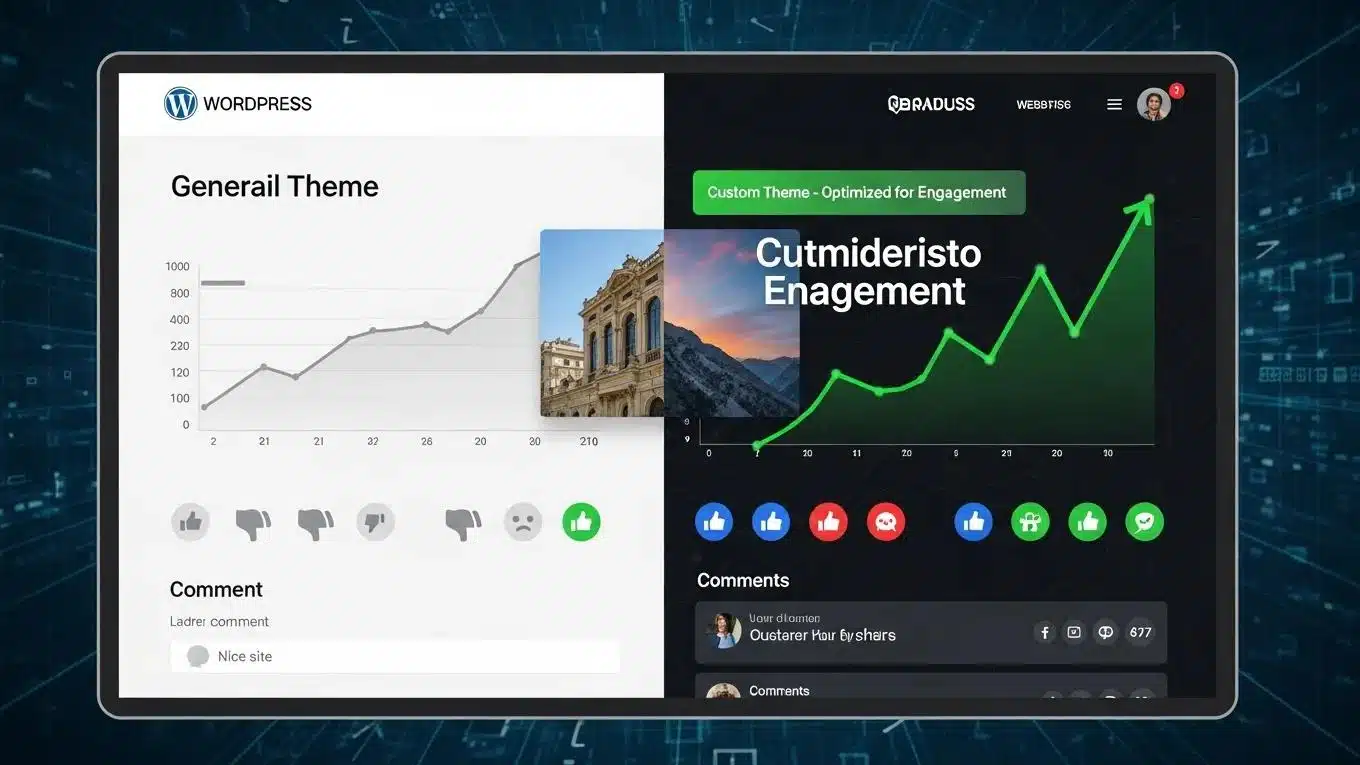
[BOTTOM IMAGE: Flat illustration — a side-by-side comparison: left shows a generic WordPress template site (grey, cookie-cutter, low engagement indicators); right shows a WP Support Lab custom-themed site (vibrant, branded, high engagement indicators in green, fast load badge). No text labels, visual metaphor only, navy and electric blue brand palette.]
Conclusion: Elevate Your Online Presence with Custom WordPress Themes
Creating a custom WordPress theme tailored to unique business needs significantly enhances online presence and user engagement. By following best practices in design, development, and optimization, businesses can ensure that themes not only reflect their brand identity but also perform exceptionally well. Embrace the opportunity to elevate websites by exploring comprehensive resources and tools for custom WordPress theme development. Start the journey towards a more effective online platform today.







