


In the competitive landscape of online content, mastering SEO is crucial for visibility and success. WordPress, being one of the most popular content management systems, offers a variety of SEO tools to enhance website performance. This article will explore the top seven WordPress SEO plugins that can significantly boost your website’s search engine optimization efforts. Readers will learn about the unique features of each plugin, how they compare in performance, and the essential aspects to consider when choosing the right tools for their needs. As many website owners struggle with optimizing their content for search engines, these plugins provide effective solutions to improve rankings and drive traffic. We will cover detailed plugin reviews, installation tips, and the importance of integrating these tools with Google Search Console.
Which Are the Top 7 WordPress SEO Plugins to Boost Your Website?
When it comes to optimizing your WordPress site for search engines, several plugins stand out for their effectiveness and user-friendliness. Here are the top seven plugins that can help you master SEO:
- Yoast SEO: This plugin is renowned for its comprehensive features, including content analysis, XML sitemaps, and social media integration. It helps users optimize their content for specific keywords and provides readability scores.
- Rank Math: A newer contender, Rank Math offers advanced features like schema markup, keyword tracking, and integration with Google Search Console, making it a powerful tool for SEO enthusiasts.
- All in One SEO Pack: This plugin provides essential SEO features such as meta tag generation, XML sitemaps, and social media integration, catering to both beginners and advanced users.
- SEOPress: Known for its simplicity and effectiveness, SEOPress includes features like content analysis, Google Analytics integration, and the ability to manage redirects.
- Broken Link Checker: This plugin helps maintain your site’s health by identifying and fixing broken links, which can negatively impact SEO.
- WP Rocket: While primarily a caching plugin, WP Rocket significantly improves website speed, which is a critical factor for SEO. It offers features like file compression and lazy loading.
- Schema Pro: This plugin simplifies the process of adding schema markup to your site, enhancing how search engines read your content and improving visibility in search results.
What Features Make These SEO Plugins Stand Out?
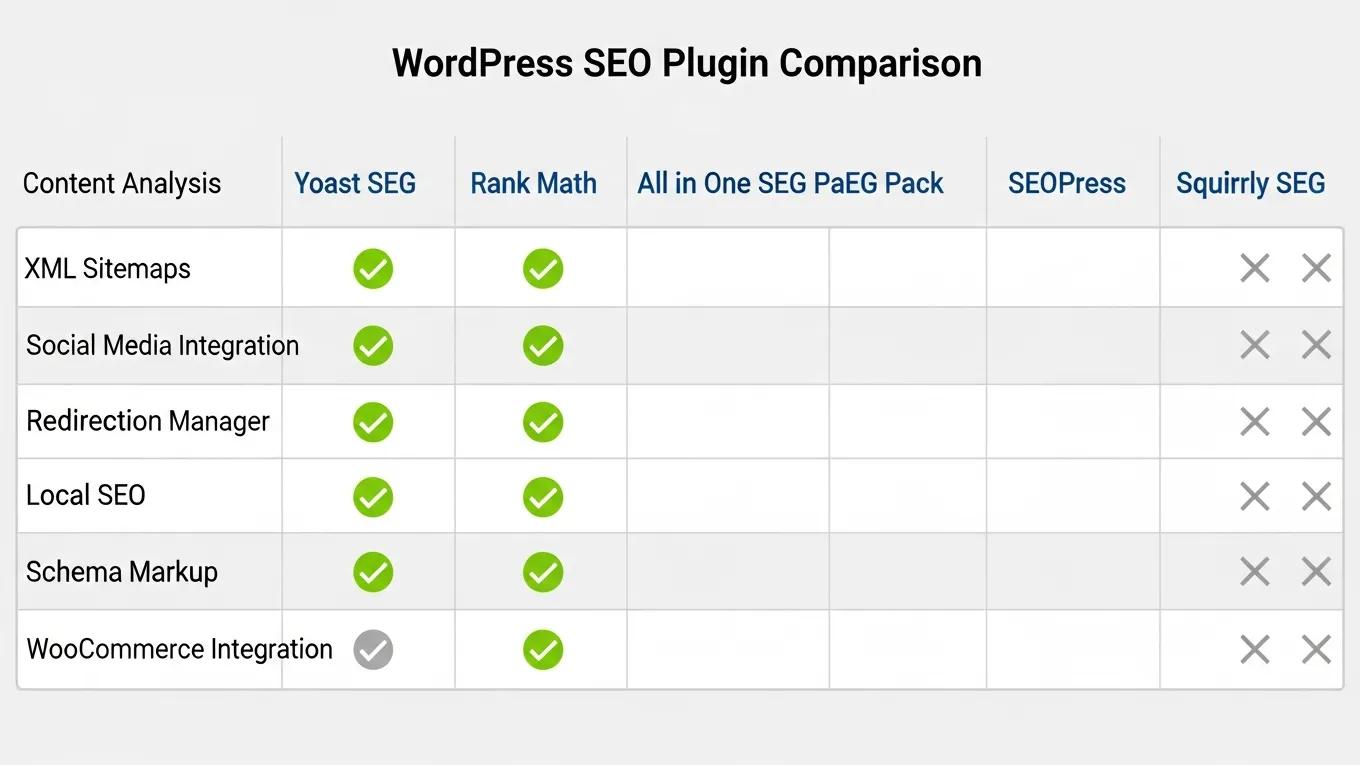
Each of the top SEO plugins offers unique features that cater to different aspects of search engine optimization. Here are some standout features:
- Yoast SEO: Its content analysis tool provides real-time feedback on keyword usage and readability, helping users create optimized content effortlessly.
- Rank Math: The ability to track keyword rankings and integrate with Google Search Console allows users to monitor their SEO performance closely.
- All in One SEO Pack: This plugin’s user-friendly interface makes it easy for beginners to set up essential SEO features without technical knowledge.
- SEOPress: Its focus on simplicity and effectiveness allows users to manage their SEO settings without overwhelming complexity.
- Broken Link Checker: By automatically scanning for broken links, this plugin saves users time and helps maintain a healthy website.
- WP Rocket: Its caching capabilities lead to faster loading times, which is crucial for user experience and SEO rankings.
- Schema Pro: The ease of adding schema markup enhances the chances of rich snippets appearing in search results, improving click-through rates.
How Do These Plugins Compare in Performance and Compatibility?
When selecting an SEO plugin, performance and compatibility with your WordPress theme and other plugins are essential considerations. Here’s how the top plugins stack up:
- Yoast SEO: Highly compatible with most themes and plugins, it is known for its robust performance and regular updates.
- Rank Math: Offers excellent performance and is designed to work seamlessly with popular themes and plugins, making it a versatile choice.
- All in One SEO Pack: This plugin is also compatible with a wide range of themes and plugins, ensuring smooth operation.
- SEOPress: Known for its lightweight design, SEOPress performs well without slowing down your site.
- Broken Link Checker: While effective, it can be resource-intensive, so users should monitor its impact on site performance.
- WP Rocket: As a caching plugin, it significantly enhances site speed, which is beneficial for overall performance.
- Schema Pro: This plugin integrates well with other SEO tools, ensuring that schema markup is added without conflicts.
How to Install and Configure WordPress SEO Plugins for Optimal Results?

Installing and configuring SEO plugins on WordPress is a straightforward process. Here’s a step-by-step guide:
- Installation:Go to your WordPress dashboard.Navigate to “Plugins” > “Add New.”Search for the desired SEO plugin (e.g., Yoast SEO).Click “Install Now” and then “Activate.”
- Configuration:After activation, follow the setup wizard provided by the plugin.Configure basic settings such as site title, meta descriptions, and social media profiles.For advanced features, explore the plugin settings to customize options according to your needs.
- Regular Updates:Keep your plugins updated to ensure compatibility with the latest WordPress version and to benefit from new features and security patches.
By following these steps, users can effectively leverage the power of SEO plugins to enhance their website’s visibility.
What Are the Essential SEO Plugin Features to Look for in WordPress?
When choosing an SEO plugin, certain features are essential for effective optimization. Here are key features to consider:
- Content Analysis: Look for plugins that provide real-time feedback on keyword usage and readability.
- XML Sitemaps: Ensure the plugin can generate XML sitemaps automatically to help search engines index your site.
- Social Media Integration: Features that allow easy sharing and optimization for social media can enhance your site’s reach.
- Redirect Management: A good SEO plugin should help manage redirects to prevent broken links and maintain SEO value.
- Schema Markup: The ability to add schema markup easily can improve how your content appears in search results.
These features collectively enhance the effectiveness of your SEO strategy.
Why Is Integration with Google Search Console Important?
Integrating your SEO plugins with Google Search Console is crucial for monitoring your website’s performance. Here’s why:
- Performance Tracking: It allows you to track how your site performs in search results, including impressions, clicks, and average position.
- Error Reporting: Google Search Console provides insights into any errors or issues affecting your site’s visibility, enabling timely fixes.
- Indexing Control: You can submit sitemaps and request indexing for new or updated content, ensuring search engines can find your pages quickly.
- Keyword Insights: By linking your SEO plugin with Google Search Console, you can gain valuable insights into which keywords are driving traffic to your site.
This integration is essential for optimizing your SEO efforts and improving overall site performance.
How Can WordPress SEO Plugins Improve Website Speed and Performance?
Website speed is a critical factor in SEO, and certain plugins can help enhance performance. Here’s how:
- Caching: Plugins like WP Rocket cache your site’s pages, reducing load times for returning visitors.
- Image Optimization: Some SEO plugins offer features to compress images, which can significantly improve loading speed.
- Minification: By minifying CSS and JavaScript files, plugins can reduce file sizes and improve site speed.
- Lazy Loading: This feature allows images and videos to load only when they are visible on the screen, enhancing initial load times.
Improving website speed not only enhances user experience but also positively impacts search engine rankings.
Which Plugins Offer Built-in Speed Optimization Tools?
Several SEO plugins come with built-in speed optimization tools that can enhance your website’s performance. Here are some notable options:
- WP Rocket: This caching plugin offers extensive speed optimization features, including file compression and lazy loading.
- SEOPress: In addition to its SEO capabilities, SEOPress includes options for image optimization and caching.
- Yoast SEO: While primarily an SEO tool, Yoast offers some features that can help improve site speed indirectly through better content management.
- Rank Math: This plugin includes options for optimizing images and scripts, contributing to overall site performance.
By utilizing these plugins, website owners can ensure their sites are not only optimized for search engines but also provide a fast and efficient user experience.
To further enhance your online presence, consider leveraging an AI integration service for streamlined development and design.
For those seeking professional assistance, WordPress support services can provide expert guidance and solutions.