


Choosing the right SEO plugin is one of the most consequential technical decisions for a WordPress site. Rank Math, Yoast SEO, and All in One SEO (AIOSEO) each have distinct strengths, limitations, and ideal use cases. This guide compares them directly based on features, performance impact, and real-world results.
Comprehensive Guide to WordPress SEO Plugins: Features, Setup, and Optimization for Better Rankings
WordPress SEO plugins are essential tools for website owners looking to enhance their online visibility and improve search engine rankings. These plugins offer a variety of features that streamline the optimization process, making it easier for users to implement effective SEO strategies. This comprehensive guide explores the key features of WordPress SEO plugins, how to set them up for optimal performance, and their impact on website speed and optimization. Many website owners struggle with effectively managing their SEO efforts, leading to missed opportunities for traffic and engagement. By leveraging the right SEO plugins, site administrators can simplify optimization tasks and achieve better results. This article covers essential features, setup guides, performance impacts, and a comparison of popular plugins to support informed decision-making.
What Are the Essential Features of WordPress SEO Plugins?
WordPress SEO plugins come equipped with several essential features that enhance a website’s search engine optimization. These features include XML sitemap generation, schema markup, and various performance optimization tools. By utilizing these functionalities, website owners can significantly improve their site’s visibility and ranking on search engines. The integration of these features allows for better indexing by search engines, which is crucial for driving organic traffic.
How Do XML Sitemap Generation and Schema Markup Improve SEO?
XML sitemap generation is a critical feature of SEO plugins that helps search engines understand the structure of a website. By creating a sitemap, plugins ensure that all pages are indexed efficiently, which can lead to improved visibility in search results. Schema markup, on the other hand, enhances the way search engines read and interpret the content on a website. This structured data can lead to rich snippets in search results, increasing click-through rates and providing users with more relevant information. Popular plugins like Yoast SEO and Rank Math offer these features, making them invaluable for effective SEO management.
Indeed, the practical application of these plugins has been shown to significantly boost a website’s online presence and engagement.
WordPress SEO Plugins for Traffic & Ranking Improvement
The case study illustrates the platform’s effectiveness in driving website traffic and improving SEO rankings. For instance, a blog used WordPress for content management and optimized it with the Yoast SEO plugin to achieve higher visibility and engagement.
WordPress-an essential tool for digital marketing, M Kocaleva, 2024
SaaS-style image placeholder
Which Plugin Features Impact Site Speed and Performance?
Site speed is a crucial factor in SEO, and many WordPress SEO plugins include features that directly impact performance. Caching mechanisms, image optimization techniques, and minification of CSS and JavaScript files are some of the key functionalities that can enhance site speed. For instance, caching plugins store static versions of pages, reducing load times for returning visitors. Image optimization tools compress images without sacrificing quality, which can significantly improve loading times. By focusing on these performance-enhancing features, website owners can create a faster, more efficient user experience that positively affects SEO rankings.
How to Set Up WordPress SEO Plugins for Optimal Website Performance?
Setting up WordPress SEO plugins correctly is essential for maximizing their benefits. The process typically involves selecting the right plugin, installing it, and configuring its settings to align with the website’s goals. A well-configured SEO plugin can streamline optimization efforts and provide valuable insights into site performance.
What Are the Step-by-Step Setup Guides for Popular SEO Plugins?
To set up popular SEO plugins like Yoast SEO or Rank Math, follow these steps:
- Installation: Navigate to the WordPress dashboard, go to Plugins, and click on “Add New.” Search for the desired plugin and click “Install Now.”
- Activation: After installation, click “Activate” to enable the plugin on the site.
- Configuration: Most plugins will guide users through an initial setup wizard. Follow the prompts to configure basic settings, such as connecting to Google Search Console and setting up the XML sitemap.
- Customization: Adjust settings based on specific needs, including title and meta description templates, social media integration, and advanced features like schema markup.
By following these steps, site administrators can ensure that the SEO plugin is set up for optimal performance.
How to Integrate SEO Plugins with AI Tools and Automation?

Integrating SEO plugins with AI tools can enhance optimization efforts by automating various tasks. For example, AI-driven content analysis tools provide insights into keyword usage and content quality, helping refine strategies. Additionally, automation tools can schedule regular SEO audits and performance checks, ensuring that sites remain optimized over time. By leveraging these technologies, website owners can save time and focus on creating high-quality content while the plugins handle the technical aspects of SEO.
SaaS-style image placeholder
What Is the Impact of WordPress SEO Plugins on Website Speed and Optimization?
The impact of WordPress SEO plugins on website speed and optimization is significant. These plugins not only help improve search engine rankings but also enhance the overall user experience by ensuring faster load times and better site performance. A well-optimized website can lead to higher engagement rates and lower bounce rates, which are critical factors for SEO success.
How Do SEO Plugins Affect Site Speed and User Experience?
SEO plugins can positively affect site speed by implementing various optimization techniques. For instance, caching plugins reduce server load and speed up page delivery, while image optimization tools ensure that images do not slow down the site. A faster website leads to a better user experience, as visitors are less likely to abandon a site that loads quickly. Research shows that even a one-second delay in loading time can result in a significant drop in conversions, highlighting the importance of speed in SEO.
What Are Best Practices for Speed Optimization Using SEO Plugins?
To optimize speed using SEO plugins, consider the following best practices:
- Enable Caching: Use caching plugins to store static versions of pages, reducing load times for repeat visitors.
- Optimize Images: Compress images before uploading them to the site to minimize their impact on loading times.
- Minify Resources: Reduce the size of CSS, JavaScript, and HTML files by minifying them, which can help improve load times.
By implementing these strategies, website owners can enhance website speed and overall performance.
Indeed, dedicated plugins play a crucial role in automating these performance enhancements, ensuring a faster and more efficient website.
WordPress Plugins for Website Speed & Performance Optimization
This section provides the rationale for website speed, caching, code minification and compression, and image optimization. These optimizations can be performed automatically through WordPress plugins like WPOptimize or Advanced Database Cleaner, which are designed to enhance the functional and operational efficiency of WordPress websites.
Optimizing WordPress for efficient website creation and management, 2025
How to Conduct SEO Audits Using WordPress SEO Plugins?
Conducting SEO audits is essential for identifying areas of improvement on websites. WordPress SEO plugins provide various tools and features that facilitate comprehensive audits, allowing assessment of site performance and necessary adjustments.
What Are the Key Audit Features Provided by SEO Plugins?
Key audit features offered by SEO plugins include on-page optimization checks, performance analysis, and security assessments. These tools help identify issues such as missing meta tags, broken links, and slow-loading pages. By regularly conducting audits, website owners can ensure that sites remain optimized and compliant with the latest SEO best practices.
How to Interpret SEO Audit Results to Improve Plugin Performance?
Interpreting SEO audit results involves analyzing the data provided by the plugin and identifying actionable insights. For example, if the audit reveals that certain pages have low keyword optimization, content can be adjusted to better align with target keywords. Additionally, if the audit highlights slow-loading pages, speed optimization techniques can be implemented to enhance performance. By taking a proactive approach to SEO audits, continuous improvement of site performance and search engine rankings is achievable.
Which WordPress SEO Plugins Are Best: Comparison and User Reviews?
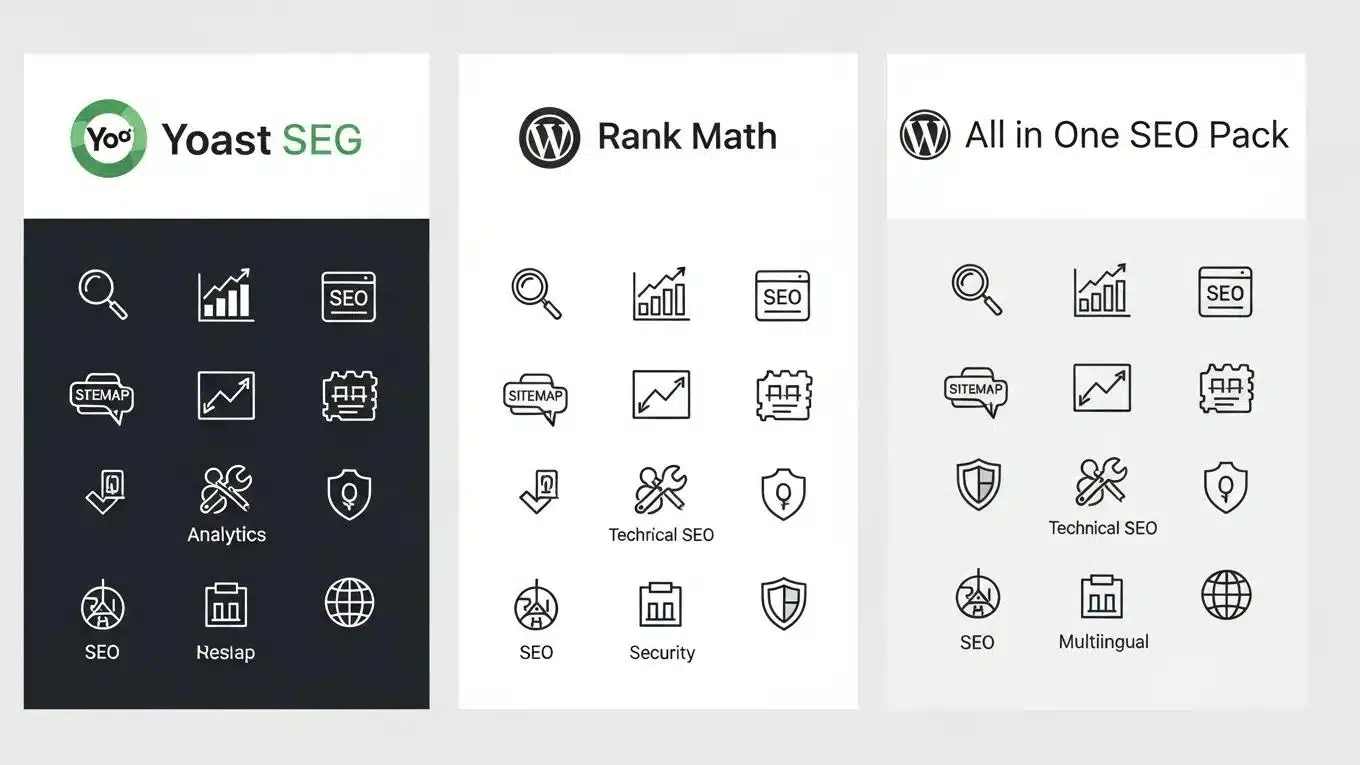
When choosing the best WordPress SEO plugins, several options stand out based on features, user reviews, and overall effectiveness. Popular plugins like Yoast SEO, Rank Math, and All in One SEO offer a range of functionalities that cater to different user needs.
SaaS-style image placeholder
How Do Yoast SEO, Rank Math, and Other Plugins Compare?
This comparison highlights the strengths of each plugin, helping users choose the one that best fits their needs.
What Do User Reviews Reveal About Plugin Effectiveness?
User reviews provide valuable insights into the effectiveness of SEO plugins. Many users praise Yoast SEO for its user-friendly interface and comprehensive features, while Rank Math is often lauded for its advanced capabilities and flexibility. All in One SEO is appreciated for its simplicity and ease of use, making it a great choice for beginners. Overall, user feedback indicates that the right plugin can significantly enhance SEO efforts and improve website performance.
Further emphasizing its comprehensive nature, one review highlights Rank Math’s extensive capabilities as an all-in-one solution for WordPress SEO.
Rank Math: All-in-One WordPress SEO Plugin Features
Rank Math is an S-tier all-in-one WordPress SEO plugin that handles everything from on-page optimization to schema markup, redirects, and analytics integration. Rank Math is kind of the Swiss Army knife for all things SEO, but it caters best to content creators and WordPress professionals who want granular control without managing five separate plugins. The module-based architecture means only necessary features are enabled. The learning curve is real, especially in Advanced Mode, but the payoff is a single dashboard that replaces a dozen tools.
Rank Math Review: The Best WordPress SEO Plugin in 2026! Period., G Tiwari, 2026
What Are the Pricing Models and Update Frequencies of WordPress SEO Plugins?
Understanding the pricing models and update frequencies of WordPress SEO plugins is crucial for making informed decisions. Different plugins offer various pricing tiers, ranging from free versions with limited features to premium plans with advanced functionalities.
How Do Pricing Plans Vary Among Popular SEO Plugins?
Pricing plans for popular SEO plugins typically include:
- Free Version: Basic features suitable for small websites or beginners.
- Premium Version: Advanced features, often priced between $49 to $199 per year, depending on the plugin and the number of sites.
- Agency Plans: Designed for developers and agencies, these plans can range from $199 to $499 per year, offering features for multiple sites.
Why Is Regular Plugin Updating Important for SEO Success?
Regular updates are essential for maintaining the effectiveness of SEO plugins. Updates often include new features, security patches, and improvements that can enhance performance and compatibility with the latest WordPress versions. Failing to update plugins can lead to security vulnerabilities and decreased functionality, ultimately impacting site SEO performance. Keeping plugins updated ensures that the latest advancements in SEO technology are leveraged.
For assistance with WordPress sites, site owners are encouraged to seek professional WordPress support.
Additionally, for those looking to build new websites, exploring options with an AI-assisted web design team is recommended.
Before launching a site, conducting a thorough WordPress audit is advisable to ensure optimal performance.