

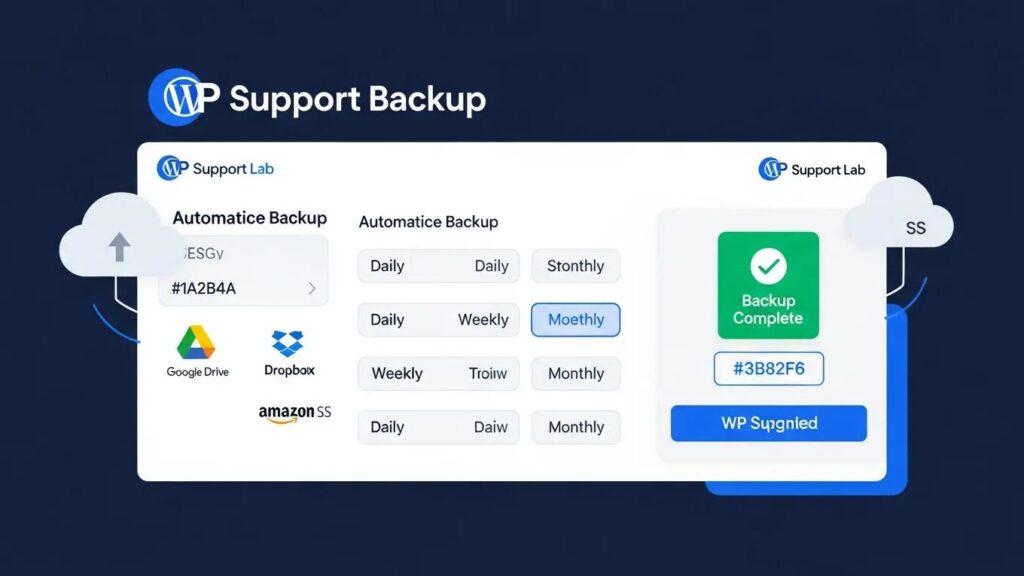
In the ever-evolving digital landscape, a robust WordPress backup strategy is essential for safeguarding your website against data loss. As we approach 2026, understanding the best practices, plugins, and automation techniques for WordPress backups becomes increasingly critical. This article will guide you through the most effective backup solutions, including the best plugins available, automation techniques to streamline the process, and disaster recovery practices to ensure your site can quickly bounce back from any mishap. Many website owners face the daunting challenge of maintaining data integrity and security, but with the right strategies in place, you can mitigate risks effectively. We will explore the top backup plugins, automation methods, and essential practices to create a comprehensive backup strategy for your WordPress site.
Best Backup Plugins
Choosing the right backup plugin is crucial for ensuring your WordPress site is secure and recoverable. In 2026, several plugins stand out for their features, reliability, and user satisfaction. These plugins not only simplify the backup process but also enhance security and recovery options.
These plugins provide a range of functionalities that cater to different user needs, making them ideal choices for anyone looking to implement a solid backup strategy.
Automation Techniques

Automating your WordPress backups is a game-changer, allowing you to focus on content creation and site management without worrying about data loss. Automation ensures that backups occur regularly without manual intervention, reducing the risk of forgetting to back up your site.
Indeed, the power of automation through plugins is widely recognized for its ability to manage regular backups seamlessly.
WordPress Automatic Backup Plugins
You can also setup automatic backups daily or weekly. With the plugin, it does everything that a backup plugin should do.
Building a secure WordPress website with plugins, 2019
- Scheduled Backups: Set up daily, weekly, or monthly backups based on your site’s update frequency.
- Cloud Storage Integration: Use plugins that automatically store backups in cloud services like Google Drive or Amazon S3 for added security.
- Retention Policies: Configure your backup settings to retain a specific number of backups, ensuring you have access to previous versions without consuming excessive storage.
Implementing these automation techniques can significantly enhance your backup strategy, providing peace of mind and ensuring your data is always protected.
Effective Disaster Recovery Practices
Having a disaster recovery plan is essential for any WordPress site owner. This plan outlines the steps to take in the event of data loss, ensuring a swift and efficient recovery process.
The importance of a well-structured disaster recovery plan, including rigorous testing, cannot be overstated for maintaining site resilience.
Formalizing WordPress Disaster Recovery Plans
disaster plan, and, of course, conducting proper testing. By how to begin formalizing a disaster recovery plan. Later in this, have procedures for dealing with disasters related to weather
CMS Security Handbook: The Comprehensive Guide for WordPress, Joomla, Drupal, and Plone, 2011
- 3-2-1 Backup Rule: Maintain three copies of your data, on two different media types, with one copy stored off-site.
- Regular Testing: Periodically test your backups to ensure they can be restored successfully. This practice helps identify any issues before a real disaster occurs.
- Documentation: Keep a detailed record of your backup and recovery processes, including how to restore your site from backups. This documentation can be invaluable during a crisis.
By following these disaster recovery practices, you can minimize downtime and ensure your website remains operational even in the face of unexpected challenges.
What Are the Best WordPress Backup Plugins for 2026?
As we look ahead to 2026, the landscape of WordPress backup plugins continues to evolve. Two of the most popular options are UpdraftPlus and BackupBuddy, each offering unique features and benefits.
How Do UpdraftPlus and BackupBuddy Compare in Features and Security?
UpdraftPlus and BackupBuddy are both excellent choices for WordPress backups, but they cater to different needs.
Both plugins provide robust security measures, but UpdraftPlus offers more flexibility with cloud storage options, while BackupBuddy excels in migration features.
Which Plugins Support Automated Incremental Backups?
Automated incremental backups are essential for minimizing storage use and ensuring that only changes are saved after the initial full backup. Some plugins that support this feature include:
- UpdraftPlus: Offers automated incremental backups, allowing users to save only the changes made since the last backup.
- BackupBuddy: While primarily focused on full backups, it also provides options for scheduled backups that can be configured to run incrementally.
- BlogVault: Known for its real-time backup capabilities, it automatically saves changes as they occur, ensuring your data is always up to date.
These plugins help streamline the backup process, making it easier to manage your site’s data efficiently.
What Are the Essential WordPress Backup Best Practices in 2026?
To ensure your WordPress backups are effective, it’s crucial to follow best practices that enhance security and reliability.
- Regular Backup Scheduling: Depending on your site’s activity, schedule backups daily for high-traffic sites or weekly for less active sites.
- Use Multiple Storage Locations: Store backups in different locations, such as local storage and cloud services, to protect against data loss.
- Monitor Backup Success: Regularly check that backups are completing successfully and address any issues immediately.
By adhering to these best practices, you can create a robust backup strategy that protects your WordPress site from potential threats.
How Often Should You Schedule Automated WordPress Backups?
The frequency of your automated backups should align with your site’s update frequency and content changes. Here are some recommendations:
- Daily Backups: Ideal for business sites that frequently update content or have high traffic.
- Multiple Daily Backups: Recommended for eCommerce sites or those with real-time data changes.
- Weekly Backups: Suitable for personal blogs or sites with infrequent updates.
By tailoring your backup schedule to your site’s needs, you can ensure that your data is always protected.
What Are the Benefits of Incremental and Differential Backup Methods?
Incremental and differential backups offer distinct advantages over traditional full backups.
- Efficiency: Incremental backups save only the changes made since the last backup, reducing storage space and backup time.
- Faster Recovery: Differential backups save changes since the last full backup, allowing for quicker restoration compared to full backups.
- Resource Management: Both methods minimize server load during backup processes, ensuring your site remains responsive.
These methods are essential for maintaining an efficient backup strategy that balances performance and data security.
How to Integrate Cloud Storage and Security in Your WordPress Backup Strategy?
Integrating cloud storage into your backup strategy enhances security and accessibility. Here are some guidelines:
Leveraging cloud computing technology for backups is a modern approach to significantly bolster the security of WordPress websites.
Cloud Backup for WordPress Security
integration of cloud computing technology and virtual machines (VMs) in improving the security of WordPress. The cloud backup data storage solution offered by HPE Cloud Volumes
Enhancing Security of WordPress Websites built on Virtual Machine Using Cloud Computing Technology, 2024
- Choose Reliable Cloud Providers: Opt for reputable services like Google Drive or Amazon S3 that offer robust security features.
- Implement Backup Encryption: Use encryption methods to protect your backups from unauthorized access, ensuring that sensitive data remains secure.
- Regularly Update Security Protocols: Stay informed about the latest security practices and update your backup settings accordingly.
By following these guidelines, you can create a secure and efficient backup strategy that leverages the benefits of cloud storage.
Which Cloud Storage Providers Are Recommended for WordPress Backups?
Several cloud storage providers are well-suited for WordPress backups, offering various features and benefits:
- Google Drive: Provides ample storage space and easy integration with many backup plugins.
- Amazon S3: Known for its scalability and security, making it a popular choice for larger sites.
- Dropbox: Offers user-friendly interfaces and reliable syncing capabilities for backup files.
These providers can enhance your backup strategy by ensuring your data is securely stored and easily accessible.
How Does Backup Encryption Enhance WordPress Backup Security?
Backup encryption is a critical component of a secure backup strategy. It protects your data by converting it into a format that is unreadable without the proper decryption key.
- Data Protection: Encryption safeguards sensitive information from unauthorized access, ensuring that even if backups are compromised, the data remains secure.
- Compliance: Many industries require data encryption to comply with regulations, making it essential for businesses to implement this practice.
- Peace of Mind: Knowing that your backups are encrypted provides reassurance that your data is protected against potential threats.
Implementing encryption in your backup strategy is vital for maintaining data security and integrity.
What Are the Key Steps in a WordPress Disaster Recovery Plan for 2026?
A well-defined disaster recovery plan is essential for minimizing downtime and ensuring a swift recovery. Here are the key steps to consider:
- Implement the 3-2-1 Backup Rule: Maintain three copies of your data on two different media types, with one copy stored off-site.
- Schedule Regular Backups: Ensure that backups are performed consistently to minimize data loss.
- Test Your Backups: Regularly test your backup restoration process to ensure that it works effectively when needed.
By following these steps, you can create a comprehensive disaster recovery plan that prepares your WordPress site for any unforeseen events.
How to Restore WordPress from Backup Efficiently?
Restoring your WordPress site from a backup can be a straightforward process if you follow these steps:
- Access Your Backup Plugin: Log into your WordPress dashboard and navigate to your backup plugin.
- Select the Backup to Restore: Choose the backup version you wish to restore from the available options.
- Initiate the Restoration Process: Follow the plugin’s instructions to restore your site, ensuring that you monitor the process for any errors.
By understanding the restoration process, you can quickly recover your site in the event of data loss.
Why Is Regular Backup Testing Crucial for Disaster Recovery?
Regular backup testing is a critical aspect of any disaster recovery plan. It ensures that your backups are functional and can be restored successfully when needed.
- Identify Issues Early: Testing backups allows you to discover any problems before a real disaster occurs, giving you time to address them.
- Ensure Data Integrity: Regular testing verifies that your backups contain the correct data and are not corrupted.
- Boost Confidence: Knowing that your backups are reliable increases your confidence in your disaster recovery plan.
Incorporating regular backup testing into your strategy is essential for maintaining a robust disaster recovery plan.
To further enhance your WordPress site, consider exploring options for “WordPress development” to ensure it meets all your specific needs.
Many website owners face the daunting challenge of maintaining data integrity and security, but with the right strategies in place, you can mitigate risks effectively. For those seeking assistance, “WordPress support” services can provide expert guidance and solutions.
Ensuring your website is optimized for search engines is also crucial. Consider implementing strategies for “search engine optimization” to improve visibility and attract more visitors.
Before finalizing your backup strategy, it’s wise to conduct a thorough “WordPress audit” to identify any vulnerabilities or areas for improvement.
For those looking to build a new website, an AI-assisted web design team can streamline the process and create a professional-looking site quickly.
For more information and resources, visit “WP Support Lab” to explore a wide range of services and solutions for your WordPress site.