

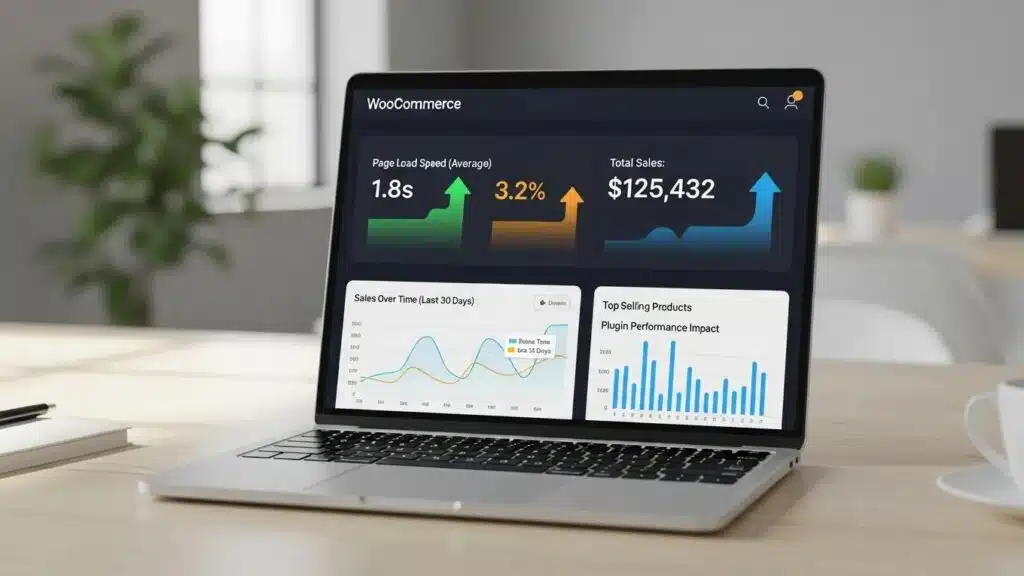
Optimizing a WooCommerce store is essential for enhancing user experience and driving sales. As eCommerce continues to grow, store owners face challenges in maintaining performance while scaling their operations. This article delves into nine powerful strategies for optimizing WooCommerce performance, ensuring that WooCommerce merchants can handle increased traffic and transactions efficiently. Readers will learn about various techniques, from database optimization to caching solutions, that can significantly improve site speed and reliability. By addressing common pain points, such as slow load times and inefficient checkout processes, this guide provides actionable insights to enhance WooCommerce store performance. The strategies discussed include optimizing the product database, implementing object caching, choosing appropriate hosting, and more.
Optimize Your Product Database
A well-optimized product database is crucial for WooCommerce performance. Regular database cleanup and optimization can significantly enhance the speed and efficiency of the store. Techniques such as removing expired transients and optimizing table indexes help streamline database queries, leading to faster load times. By ensuring that the database is free of unnecessary data, WooCommerce merchants can improve overall store performance.
How Do You Optimize WooCommerce Database and Queries for Better Performance?
To optimize the WooCommerce database, consider the following strategies:
- Regular Cleanup: Schedule regular cleanups to remove outdated data and transients.
- Optimize Tables: Use database management tools to optimize tables and improve query performance.
- Implement Caching: Utilize caching techniques to reduce database load and speed up data retrieval.
These practices not only enhance performance but also contribute to a smoother user experience.
Implement Object Caching with Redis

Object caching is a powerful technique that can significantly improve WooCommerce performance. By using Redis for object caching, frequently accessed data is stored in memory, reducing the need for repeated database queries. This leads to faster page load times and improved dynamic page performance, which is essential for maintaining user engagement and satisfaction.
Further research highlights how Redis, combined with HTTP accelerators, can significantly boost WordPress multisite client capacity and overall performance.
WooCommerce Caching with Redis for WordPress Scaling
multisite can be stored using redis database. By utilizing http accelerator and redis as cache combination strategy on wordpress multisite we can maximize the wordpress client capacity
Performance comparison of caching strategy on wordpress multisite, M Kusuma, 2017
Which Caching Plugins Work Best for WooCommerce Performance?
When considering caching plugins for WooCommerce, the following options are highly recommended:
- WP Rocket: Known for its user-friendly interface and comprehensive caching features.
- LiteSpeed Cache: Offers advanced caching options and is particularly effective for high-traffic sites.
- W3 Total Cache: A versatile plugin that provides extensive caching capabilities and performance optimization.
These plugins can help implement effective caching strategies to enhance store performance.
Academic studies further underscore the profound impact of various caching techniques on system throughput, response times, and overall user experience in CMS architectures.
Caching Strategies for CMS Performance & User Experience
This study examines the impact of caching techniques on the throughput and response time of RESTful APIs in a headless CMS architecture built with PHP Laravel interacting with an external CMS. End-users often experience system issues such as slow page loading, non-real-time data updates, and errors during use, which reduce user experience and undermine overall system reliability. The main objective is to improve API response time between the presentation layer and the CMS and to evaluate the most effective caching techniques for optimizing Laravel APIs. Various caching drivers, including file-based, MySQL, and Redis caches, were tested to measure their impact on API throughput.
Improvement of API Request Throughput of Article Platform with Cache Memory on Headless CMS Platform, 2025
Choose Appropriate Hosting
Selecting the right hosting provider is critical for WooCommerce performance. A dedicated or VPS hosting solution with NVMe storage and adequate RAM can significantly impact store speed and reliability. The right hosting environment ensures that the site can handle increased traffic without compromising performance.
What Are the Best Hosting Solutions for Scalable WooCommerce Stores?
When evaluating hosting solutions for WooCommerce, consider the following features:
- Server Response Time: Look for hosting providers that guarantee fast server response times.
- Uptime Guarantees: Choose a host that offers high uptime guarantees to ensure the store is always accessible.
- Performance Features: Opt for hosting that includes features like object caching and the latest PHP version for optimal performance.
These factors play a vital role in maintaining a high-performing WooCommerce store.
Use a Content Delivery Network (CDN)

A Content Delivery Network (CDN) can greatly enhance the speed of a WooCommerce store by serving static assets from servers located closer to users. This reduces latency and improves load times, especially for customers located far from the primary server.
Indeed, studies confirm that website speed, significantly enhanced by CDNs, is a critical factor directly influencing e-commerce conversion rates.
CDN Impact on E-commerce Speed & Conversion Rates
One of the key factors in e-commerce influencing conversion rate in an online store is speed
Content delivery networks in cross-border e-commerce, A Strzelecki, 2020
How Does CDN Integration Enhance WooCommerce Speed?
Integrating a CDN into a WooCommerce store offers several benefits:
- Reduced Latency: By serving content from nearby servers, CDNs minimize the time it takes for data to travel.
- Improved Load Times: Faster content delivery leads to quicker page load times, enhancing user experience.
- Scalability: CDNs can handle increased traffic, ensuring the store remains responsive during peak times.
Utilizing a CDN is a strategic move for any WooCommerce store looking to improve performance.
Optimize Product Images
Optimizing product images is essential for improving WooCommerce performance. Large image files can slow down the site, leading to higher bounce rates and lost sales. By implementing strategies to optimize images, WooCommerce merchants can enhance load times and overall user experience.
How to Manage WooCommerce Data for Scalability?
To effectively manage WooCommerce data for scalability, consider these image optimization techniques:
- Convert to WebP Format: This modern image format provides superior compression without sacrificing quality.
- Implement Lazy Loading: Load images only when they are visible in the viewport to reduce initial load times.
- Resize Images Appropriately: Ensure images are not larger than necessary for their display size.
These practices will help maintain a fast and efficient WooCommerce store.
Streamline Checkout Flow
A streamlined checkout process is vital for reducing cart abandonment rates and improving conversion rates. By minimizing the number of steps and simplifying the user experience, WooCommerce merchants can enhance overall store performance.
What Hosting Features Boost WooCommerce Performance?
To streamline the checkout flow, consider the following strategies:
- Minimize Third-Party Scripts: Limit the use of external scripts that can slow down the checkout process.
- Reduce Form Fields: Simplify forms by only asking for essential information.
- Implement One-Page Checkout: Allow customers to complete their purchase on a single page to reduce friction.
These enhancements can lead to a more efficient checkout experience for customers.
Optimize WooCommerce AJAX Operations
Optimizing AJAX operations is crucial for maintaining a responsive WooCommerce store. AJAX is often used for dynamic content updates, and ensuring these operations are efficient can significantly improve performance.
How Can You Improve WooCommerce Store Speed with Caching Techniques?
To optimize AJAX operations, consider these techniques:
- Ensure AJAX Endpoints Are Optimized: Regularly review and optimize AJAX endpoints for better performance.
- Implement Fragment Caching: Cache specific parts of pages to reduce the load on the server.
- Prevent Unnecessary Database Queries: Limit the number of database queries triggered by AJAX requests.
These strategies will help maintain a fast and responsive WooCommerce store.
Implement Search Optimization
Search optimization is essential for enhancing the user experience on a WooCommerce store. A well-optimized search function can help customers find products quickly, leading to increased sales.
Which Database Optimization Techniques Improve WooCommerce Speed?
To improve search functionality, consider the following strategies:
- Replace Default WooCommerce Search: Use advanced search plugins that offer better indexing and filtering options.
- Pre-Index Products: Create a searchable index of products to speed up search results.
- Provide Instant Results: Implement AJAX-based search suggestions to enhance user experience.
These optimizations can significantly improve the effectiveness of the store’s search functionality.
Monitor Performance Regularly
Regular performance monitoring is crucial for maintaining an optimized WooCommerce store. By tracking performance metrics, WooCommerce merchants can identify and address issues before they impact user experience.
How Can AI and Automation Enhance WooCommerce Scaling Strategies?
To effectively monitor performance, consider these tools and strategies:
- Use Tools Like GTmetrix: Regularly analyze the store’s performance using reliable monitoring tools.
- Track Performance Metrics: Keep an eye on key metrics such as load times, bounce rates, and conversion rates.
- Identify and Address Issues: Proactively resolve any performance issues that arise to maintain a high-quality user experience.
By implementing these strategies, WooCommerce merchants can ensure their stores remain optimized and responsive.
To further enhance WooCommerce store performance, consider leveraging the expertise of WordPress development services. These professionals can provide tailored solutions to optimize site functionality and speed.
Conversion Rate Optimization for WooCommerce Stores
Conversion rate optimization (CRO) is a critical component of WooCommerce store success, focusing on maximizing the percentage of visitors who complete desired actions such as purchases. Employing systematic A/B testing methodologies on product pages and checkout flows allows merchants to identify the most effective design and content variations that drive conversions. By testing elements such as call-to-action buttons, product descriptions, and page layouts, stores can refine the user experience to reduce friction and increase sales.
Strategic placement of trust signals—including security badges, customer reviews, and satisfaction guarantees—plays a pivotal role in building consumer confidence. These elements reassure shoppers about the safety and reliability of the store, which is essential for reducing cart abandonment and boosting conversion rates.
Urgency triggers are another powerful CRO tactic. Features such as countdown timers, low-stock indicators, and limited-time offers create a sense of scarcity and immediacy, motivating customers to complete purchases promptly. These psychological cues effectively increase average order values and reduce hesitation during the buying process.
Exit-intent popups with targeted offers provide a last opportunity to engage visitors who are about to leave the site. By presenting personalized discounts or incentives at the moment of exit, stores can recover potentially lost sales and improve overall revenue.
WP Support Lab’s CRO audits leverage data-driven analysis to identify and resolve friction points that suppress WooCommerce conversion rates. Through comprehensive evaluation of user behavior, checkout bottlenecks, and page performance, WP Support Lab typically helps clients recover 8–15% of lost revenue by implementing tailored optimization strategies that enhance the customer journey and increase sales efficiency.
WP Support Lab WooCommerce Optimization Services
WP Support Lab delivers comprehensive WooCommerce optimization services designed to empower online stores with measurable revenue growth. Their expertise spans the full spectrum of WooCommerce performance tuning, including meticulous database cleanup, advanced caching implementation, and hosting environment optimization. Beyond technical performance, WP Support Lab specializes in checkout redesign and conversion rate improvement, ensuring that every aspect of the store is optimized for maximum efficiency and user satisfaction.
By applying systematic, data-driven optimization methodologies, WP Support Lab helps WooCommerce merchants scale their operations effectively while maintaining exceptional site speed and reliability. Their tailored solutions address unique business challenges, enabling stores to handle increased traffic and transactions seamlessly. With WP Support Lab’s professional guidance, WooCommerce stores can achieve sustainable growth and enhanced profitability through strategic performance and conversion enhancements.