

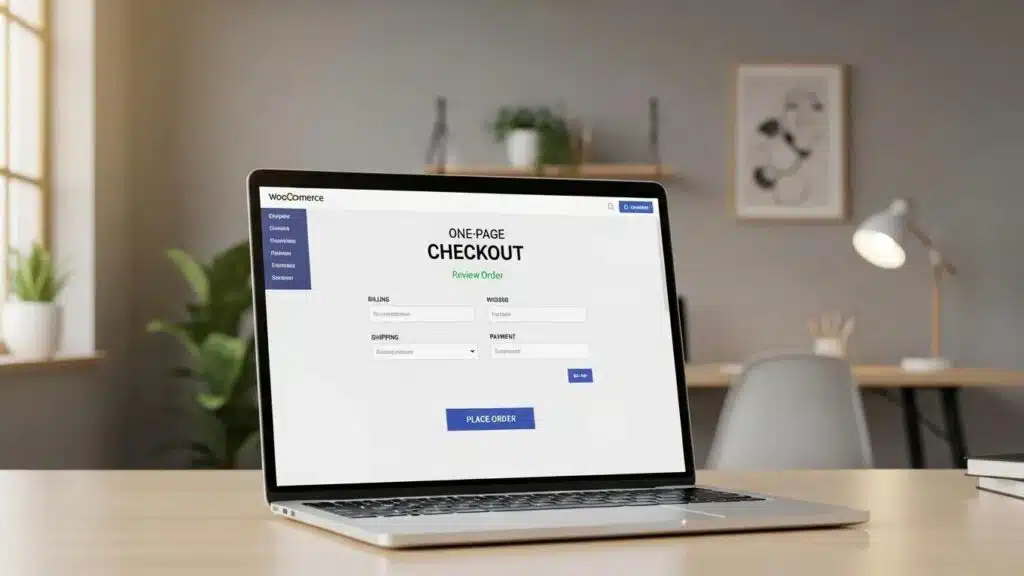
Optimizing the WooCommerce checkout process is crucial for eCommerce businesses aiming to reduce cart abandonment and enhance conversion rates. A streamlined checkout experience not only improves user satisfaction but also directly impacts sales performance. This article explores ten essential tactics that can significantly enhance the WooCommerce checkout process. By implementing these strategies, merchants can address common pain points that lead to cart abandonment, such as lengthy forms, payment issues, and security concerns. The discussion covers how to simplify the checkout process, best practices for streamlining checkout flow, the benefits of one-page checkout, and much more.
How Can You Simplify the WooCommerce Checkout Process?
Simplifying the WooCommerce checkout process involves reducing the number of steps and fields required to complete a purchase. This approach minimizes friction and enhances the overall user experience. Key strategies include:
- Simplifying the Checkout Form: Limiting the number of fields to only essential information can significantly reduce the time it takes for customers to complete their purchase.
- Implementing One-Page Checkout: A one-page checkout consolidates all necessary information into a single page, making it easier for customers to review and complete their orders without navigating multiple pages.
- Showing Order Summary Throughout: Providing a visible order summary during the checkout process helps customers keep track of their purchases, reducing anxiety and increasing the likelihood of completion.
These tactics can lead to a more efficient checkout experience, ultimately reducing cart abandonment rates.
What Are the Best Practices to Streamline Checkout Flow?
Streamlining the checkout flow is essential for improving conversion rates. Here are some best practices to consider:
- Enable Guest Checkout: Allowing customers to check out without creating an account can significantly reduce barriers to purchase.
- Optimize Page Speed: Fast-loading pages are crucial; slow checkout processes can frustrate users and lead to abandonment.
- Display Trust Signals: Incorporating trust signals, such as security badges and customer reviews, can reassure customers about the safety of their transactions.
By implementing these best practices, merchants can create a smoother and more trustworthy checkout experience.
How Does One-Page Checkout Enhance User Experience?
One-page checkout enhances user experience by consolidating the entire checkout process into a single page. This method reduces the complexity of the checkout process, allowing customers to complete their purchases quickly and efficiently. The benefits of one-page checkout include:
- Reduced Complexity: Fewer steps mean less confusion for the customer, making it easier to complete the purchase.
- Fewer Abandonment Opportunities: With all information on one page, customers are less likely to abandon their carts due to navigation issues.
- Continuous Visibility of Order Summary: Customers can see their order details at all times, which helps in maintaining transparency and trust.
Overall, one-page checkout can significantly enhance the user experience and improve conversion rates.
Which Payment Gateway Optimizations Boost WooCommerce Checkout Success?
Optimizing payment gateways is crucial for ensuring a smooth checkout experience. Here are some effective strategies:
- Offer Multiple Payment Options: Providing various payment methods, such as credit cards, PayPal, and digital wallets, caters to different customer preferences.
- Enable Guest Checkout: Allowing customers to make purchases without creating an account can streamline the payment process.
- Display Trust Signals: Showcasing security features and payment options can increase customer confidence during the checkout process.
These optimizations can lead to higher conversion rates by making the payment process more user-friendly.
How to Choose and Configure Payment Gateways for Faster Checkout?
Choosing the right payment gateways and configuring them properly is essential for a seamless checkout experience. Here are some tips:
- Test Payment Gateways Regularly: Regular testing ensures that payment gateways function correctly and efficiently, minimizing potential issues during checkout.
- Use Fast, Reliable Payment Gateways: Selecting payment gateways known for their speed and reliability can enhance the overall checkout experience.
- Monitor Performance: Keeping track of transaction times and error rates helps identify and resolve any issues promptly.
By focusing on these aspects, merchants can ensure a faster and more reliable checkout process.
What Are the Benefits of Multi-Gateway Integration?
Integrating multiple payment gateways offers several advantages for WooCommerce stores:
- Increased Payment Flexibility: Customers can choose their preferred payment method, which can lead to higher conversion rates.
- Improved User Experience: A variety of payment options can enhance the overall shopping experience, making it more convenient for customers.
- Higher Conversion Rates: By accommodating different payment preferences, cart abandonment can be reduced and sales increased.
Multi-gateway integration is a strategic approach to enhancing the checkout process.
How Can Speed and Performance Improvements Reduce Cart Abandonment?
Speed and performance are critical factors in the checkout process. Here are some strategies to improve these aspects:
- Optimize Checkout Page Speed: Ensuring that the checkout page loads quickly prevents users from leaving due to slow performance.
- Implement Object Caching: Caching can significantly improve loading times by storing frequently accessed data.
- Use a CDN: A Content Delivery Network (CDN) helps deliver content faster to users by using servers located closer to them.
Improving speed and performance can lead to a more satisfying checkout experience, reducing cart abandonment rates.
What Techniques Optimize WooCommerce Checkout Loading Times?
To optimize loading times during the checkout process, consider the following techniques:
- Use Fast Hosting: Selecting a reliable hosting provider can significantly impact site performance.
- Enable Caching: Implementing caching solutions reduces loading times by storing static versions of pages.
- Compress Images: Reducing the size of images helps speed up page loading, enhancing the overall user experience.
These techniques contribute to a faster and more efficient checkout process.
How Does Mobile Checkout Speed Impact Conversion Rates?
Mobile checkout speed is a crucial factor in conversion rates. Here’s how it impacts user behavior:
- Impact of Speed on Conversion Rates: Slow mobile checkout processes lead to higher abandonment rates, as users expect quick and efficient transactions.
- Importance of Mobile Optimization: Ensuring that the checkout process is optimized for mobile devices is essential for capturing mobile shoppers.
- Actionable Strategies for Improvement: Implementing responsive design and optimizing images enhances mobile checkout speed.
Focusing on mobile checkout speed significantly improves conversion rates among mobile users.
What Security Enhancements Build Trust During WooCommerce Checkout?
Security is a top concern for online shoppers. Here are some enhancements to build trust during the checkout process:
- Implement SSL Practices: Using SSL certificates encrypts data, ensuring that customer information is secure during transactions.
- Display Trust Signals: Showcasing security badges and customer testimonials reassures users about the safety of their purchases.
- Secure Payment Data: Implementing robust security measures to protect payment data prevents breaches and builds customer trust.
These security enhancements are vital for creating a safe and trustworthy checkout environment.
Which Trust Signals and SSL Practices Are Essential?
Trust signals and SSL practices play a significant role in building customer confidence. Key elements include:
- Importance of SSL: SSL certificates are essential for encrypting data and protecting customer information during transactions.
- Types of Trust Signals: Displaying security badges, customer reviews, and guarantees enhances trust.
- Impact on User Confidence: A secure checkout process significantly increases customer confidence and reduces cart abandonment.
Incorporating these practices leads to a more secure and trustworthy checkout experience.
How to Secure Payment Data to Prevent Abandonment?
Securing payment data is crucial for preventing cart abandonment. Here are some best practices:
- Best Practices for Data Security: Implementing encryption and secure payment gateways protects sensitive information.
- Impact on Cart Abandonment: A secure checkout process reduces anxiety and encourages customers to complete their purchases.
- User Trust Factors: Building trust through security measures leads to higher conversion rates.
Focusing on securing payment data creates a safer checkout environment that encourages purchases.
To further enhance WooCommerce store performance, WP Support Lab recommends exploring options for WordPress development. A well-developed and optimized site can significantly improve the checkout experience.
For those looking to improve online visibility, search engine optimization is essential. Optimizing the site for search engines drives more traffic and potential customers to the WooCommerce store.
Ensuring the WordPress site functions optimally is crucial, and a WordPress audit can help identify areas for improvement. Regular audits keep the site running smoothly and efficiently.
Advanced Cart Abandonment Recovery Tactics
Recovering abandoned carts is a critical component of WooCommerce checkout optimization. WP Support Lab employs advanced tactics to recapture lost sales and improve overall conversion rates. One effective method is the use of exit-intent popups with discount triggers, which engage customers as they attempt to leave the site, offering timely incentives to complete their purchase.
Additionally, implementing a structured abandoned cart email sequence is essential. WP Support Lab recommends a three-email cadence: the first email sent one hour after abandonment to remind customers of their pending order; a second email at 24 hours offering additional incentives or assistance; and a final email at 72 hours to create urgency and encourage completion. This sequence nurtures potential buyers without overwhelming them.
SMS recovery campaigns further enhance engagement by delivering personalized reminders directly to customers’ mobile devices, increasing the likelihood of conversion. Complementing these efforts, retargeting pixel setups for platforms like Facebook and Google enable targeted advertising to users who abandoned carts, reinforcing brand presence and encouraging return visits.
WP Support Lab integrates these cart abandonment recovery strategies as part of comprehensive WooCommerce optimization engagements, typically recovering 10–15% of abandoned carts. This multi-channel approach ensures that merchants maximize revenue opportunities while providing a seamless customer experience.
Payment Gateway Optimization for Higher Conversion
The selection and configuration of payment gateways significantly influence checkout completion rates. WP Support Lab emphasizes offering a diverse range of payment options to accommodate varying customer preferences. Key payment methods include Stripe, PayPal, Apple Pay, Google Pay, and Buy Now Pay Later services such as Klarna and Afterpay. These options reduce friction by providing familiar and flexible payment choices.
Reducing payment friction is further achieved by enabling saved payment methods, allowing returning customers to complete purchases swiftly without re-entering details. This convenience directly correlates with higher conversion rates.
Compliance with PCI-DSS standards is a critical consideration in payment gateway optimization. WP Support Lab ensures that all payment configurations adhere to these security requirements, safeguarding sensitive customer data and maintaining trust.
Through meticulous audits of payment gateway setups, WP Support Lab identifies and resolves configuration issues, optimizes transaction flows, and implements best practices to maximize checkout conversion rates. This technical precision ensures a secure, efficient, and user-friendly payment experience.
Mobile Checkout Optimization: The Critical Last Mile
Mobile devices account for a substantial portion of eCommerce traffic, making mobile checkout optimization a vital focus area. WP Support Lab addresses mobile-specific challenges that often cause abandonment rates to exceed desktop by 20–30%.
One key issue is tap target sizing; interactive elements such as buttons and form fields must meet a minimum size of 44×44 pixels to ensure ease of use on small screens. Additionally, supporting autofill for address and payment fields reduces manual input, accelerating the checkout process.
Mobile keyboard optimization is another critical factor. For numeric inputs like credit card numbers and CVV codes, triggering the appropriate numeric keypad streamlines data entry and minimizes errors.
WP Support Lab evaluates the effectiveness of one-page checkout versus multi-step processes on mobile devices, often recommending a simplified one-page approach to reduce navigation complexity and speed up transactions.
Through comprehensive mobile checkout audits, WP Support Lab identifies friction points such as slow load times, confusing layouts, and inadequate input support, implementing targeted solutions that enhance usability and significantly reduce mobile abandonment rates.
WP Support Lab WooCommerce Checkout Optimization Services
WP Support Lab delivers end-to-end WooCommerce checkout optimization services designed to elevate online store performance. From expert payment gateway configuration and advanced cart abandonment recovery tactics to detailed mobile UX audits and rigorous A/B testing, WP Support Lab provides a comprehensive approach tailored to each merchant’s unique needs.
By leveraging deep technical expertise and data-driven strategies, WP Support Lab helps WooCommerce stores achieve measurable improvements in checkout completion rates, reduce friction, and increase revenue. Merchants partnering with WP Support Lab benefit from a trusted authority committed to optimizing every aspect of the checkout experience for maximum impact.