

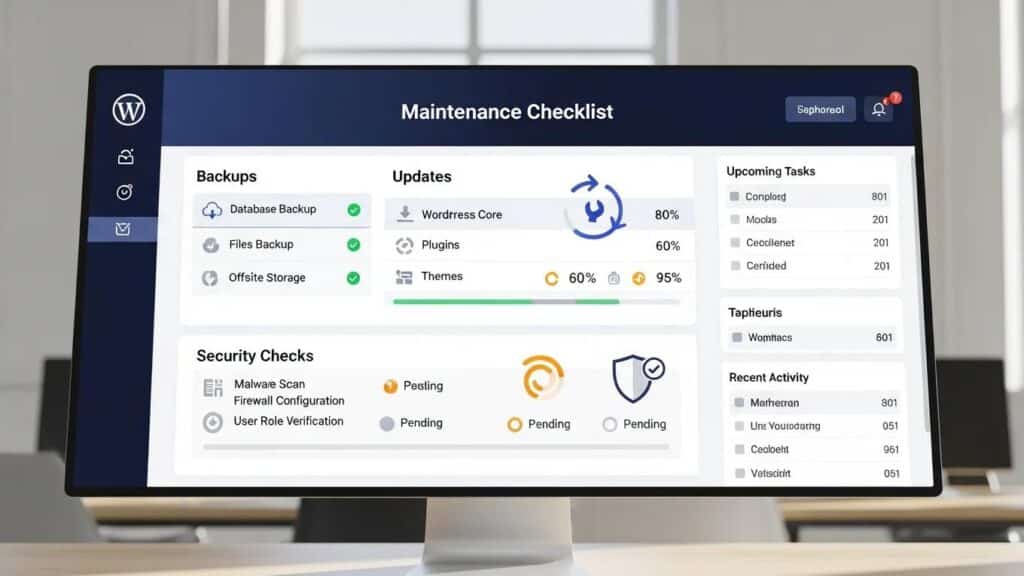
Maintaining a WordPress website is crucial for ensuring optimal performance, security, and user experience. This article provides a comprehensive checklist of essential maintenance tasks that every website owner should implement regularly. By following these guidelines, site owners can prevent potential issues, enhance site speed, and protect data. The checklist covers various aspects, including backup procedures, updates, security measures, and performance optimization. Each task is designed to address common pain points faced by website owners, offering solutions that can lead to a more reliable and efficient online presence.
The 11 essential checks for effective WordPress site maintenance, focusing on performance optimization, security measures, and content updates, are as follows:
- Backup Your Site Regularly: Perform daily or weekly full backups and store them off-site or in the cloud.
- Update Core, Themes & Plugins: Regularly update WordPress core, themes, and plugins to apply security patches and improvements. Always test updates in a staging environment before going live.
- Monitor Site Uptime: Use tools like UptimeRobot or Jetpack Monitor to receive instant alerts if the site goes offline.
- Scan for Malware and Security Issues: Conduct regular scans to detect hidden threats, ensuring the site remains secure.
- Optimize Website Speed: Improve performance by compressing images, clearing cache, and testing speed with tools like PageSpeed Insights or GTmetrix.
- Clean Up Your Database: Remove old revisions, spam, and trashed posts to enhance speed and efficiency.
- Test Contact Forms & Checkout Flows: Regularly check that all forms and checkout processes function correctly to avoid lost sales.
- Check for Broken Links: Use tools like Broken Link Checker or Ahrefs to identify and fix 404 errors that can harm SEO.
- Review User Roles & Permissions: Audit user roles regularly to minimize security risks associated with too many admin accounts.
- Test Site on Mobile Devices: Ensure the site is responsive and functions well on smartphones and tablets, not just desktops.
- Review Analytics & Traffic Trends: Analyze traffic changes and user behavior to identify areas for improvement.
Backup Your Site Regularly
Regular backups are essential for safeguarding a website against data loss due to unforeseen circumstances such as server failures or hacking attempts. It is recommended to perform daily or weekly full backups, ensuring that all content, settings, and databases are securely stored. Off-site or cloud storage options provide an additional layer of security, allowing for easy recovery in case of emergencies. Implementing a reliable backup strategy not only protects data but also provides peace of mind, knowing that the site can be restored quickly if needed.
Update Core, Themes & Plugins
Keeping WordPress core, themes, and plugins updated is vital for maintaining site security and performance. Updates often include security patches that protect against vulnerabilities, as well as improvements that enhance functionality. It is crucial to test updates in a staging environment before applying them to the live site to avoid potential conflicts or downtime. Regularly checking for updates ensures that the website remains secure and operates smoothly, providing a better experience for users.
Monitor Site Uptime
Monitoring website uptime is essential for ensuring that it remains accessible to users. Tools like UptimeRobot or Jetpack Monitor can help receive instant alerts if the site goes offline, allowing prompt issue resolution. Downtime can lead to lost traffic and revenue, making it crucial to stay informed about the site’s status. By implementing uptime monitoring, site administrators can maintain a reliable online presence and enhance user satisfaction.
Scan for Malware and Security Issues
Conducting regular scans for malware and security issues is a critical aspect of website maintenance. Regular scans help detect hidden threats that could compromise the site’s integrity and security. Utilizing security plugins or services can automate this process, providing assurance that the website is protected against potential attacks. By prioritizing security scans, site owners can safeguard data and maintain user trust.
Further emphasizing the importance of proactive security measures, research highlights the prevalence of vulnerabilities, particularly those stemming from third-party plugins.
WordPress Security: Vulnerabilities, Plugins, and Testing Tools
WordPress is a widely used content management system (CMS), with 455 million websites supported and a 60.3% market share. Ninety-two percent of the vulnerabilities found in WordPress-powered websites are due to third-party plugins and programming errors. This paper conducts a critical review of popular tools designed to automate the process of testing the security of WordPress websites by evaluating their effectiveness, ease of use, and overall value. It provides an overview of the current state of WordPress security and the importance of regular testing.
A Critical Review of WordPress Security Scanning Tools and the Development of a Next-Generation Solution, 2023
Optimize Website Speed
Website speed is a significant factor in user experience and search engine rankings. To optimize site performance, administrators should consider compressing images, clearing cache, and utilizing speed testing tools like PageSpeed Insights or GTmetrix. These tools provide insights into areas for improvement, helping enhance loading times and overall site efficiency. A faster website not only improves user satisfaction but also positively impacts SEO efforts.
Clean Up Your Database
Regularly cleaning up the database is essential for maintaining optimal website performance. Over time, databases can accumulate old revisions, spam, and trashed posts, which can slow down the site. By removing unnecessary data, site speed and efficiency can be enhanced, ensuring smooth operation. Implementing a routine database cleanup can significantly improve site performance and user experience.
Test Contact Forms & Checkout Flows
Ensuring that all contact forms and checkout processes function correctly is crucial for avoiding lost sales and maintaining user engagement. Regular testing of these features helps identify any issues that may arise, allowing prompt resolution. A seamless user experience during the checkout process can significantly impact conversion rates, making functionality testing essential.
Check for Broken Links
Broken links can harm a website’s SEO and user experience. Using tools like Broken Link Checker or Ahrefs can help identify and fix 404 errors that may deter visitors. Regularly checking for broken links ensures that the site remains user-friendly and maintains its search engine ranking. Addressing these issues enhances the overall quality of the website.
Review User Roles & Permissions
Auditing user roles and permissions is an important security measure for WordPress sites. Regularly reviewing user access helps minimize security risks associated with excessive admin accounts. By limiting access to only those who need it, the site can be protected from potential breaches. Implementing a regular audit of user roles ensures that the website remains secure and well-managed.
Test Site on Mobile Devices
With the increasing use of mobile devices, ensuring that the site is responsive and functions well on smartphones and tablets is essential. Regular testing on various devices helps identify any issues that may affect user experience. A mobile-friendly website not only enhances user satisfaction but also improves search engine rankings, making it a critical aspect of website maintenance.
Review Analytics & Traffic Trends
Analyzing traffic changes and user behavior is vital for identifying areas for improvement on a website. Regularly reviewing analytics can provide insights into user engagement, helping make informed decisions about content and design. By understanding traffic trends, the site can be optimized to better meet the needs of the audience, ultimately enhancing user experience and satisfaction.
This table outlines various backup methods, their recommended frequency, and storage options to ensure website data security.
By implementing these 11 essential checks, site owners can maintain an effective WordPress site that performs well, remains secure, and provides a positive user experience. Regular maintenance not only protects the investment but also enhances the site’s visibility and credibility in the digital landscape. To further enhance the website, consider using an AI integration service for streamlined design and functionality.
If expert assistance is required, WordPress support services are available to ensure the site runs smoothly and efficiently.
Quarterly Deep-Maintenance Tasks
Beyond the routine monthly checks, comprehensive quarterly maintenance is essential to ensure long-term stability, security, and performance of WordPress websites. WP Support Lab incorporates these deep-maintenance tasks into its quarterly maintenance cycle to provide a robust safeguard against emerging issues and evolving technical requirements.
- Full Database Export and Off-Site Backup Verification: A complete export of the website’s database is performed to create a snapshot of all content and settings. This backup is then verified off-site to ensure integrity and accessibility in case of emergency restoration.
- PHP Version Compatibility Audit: PHP is the underlying scripting language for WordPress. WP Support Lab audits the site’s compatibility with the latest stable PHP versions to leverage performance improvements and security enhancements, while identifying any deprecated functions or plugin conflicts.
- Server-Level Log Review for Anomalies: Server logs are examined for unusual activity such as repeated failed login attempts, suspicious IP addresses, or error spikes. This proactive review helps detect potential security threats or performance bottlenecks before they escalate.
- SSL Certificate Renewal Planning: Many SSL certificates, including popular 90-day certificates from providers like Let’s Encrypt, require timely renewal. WP Support Lab schedules renewal reminders and automates certificate updates to maintain uninterrupted HTTPS security.
- Google Search Console Manual Action Check: Manual actions from Google can severely impact search rankings. Quarterly checks of Google Search Console ensure no manual penalties or security issues have been flagged, allowing prompt remediation.
- Core Web Vitals Quarterly Benchmark Comparison: Core Web Vitals are critical metrics for user experience and SEO. WP Support Lab benchmarks these metrics quarterly to track improvements or regressions, guiding optimization efforts accordingly.
By integrating these quarterly tasks, WP Support Lab ensures that WordPress sites remain resilient, secure, and optimized for evolving web standards and user expectations.
Emergency Response Checklist: When Things Go Wrong
Despite best efforts, websites may occasionally experience downtime or security breaches. WP Support Lab has established a detailed emergency response protocol to minimize damage and restore normal operations swiftly.
- Check Hosting Uptime Status: Confirm whether the hosting provider is experiencing outages or maintenance that could affect site availability.
- Restore from Last Clean Backup: If the site is compromised or corrupted, restore the most recent verified clean backup to minimize data loss and downtime.
- Run Malware Scan: Utilize trusted security tools such as Wordfence or Sucuri to perform a comprehensive malware scan and identify malicious code or backdoors.
- Reset All Admin Passwords: Immediately reset passwords for all administrator accounts to prevent unauthorized access.
- Revoke Suspicious User Accounts: Audit user accounts and remove or suspend any that appear suspicious or unauthorized.
- Notify Affected Users if Data Was Exposed: In compliance with data protection regulations, inform users promptly if their personal data may have been compromised.
- Submit Google Reconsideration Request: If the site was flagged by Google for malware or spam, submit a reconsideration request after cleanup to restore search visibility.
WP Support Lab’s managed clients benefit from an emergency response service level agreement (SLA) guaranteeing response within one hour of incident notification, ensuring rapid mitigation and expert handling of critical issues.
Automating Your Maintenance Checklist
Automation is a key strategy for efficient and reliable website maintenance. WP Support Lab leverages a suite of tools and plugins to automate routine tasks, reducing manual effort and minimizing human error.
- ManageWP and MainWP: These centralized management platforms allow administrators to oversee multiple WordPress sites from a single dashboard, streamlining updates, backups, and monitoring.
- WP-CLI: The WordPress Command Line Interface enables scripted execution of updates, database optimizations, and other maintenance tasks, facilitating automation and integration with server cron jobs.
- Uptime Monitoring via UptimeRobot or Better Uptime: Automated uptime checks notify administrators instantly if a site becomes unreachable, enabling rapid response.
- Automated Backup Scheduling: Plugins such as UpdraftPlus and BlogVault provide scheduled backups with off-site storage options, ensuring data protection without manual intervention.
- Proprietary Monitoring Stack: WP Support Lab employs a custom-built monitoring system that automates approximately 80% of routine maintenance tasks, including performance checks, security scans, and update management, while generating human-reviewed reports for quality assurance.
By integrating these automation tools, WP Support Lab enhances maintenance efficiency, allowing focus on strategic improvements and rapid issue resolution.
WP Support Lab Website Maintenance Services
WP Support Lab offers comprehensive managed maintenance plans that encompass every item on this checklist—and more. These plans combine automated monitoring with expert human oversight, delivering detailed reports and proactive issue resolution. Clients benefit from a dedicated support team available for immediate response to any problems, ensuring their WordPress sites remain secure, performant, and reliable. By entrusting website maintenance to WP Support Lab, site owners gain peace of mind and the freedom to focus on growing their online presence.