


In the digital landscape, website speed is crucial for user experience and search engine rankings. A slow-loading WordPress site can lead to high bounce rates and lost opportunities. This article provides six proven tips to optimize WordPress speed, ensuring sites perform at their best. By implementing these strategies, site owners can significantly enhance loading times and overall performance, making websites more appealing to visitors. Essential aspects covered include choosing a high-quality hosting provider, using lightweight themes, optimizing images, enabling caching solutions, minimizing code, and leveraging content delivery networks (CDNs). Each section delves into practical steps to achieve optimal WordPress performance.
Choose a High-Quality Hosting Provider
Selecting a reliable hosting provider is fundamental to optimizing a WordPress site’s speed. A high-quality server can significantly impact loading times, as it determines how quickly a website can respond to user requests. Factors such as server quality and location play a crucial role in this process. For instance, a server located closer to the target audience can reduce latency and improve load times. Additionally, reputable hosting providers often offer better resources and support, which can enhance site performance. For comprehensive WordPress support, consider exploring available options to ensure sites run smoothly.
Use a Lightweight Theme
A lightweight theme is essential for improving loading times on WordPress sites. These themes are designed to be efficient, minimizing the amount of code and resources required to render pages. By choosing a lightweight theme, site owners can reduce the time it takes for sites to load, providing a better user experience. Popular lightweight themes include Astra, GeneratePress, and OceanWP, all of which are optimized for speed and performance. The impact of a lightweight theme on site performance can be substantial, making it a critical consideration in optimization efforts.
Optimize Images
Image optimization is a vital step in enhancing WordPress site speed. Large, unoptimized images can significantly slow down loading times, leading to a poor user experience. Techniques for optimizing images include compressing files, using modern formats like WebP, and implementing lazy loading. By compressing images, file sizes can be reduced without sacrificing quality, which helps improve loading times. Additionally, lazy loading ensures that images are only loaded when they are visible in the user’s viewport, further enhancing performance.
Research consistently demonstrates the significant impact of optimized image formats on overall page load times.
Optimize Web Images for Faster Page Loading
In 2023, images on the web make up 41% of transmitted data, significantly impacting the performance of web apps. Fortunately, image formats like WEBP and AVIF could offer advanced compression and faster page loading but may face performance disparities across browsers. Therefore, performance evaluations were conducted on five major browsers – Chrome, Edge, Safari, Opera, and Firefox – while comparing four image formats. The results indicate that the newer formats exhibited notable performance enhancements across all browsers, leading to shorter loading times. Compared to the compressed JPEG format, WEBP and AVIF improved the Page Load Time by 21% and 15%, respectively.
Web image formats: Assessment of their real-world-usage and performance across popular web browsers, B Dornauer, 2023
Image Optimization Techniques
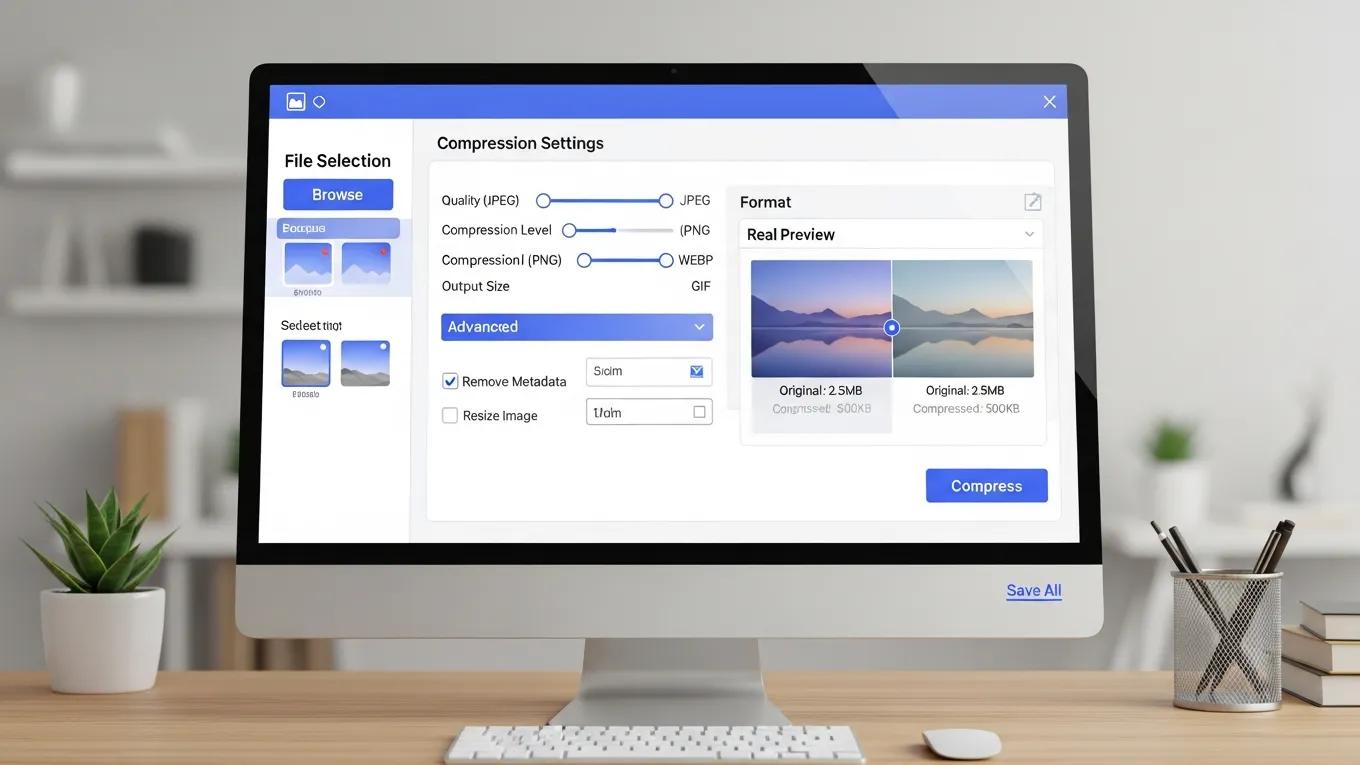
To effectively optimize images on WordPress sites, consider the following techniques:
- Compression Tools: Use tools like Smush or ShortPixel to automatically compress images upon upload.
- Modern Formats: Convert images to WebP format, which offers superior compression and quality compared to traditional formats like JPEG and PNG.
- Lazy Loading: Implement lazy loading using plugins or built-in features to defer loading images until they are needed.
These techniques can significantly reduce image-related loading times, contributing to an overall faster website.
Enable Caching Solutions
Caching is a powerful method for improving WordPress site speed. By storing static versions of pages, caching solutions reduce the need for the server to generate a new page for every request. This process can dramatically decrease loading times, especially for repeat visitors. Various types of caching solutions are available, including browser caching, page caching, and object caching. Each type serves a specific purpose and can be implemented using popular caching plugins. For further optimization, consider exploring search engine optimization strategies to enhance site visibility.
Effective Caching Plugins
These plugins can help implement effective caching strategies, leading to faster loading times and improved user experience.
Minimize CSS, JavaScript, and HTML
Minimizing site code is essential for optimizing speed. Excessive CSS, JavaScript, and HTML can bloat websites, leading to longer loading times. Minification involves removing unnecessary characters, such as whitespace and comments, from code without affecting functionality. This process can significantly reduce file sizes and improve loading speeds. Tools and plugins are available to help automate this process, making it easier to maintain a lean codebase. To further enhance website capabilities, consider AI integration service tools for efficient design and functionality.
Leverage a Content Delivery Network (CDN)

A Content Delivery Network (CDN) can enhance WordPress site speed by distributing content across multiple servers worldwide. This approach allows users to access sites from a server that is geographically closer to them, reducing latency and improving load times. CDNs also help alleviate server load during traffic spikes, ensuring consistent performance. Popular CDN providers include Cloudflare and StackPath, both of which offer robust features to enhance site speed and reliability. For more information, visit WPSupportLab.
Specifically, services like Cloudflare have been shown to dramatically improve both the speed and security of WordPress websites.
Cloudflare CDN for WordPress Speed & Security
Cloudflare is an organization that offers content conveyance network administrations, cloud online protection, DDoS relief, and ICANN-licensed space enrollment administrations. Cloudflare typically facilitates the transport of data from website pages so it ends up being faster with splendid execution. Cloudflare confines bots and blocks dangers. Cloudflare fundamentally diminishes spam and dangers while additionally improving quality paces by up to 95%. Cloudflare’s savvy framework reserving saves transmission bandwith, and that implies less work for the server and less money. Cloudflare cuts down bandwidth by a typical 60%. Cloudflare decreases open time by half on each site page, bringing about speeding up.
Enhancing Website Speed and Security with Cloudflare CDN: A Case Study on WordPress Websites, E Bajrami, 2024
By implementing these six proven tips, site owners can significantly improve WordPress site speed and performance. Each strategy contributes to a more efficient website, ultimately leading to a better user experience and higher search engine rankings. For a comprehensive evaluation of sites, consider a WordPress audit to identify areas for improvement.