

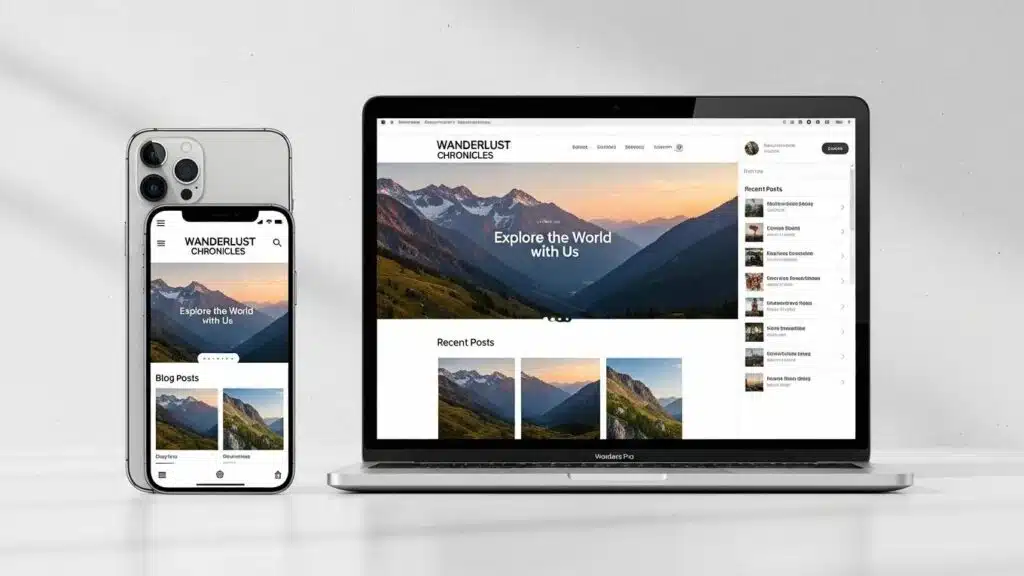
Creating an engaging and visually appealing WordPress site is essential for attracting and retaining visitors. With the right design elements, site owners can significantly enhance user experience and ensure their website stands out in a crowded digital landscape. This article explores six creative ideas to improve WordPress design, focusing on themes, responsiveness, and overall user experience. By implementing these strategies, common design challenges can be addressed to create a more inviting online presence. The discussion covers the importance of custom color schemes, dynamic typography, mobile optimization, interactive elements, high-quality images, and streamlined navigation menus.
Use Custom Color Schemes
Custom color schemes play a crucial role in establishing a brand’s identity and enhancing the overall aesthetic of a website. By tailoring the color palette to reflect a brand’s personality, designers can create a cohesive and visually appealing design. Tools like Adobe Color assist in selecting complementary colors that resonate with the target audience. A well-thought-out color scheme not only improves visual appeal but also enhances user engagement by creating a more immersive experience.
Implement Dynamic Typography

Typography is a vital aspect of web design that significantly affects readability and user engagement. Utilizing varied fonts and sizes helps emphasize key content and guide users through the site. Ensuring accessibility and legibility is essential, as it allows all users, including those with visual impairments, to navigate comfortably. By implementing dynamic typography, designers can create a more engaging and user-friendly experience that encourages visitors to stay longer on the site.
Further research highlights how interactive typography, combined with responsive design, can significantly boost user engagement, especially among younger audiences.
Interactive Typography & Responsive Design for User Engagement
The research examined interactive text as a possible interactive form of pictorial communication for generation z meaningfully engaging on online platforms. By adopting a three-phase methodology towards design, realización and evaluation, the research examines how much movement, responsiveness and user interactivity influences the interpretation of the the communicative message and the emotional. The research uses an interweaving of methodologies. Methodology usability testing, engagement analytics and qualitative indicators, which indicate kinetic text, format variations, and animation responsive were more interesting, easier to understand, and shareable than static texts. Findings suggest participants read as a participant and active, as opposed to passive, which wasn’t related to their use of interactions. At last the results deliver positioning for interactive text read as a new thinking strategies for the needs of generation z for authenticity and enable discourse r
Exploring Interactive Typography as a Visual Communication Medium to Enhance Generation Z Engagement on Digital Platforms, 2025
Optimize for Mobile Devices
With the increasing number of users accessing websites via mobile devices, optimizing WordPress sites for mobile is more important than ever. Designing with a responsive layout ensures that sites look great and function well on all screen sizes. Using mobile-first themes enhances user experience by catering to the growing mobile audience. By prioritizing mobile optimization, site performance improves, user satisfaction increases, and search engine rankings can be boosted, as detailed in WP Support Lab’s SEO resources.
Add Interactive Elements
Incorporating interactive elements into WordPress design can significantly enhance user engagement. Features such as hover effects, animations, and dynamic content make sites more memorable and enjoyable to navigate. Utilizing plugins for interactive elements simplifies the process and allows for creating a more engaging experience without extensive coding knowledge. Adding these features encourages users to explore sites further and increases the likelihood of conversions.
Integrate High-Quality Images
High-quality images are essential for creating a professional and visually appealing website. Using relevant and optimized images enhances user engagement and effectively conveys a brand’s message. It is important to optimize images for loading times to ensure a smooth user experience. Pairing images with descriptive captions also provides context and improves accessibility. Integrating high-quality visuals creates a more inviting atmosphere that encourages visitors to explore content.
Streamline Navigation Menus

Effective navigation is crucial for ensuring a positive user experience on WordPress sites. Simplifying navigation menus helps users find information quickly and easily. Organizing menus with clear categories and testing them with real users provides valuable feedback on usability. A well-structured navigation system not only enhances user experience but also contributes to better SEO performance by making it easier for search engines to crawl the site.
How Can Responsive WordPress Design Improve Site User Experience?
Responsive WordPress design significantly enhances user experience by ensuring that sites function well across various devices. This adaptability leads to improved user satisfaction, as visitors can access content seamlessly, regardless of their device. Additionally, responsive design can increase mobile traffic and improve site SEO rankings, making it a crucial aspect of modern web design.
What Are the Best Practices for Creating Mobile-Friendly WordPress Layouts?
Creating mobile-friendly WordPress layouts involves several best practices:
- Choose a Responsive Theme: Select a theme that automatically adjusts to different screen sizes.
- Optimize Images for Mobile: Ensure images are appropriately sized and compressed for faster loading times.
- Simplify Navigation: Use a straightforward menu structure that is easy to navigate on smaller screens.
Implementing these practices significantly enhances the mobile experience for users.
How Does Responsive Design Impact Site Performance and Accessibility?
Responsive design positively impacts site performance by improving load times and enhancing user satisfaction. A well-optimized responsive site reduces the need for separate mobile versions, simplifying maintenance and updates. Furthermore, responsive design enhances accessibility by ensuring that all users, including those with disabilities, can navigate the site effectively.
What Are Effective WordPress Theme Customization Tips to Make Sites Stand Out?
To make WordPress sites stand out, consider the following theme customization tips:
- Use Custom Color Schemes: Tailor the color palette to align with brand identity.
- Implement Dynamic Typography: Choose fonts that enhance readability and engagement.
- Add Interactive Elements: Incorporate features that encourage user interaction and exploration.
These strategies help create unique and engaging websites that capture audience attention.
In line with these customization efforts, developing a custom WordPress theme offers a more tailored approach to enhancing user experience and interface.
Custom WordPress Theme Development for UX/UI
The aim of this project is to offer a new, easier method to web designers and web design instructors for creating a custom-built WordPress theme using primarily Underscores, a starter theme made by Automattic, the creators of WordPress; and Elementor, a leading WordPress-based web creation platform. WordPress is a leading, free content management system (CMS) for building websites. Premised on user experience/user interface (UX/UI) applied research, this method can help web design professionals avoid using third-party WordPress themes.
UX/UI Research-Applied Strategies for Building a Custom WordPress Theme Using Underscores and Elementor, 2022
How Can AI Website Builders Revolutionize WordPress Design?
AI website builders are transforming WordPress design by streamlining the customization process and enhancing user experience. These tools automate various design tasks, allowing users to create visually appealing sites without extensive technical knowledge. By leveraging AI technology, responsiveness improves and the design process becomes more efficient.
What Are the Benefits of Using AI Tools for Automating WordPress Site Creation?
Using AI tools for automating WordPress site creation offers several benefits:
- Speed and Efficiency: AI significantly reduces the time required to build a website.
- User-Friendly Process: These tools often feature intuitive interfaces that simplify the design process.
- Customization Options: AI tools provide personalized design suggestions based on user preferences.
These advantages make AI tools valuable assets for enhancing WordPress design.
How to Integrate AI Website Builders with Existing WordPress Themes and Plugins?
Integrating AI website builders with existing WordPress themes and plugins involves several steps:
- Select Useful Plugins: Choose plugins that complement the AI builder’s features.
- Plan Design and Features: Outline how the AI tool will enhance the current design.
- Test and Debug Thoroughly: Ensure that all elements work seamlessly together.
Following these steps effectively enhances WordPress sites with AI technology.
What User Experience and Accessibility Tips Enhance WordPress Site Usability?
To enhance usability on WordPress sites, consider the following tips:
- Responsive Design: Ensure sites are accessible on all devices.
- Adhere to WCAG Guidelines: Follow web content accessibility guidelines to improve inclusivity.
- Use Descriptive Alt Text: Provide alt text for images to enhance accessibility for visually impaired users.
Implementing these strategies significantly improves the overall user experience on sites.
How Do UX Improvements Increase Engagement on WordPress Sites?
UX improvements lead to increased engagement on WordPress sites by creating a more enjoyable and intuitive browsing experience. Custom color schemes enhance emotional connections, while dynamic typography improves readability. Additionally, mobile optimization ensures that visitors can easily access content, leading to longer visit durations and higher interaction rates.
Which Accessibility Features Are Essential for WordPress Design Compliance?
Essential accessibility features for WordPress design compliance include:
- High Contrast Ratios: Ensure text is easily readable against background colors.
- Clear Typography: Use legible fonts and sizes for all text elements.
- Screen Reader Compatibility: Ensure sites are navigable using screen readers for visually impaired users.
Incorporating these features not only enhances compliance but also improves the overall user experience for all visitors.
To further enhance WordPress sites, exploring options for WordPress development is recommended. Professional developers provide tailored solutions to meet specific needs.
For those seeking to streamline website creation processes, an AI website builder can be a game-changer. These tools offer intuitive interfaces and automated design suggestions.
For assistance with WordPress sites, reaching out for WordPress support is advisable. Expert assistance helps resolve issues and optimize site performance.