

Creating a custom WordPress theme is a rewarding endeavor that allows developers to tailor websites to specific needs and aesthetics. This guide outlines the essential steps involved in theme development, ensuring a comprehensive understanding of both technical and design aspects. By following these steps, developers can create WordPress themes that not only look great but also function seamlessly. Many developers face challenges with the complexities of theme creation; however, a structured approach simplifies the process and leads to professional results. This article covers the essential files and structure of a WordPress theme, effective design and coding practices, key design principles, necessary coding languages, and optimization techniques for performance and responsiveness.
What are the essential files and structure of a WordPress theme?
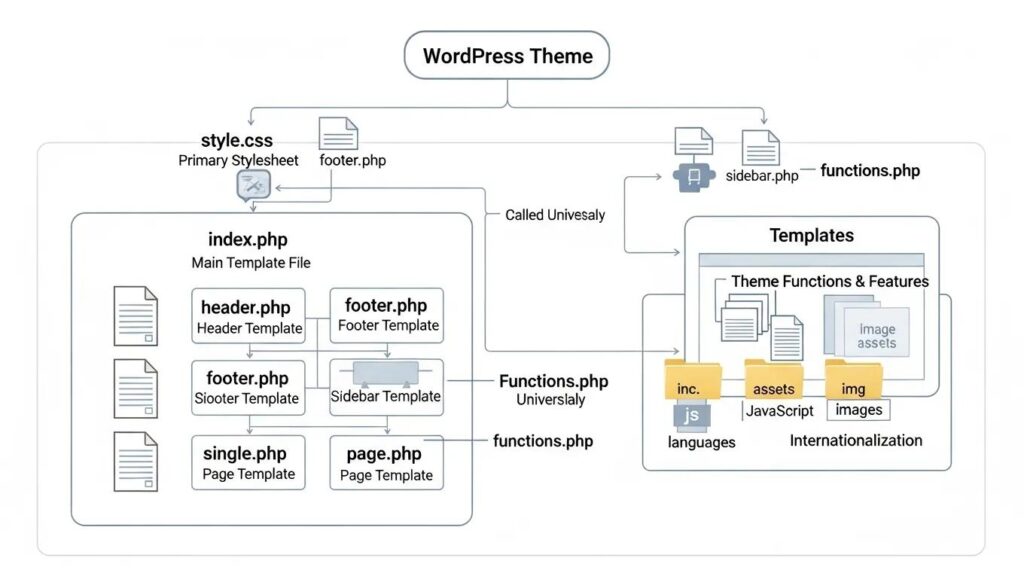
A WordPress theme consists of several essential files that work together to create a cohesive design and functionality. Understanding these files and their structure is crucial for effective theme development. The primary files include , , and , each serving a specific purpose in the theme’s operation. Proper organization of these files ensures that the theme functions correctly and adheres to WordPress standards.
Which template files must every custom WordPress theme include?
Every custom WordPress theme must include several key template files to function properly:
- style.css: This file defines the visual appearance of the theme, including layout, colors, and fonts.
- index.php: Serving as the main template file, it is the fallback for all other templates and is essential for displaying content.
- functions.php: This file allows developers to add custom functionality to the theme, such as registering menus and sidebars.
These files form the backbone of any WordPress theme, and understanding their roles is vital for successful development.
How does the WordPress template hierarchy organize theme files?
The WordPress template hierarchy organizes theme files based on a specific order of precedence. This hierarchy determines which template file is used to display content based on the type of request. For instance, if a specific template file for a post type is not available, WordPress will fall back to the file. This logical structure enhances customization and allows developers to create tailored experiences for different content types.
How do you design and code a custom WordPress theme effectively?
Designing and coding a custom WordPress theme requires a blend of creativity and technical skills. Effective planning is essential to ensure that the theme meets both aesthetic and functional requirements. Setting up a development environment is crucial for testing and debugging, allowing developers to refine their work before deployment.
What are the key WordPress theme design principles to follow?
When designing a WordPress theme, several key principles should be adhered to for optimal results:
- Responsive Design: Ensuring the theme is mobile-friendly is essential in today’s digital landscape.
- Performance Optimization: A well-optimized theme enhances user experience by reducing loading times.
- Security Practices: Implementing security measures protects the theme from vulnerabilities and ensures user data safety.
These principles guide developers in creating themes that are not only visually appealing but also functional and secure.
Which coding languages and PHP functions are essential for theme development?
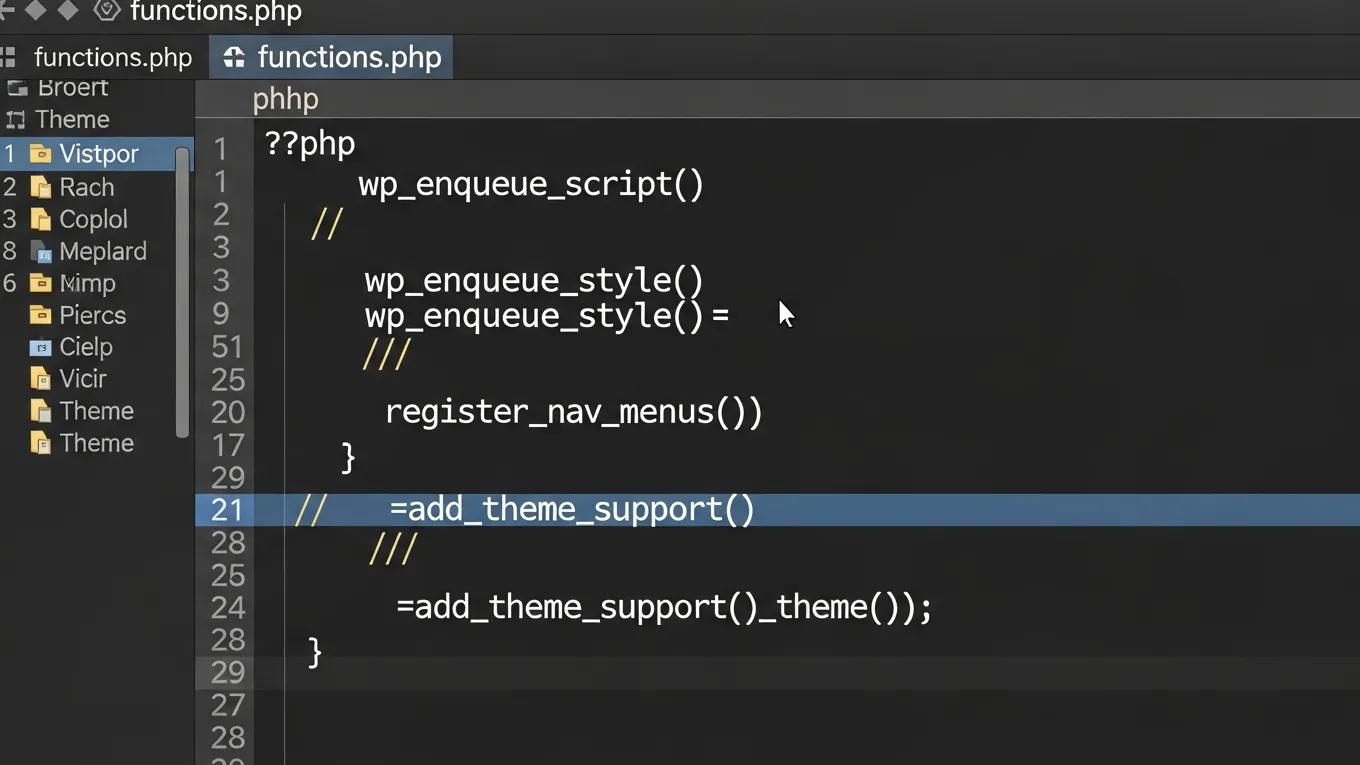
To develop a custom WordPress theme, familiarity with several coding languages and PHP functions is necessary:
- HTML: The backbone of web content, used for structuring the theme.
- CSS: Essential for styling and layout, allowing for customization of the theme’s appearance.
- PHP: The primary language for WordPress, used to create dynamic content and interact with the WordPress core.
Understanding these languages and their respective functions is crucial for effective theme development.
How can a WordPress theme be made responsive and performance-optimized?

Making a WordPress theme responsive and performance-optimized involves several techniques:
- Use Responsive Themes: Implement flexible layouts that adapt to various screen sizes.
- Optimize Images: Compress images to reduce loading times without sacrificing quality.
- Enable Caching: Utilize caching mechanisms to improve site speed and performance.
These strategies ensure that the theme provides a seamless experience across devices while maintaining optimal performance.
What techniques ensure mobile-friendly and responsive WordPress themes?
To ensure that a WordPress theme is mobile-friendly and responsive, consider the following techniques:
- Choose a Responsive Theme: Start with a theme that is designed to be responsive from the ground up.
- Utilize Media Queries: Implement CSS media queries to adjust styles based on device characteristics.
- Regularly Test on Various Devices: Conduct testing on multiple devices to ensure compatibility and usability.
These techniques help create a theme that meets the needs of users on all devices.
How to optimize theme performance and loading speed?
Optimizing theme performance and loading speed is critical for user satisfaction. Here are some effective strategies:
- Minimize CSS and JavaScript: Reduce file sizes by combining and minifying CSS and JavaScript files.
- Enable Caching: Use caching plugins to store static versions of the site, reducing server load.
- Use a Content Delivery Network (CDN): A CDN can distribute content globally, improving load times for users regardless of their location.
Implementing these strategies can significantly enhance the performance of a WordPress theme.
What tools and best practices support custom WordPress theme development?
Several tools and best practices support effective custom WordPress theme development:
- Local Development Tools: Use tools like XAMPP or Local by Flywheel to create a local development environment.
- Follow WordPress Coding Standards: Adhering to coding standards ensures consistency and quality in code.
- Regularly Update and Maintain the Theme: Keeping the theme updated with the latest WordPress standards and security practices is essential for longevity.
These tools and practices help streamline the development process and ensure high-quality outcomes.
To further enhance website visibility, consider search engine optimization strategies.
Many developers face challenges with the complexities of theme creation; however, a structured approach simplifies the process and leads to professional results. For those seeking assistance, WordPress support services provide expert guidance and troubleshooting.
Creating a custom WordPress theme is a rewarding endeavor that allows developers to tailor websites to specific needs and aesthetics. For a simpler solution, consider using an AI integration service to streamline the process.
Setting Up the WordPress Theme Development Environment
Establishing a robust development environment is foundational to successful custom WordPress theme creation. Developers at WP Support Lab utilize a variety of local development tools to streamline coding, testing, and debugging processes before deploying themes to live servers.
Popular local development environments include:
- LocalWP: A user-friendly tool designed specifically for WordPress development, offering quick site setup, SSL support, and easy database management.
- DevKinsta: Provides a comprehensive local WordPress environment with built-in email testing and database management, ideal for staging and development.
- XAMPP: A versatile, cross-platform solution that installs Apache, MySQL, PHP, and Perl, suitable for developers comfortable configuring their own environments.
Within the theme folder structure, WP Support Lab emphasizes clear organization to enhance maintainability and scalability. A typical custom theme directory includes:
- style.css: Contains theme metadata and CSS styles.
- functions.php: Houses PHP functions to extend theme capabilities.
- index.php: The fallback template file for rendering content.
- template-parts/: A directory for reusable template components such as headers, footers, and content blocks.
Before deploying custom themes to production, WP Support Lab configures staging environments that mirror live server conditions. This approach allows thorough testing of theme functionality, compatibility, and performance, minimizing risks associated with direct production updates.
Template Hierarchy and Custom Page Templates
Understanding WordPress’s template hierarchy is essential for creating flexible and maintainable themes. The hierarchy dictates which template files WordPress uses to display different types of content, enabling developers to customize the user experience precisely.
Key template files in the hierarchy include:
- single.php: Used for individual blog posts.
- page.php: Used for static pages.
- archive.php: Displays category, tag, author, or date archives.
- 404.php: Handles “Page Not Found” errors.
Developers can create custom page templates by adding a specific header comment at the top of a PHP file, such as:
This enables users to select the custom template within the WordPress page editor, facilitating unique layouts or functionality for specific pages.
WP Support Lab advocates for the strategic use of template parts versus full templates. Template parts—modular components like headers, footers, or content snippets—promote code reuse and simplify maintenance. Full templates are reserved for distinct page types requiring unique structures. This balance ensures themes remain organized, scalable, and easier to update over time.
Enqueuing Scripts and Styles Correctly
Properly loading scripts and styles is critical for theme performance and compatibility. WP Support Lab follows WordPress best practices by utilizing the hook to register and enqueue assets.
Key functions include:
- wp_enqueue_style(): Registers and enqueues CSS files, supporting versioning and dependency management.
- wp_enqueue_script(): Registers and enqueues JavaScript files with options for dependencies, versioning, and loading in the footer.
For example, enqueuing a stylesheet with versioning and dependencies might look like this:
WP Support Lab strictly avoids embedding direct script or style tags within or other template files, as this practice can lead to conflicts and hinder optimization.
Additionally, WP Support Lab employs asset optimization techniques such as concatenation, minification, and conditional loading to reduce HTTP requests and improve load times, ensuring custom themes deliver optimal performance.
Theme Testing, Accessibility, and Performance Validation
Comprehensive testing is a cornerstone of WP Support Lab’s custom theme development process. Prior to launch, themes undergo rigorous validation to ensure quality, accessibility, and performance standards are met.
Testing includes:
- Theme Unit Test Data: Utilizing WordPress’s official test content to verify theme compatibility with various post types, formats, and content structures.
- Accessibility Checks: Ensuring compliance with WCAG 2.1 guidelines to make themes usable for all users, including those with disabilities. This includes keyboard navigation, color contrast, and ARIA roles.
- Core Web Vitals Benchmarking: Measuring key performance metrics such as Largest Contentful Paint (LCP), Cumulative Layout Shift (CLS), and First Input Delay (FID) to guarantee fast, stable, and responsive user experiences.
WP Support Lab maintains a detailed pre-launch quality assurance checklist covering code validation, cross-browser testing, mobile responsiveness, and security audits. This meticulous approach ensures that every custom theme delivered is robust, accessible, and performant.
WP Support Lab Custom Theme Development Services
WP Support Lab specializes in building fully custom WordPress themes engineered for performance, accessibility, and long-term maintainability. From initial wireframe design through production deployment, the team applies industry best practices and cutting-edge techniques to deliver themes tailored to client specifications.
Beyond development, WP Support Lab offers ongoing theme support and maintenance services, ensuring websites remain secure, up-to-date, and optimized as WordPress evolves. Clients benefit from expert guidance, seamless integration, and a commitment to excellence that distinguishes WP Support Lab as a trusted partner in WordPress theme development.