


Creating a responsive design is crucial in today’s digital landscape, where users access websites from various devices. This article outlines ten essential rules for achieving responsive Elementor design, ensuring that websites look great and function well on all screen sizes. By focusing on mobile optimization techniques and utilizing Elementor’s powerful features, user experience and engagement can be enhanced. Many designers struggle with creating layouts that adapt seamlessly across devices, leading to a frustrating experience for users. This guide provides actionable strategies to overcome these challenges, covering topics such as mobile-first design, effective use of responsive settings, and the importance of testing across real devices.
The increasing prevalence of mobile devices underscores the critical need for responsive web design that adapts seamlessly across various screen sizes.
Responsive Web Design for Mobile Device Screen Optimization
The use of these mobile devices has experienced an explosive growth and come in vary screen sizes. This development has changed the way how web contents is organized and displayed on screen. This paper compares the different responsive approaches, which works well with various device screens. However, the main focus of this paper is on Responsive Web Design (RWD) since it is highly applicable. RWD techniques and tools, issues and reviews of RWD are also discussed in this paper.
Responsive Web Design for Mobile Device Screen Optimization, FY Lee, 2014
Start with Mobile in Mind

Starting with a mobile-first approach is essential for responsive design. This strategy emphasizes designing for smaller screens before scaling up to larger devices. By prioritizing mobile users’ needs, a more streamlined and efficient design can be created. Mobile-first design allows for better performance and faster loading times, which are critical factors for user retention. Additionally, creating mobile wireframes first helps in visualizing the layout and functionality on smaller screens, ensuring that essential elements are prioritized.
Use Elementor’s Responsive Settings
Elementor offers a range of responsive settings that allow customization of designs for different devices. Utilizing these settings effectively can significantly enhance a website’s adaptability. Here are some key guidelines:
Elementor’s visual builder capabilities are central to crafting fully customized and responsive website structures without extensive coding.
Elementor Visual Builder for Responsive Web Design
ključnih dodataka, pristupilo se konkretnoj izradi strukture web stranice unutar Elementor vizualnog graditelja. Elementor omogućuje izradu potpuno prilagođenih dizajna bez potrebe
Razvoj i optimizacija funkcionalne i responsivne web stranice za najam skutera u WordPressu, 2025
- Adjust Padding and Margins: Ensure that content is well-spaced on mobile devices by adjusting padding and margins specifically for smaller screens.
- Utilize Device Preview Toggles: Use Elementor’s device preview feature to see how designs look on mobile, tablet, and desktop views.
- Customize Settings for Each Breakpoint: Tailor design settings for each breakpoint to ensure optimal display across all devices.
By leveraging these responsive settings, a more cohesive and user-friendly experience can be created.
Avoid Fixed Heights and Widths
In responsive design, avoiding fixed heights and widths is crucial for flexibility. Fixed dimensions can lead to content overflow or misalignment on different screen sizes. Instead, use percentage or viewport units to ensure that designs adapt fluidly to various devices. This approach allows for better content adaptation and minimizes the risk of layout issues. By ensuring that elements can resize dynamically, the overall user experience is enhanced and a clean layout is maintained.
Master Section and Column Layouts
Effective management of sections and columns is vital for responsive Elementor design. Minimizing nested sections can improve mobile performance and simplify layouts. A clean and organized structure not only enhances aesthetics but also ensures that content is easily accessible. By mastering section and column layouts, a more intuitive navigation experience can be created for users. This practice also helps in maintaining consistency across different devices, making designs more reliable.
Use Elementor Flexbox Containers
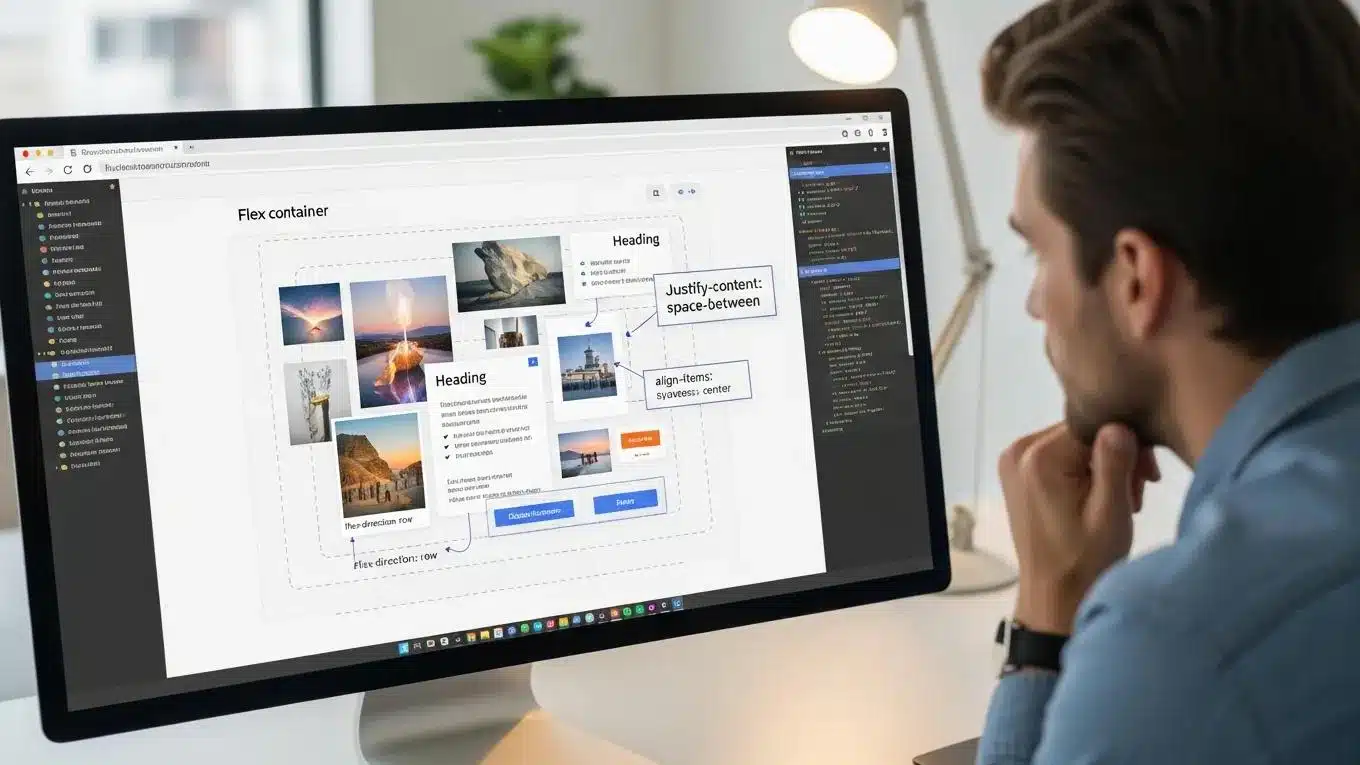
Elementor’s Flexbox containers provide significant advantages for responsive design. These containers allow for better alignment and performance, reducing the need for nested sections. By utilizing Flexbox, the responsive behavior of designs is enhanced, ensuring that elements adjust seamlessly to different screen sizes. This method simplifies the layout process and improves the overall user experience, making it easier for visitors to interact with content.
Optimize Typography for Mobile
Typography plays a crucial role in mobile design. Optimizing typography settings for mobile devices ensures readability and enhances user engagement. Here are some essential tips:
- Use REM/EM Units for Font Sizes: These units allow for scalable text that adjusts based on user preferences and device settings.
- Set Mobile-Specific Font Sizes: Tailor font sizes specifically for mobile to ensure that text is legible without excessive zooming.
- Ensure Readability with Appropriate Line Lengths: Maintain optimal line lengths to enhance reading comfort on smaller screens.
By focusing on these typography strategies, the mobile user experience can be significantly improved.
Reduce Image and Background Bloat
Optimizing images and backgrounds is essential for mobile performance. Large files can slow down loading times, negatively impacting user experience. Here are some strategies to reduce bloat:
Optimizing mobile web performance is paramount, as it directly impacts user experience, engagement, and ultimately, the success of a digital strategy.
Mobile Web Performance & User Experience Optimization
The mobile web is a widely popular digital delivery platform as mobile phones are fast becoming the primary gateways for Internet users. The mobile web provides an optimal user experience on various browsers and mobile devices. Mobile web users expect fast-loading mobile web platforms, especially on mobile devices. Mobile web performance highly influences user traffic, bounce rates, site abandonment rates, average session time, conversion rates, page views, user satisfaction, user retention rates, and ad revenue rates. In a nutshell, a high-performing mobile web platform is crucial to the success of an organization’s digital strategy.
Mobile web performance optimization, SK Shivakumar, 2020
- Use Compressed Image Formats: Opt for formats like WebP or JPEG to minimize file sizes without sacrificing quality.
- Implement Lazy Loading: This technique loads images only when they are in the viewport, improving initial load times.
- Replace Heavy Backgrounds with Simpler Designs: Simplifying backgrounds can enhance performance and reduce visual clutter.
By implementing these strategies, a faster, more efficient mobile experience can be created.
Use Global Settings for Consistency
Maintaining consistency across devices is vital for a cohesive design. Elementor’s global settings allow establishment of uniform colors, fonts, and styles throughout a website. This approach simplifies updates and ensures that designs remain consistent, regardless of the device being used. By utilizing global settings, a more professional appearance can be created and brand recognition enhanced. Consistency in design not only improves aesthetics but also fosters trust and familiarity among users.
Test Across Real Devices
Testing designs across real devices is crucial for identifying potential issues. While simulators and emulators can provide a general idea, nothing compares to testing on actual devices. Conduct thorough testing on various devices to ensure that sites perform well across platforms. Utilize tools like Chrome DevTools to simulate different screen sizes and resolutions. This practice helps in identifying layout issues and ensures that designs are truly responsive.
Keep Mobile Experience Focused
Focusing on the mobile experience is essential for user satisfaction. Simplifying the mobile experience can lead to higher engagement and conversion rates. Here are some strategies to enhance mobile usability:
- Simplify Mobile Experience: Reduce clutter and prioritize essential content to create a more streamlined experience.
- Use Sticky CTAs: Implement sticky call-to-action buttons to encourage user interaction without scrolling.
- Eliminate Unnecessary Animations: Minimize animations that may distract or slow down the user experience on mobile devices.
By prioritizing these strategies, a more effective mobile experience that meets user needs can be created.
To further enhance website performance, consider leveraging search engine optimization strategies.
For those seeking assistance, WordPress support services can provide valuable guidance and troubleshooting.
If building a website quickly and efficiently is desired, explore the capabilities of an AI-assisted web design team.
Advanced Elementor Responsive Techniques
Elementor’s responsive design capabilities extend far beyond basic settings, offering advanced tools that empower designers to create truly adaptive websites. One of the most powerful features is Elementor’s custom breakpoint system, which allows precise control over how a website responds to different screen sizes. These breakpoints include mobile portrait, mobile landscape, tablet, tablet extra, laptop, and desktop views. By configuring these breakpoints, designers can tailor layouts and styles to specific device categories, ensuring pixel-perfect responsiveness.
In addition to breakpoints, Elementor supports the use of CSS Grid and Flexbox within its interface, enabling the creation of complex, flexible layouts that adjust fluidly across devices. CSS Grid is particularly useful for two-dimensional layouts, allowing for precise placement of elements in rows and columns, while Flexbox excels at one-dimensional alignment and distribution of space within containers. Combining these technologies within Elementor’s visual builder facilitates sophisticated responsive designs without the need for extensive custom coding.
Conditional visibility settings are another advanced feature that allow content to be shown or hidden based on the visitor’s device. This capability is essential for delivering device-specific content, such as simplified navigation menus on mobile or enhanced interactive elements on desktop. By leveraging conditional visibility, designers can optimize user experience and performance by reducing unnecessary content on smaller devices.
At WP Support Lab, the configuration of Elementor breakpoints is a critical part of delivering responsive websites that perform flawlessly across all screen sizes. Our team meticulously sets custom breakpoints tailored to each project’s target audience and device usage patterns. This approach ensures that every element, from typography to interactive widgets, adapts seamlessly, providing a consistent and engaging user experience regardless of the device.
Performance Optimization for Elementor Sites
While Elementor offers extensive design flexibility, it can introduce CSS and JavaScript bloat that negatively impacts site performance if not managed properly. WP Support Lab employs advanced techniques to reduce this bloat, primarily through asset loading controls that selectively load only the necessary CSS and JS files for each page. This targeted loading minimizes unnecessary code, significantly improving page load times.
Implementing critical CSS is another key strategy used to enhance performance. Critical CSS involves extracting and inlining the CSS required to render above-the-fold content immediately, allowing the page to display meaningful content faster while deferring non-critical styles. This technique improves perceived load speed and user engagement.
Lazy loading is also applied to Elementor widgets, ensuring that images, videos, and other media load only when they enter the viewport. This reduces initial page weight and speeds up loading times, particularly on mobile devices with limited bandwidth.
WP Support Lab’s comprehensive Elementor performance audits typically result in PageSpeed score improvements ranging from 20 to 40 points. These optimizations are achieved without compromising the visual fidelity or functionality of the design, maintaining a seamless user experience while delivering faster, more efficient websites.
WP Support Lab Elementor Design and Development Services
WP Support Lab specializes in responsive Elementor design and development, offering end-to-end services that ensure websites look exceptional and perform optimally on every device. From initial wireframing and breakpoint configuration to advanced performance optimization and rigorous cross-browser testing, WP Support Lab delivers Elementor-powered websites tailored to client needs. Our expertise in responsive design principles, combined with deep technical knowledge of Elementor’s capabilities, enables us to create websites that not only captivate users visually but also load quickly and function flawlessly across all platforms. Partnering with WP Support Lab guarantees a professional, reliable, and future-proof web presence that drives engagement and business growth.